Upgrading Homerun
The sidebar shows the version you're running. Admins can click it any time to open an update-status dialog; a notice also appears there on its own when a newer GitHub release already exists (checked every ten minutes). A Check for updates button inside the dialog bypasses that ten-minute cache and asks GitHub right away. Once an update is available, the dialog behaves as follows:
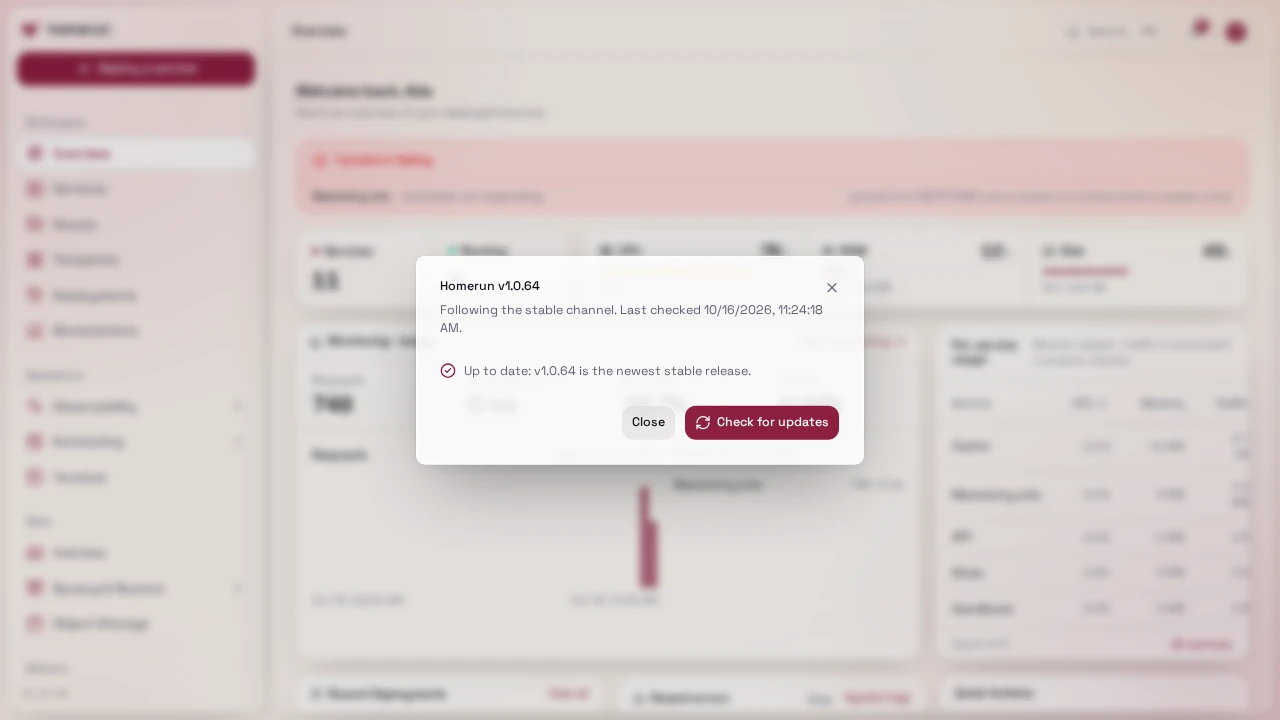
- It refuses while a deployment is queued or running, or while any other job (backup, cron job, cleanup) is running, and lists those jobs: their service (linked), stage, when they started and the worker's last heartbeat. A job marked Stuck is running in the worker with no heartbeat for over two minutes, or with a heartbeat but no progress for 15 minutes (no Docker call answered, no data moved), so waiting won't clear it. The worker fails a job with no progress on its own after 15 minutes; if Docker itself is stuck, see Docker stuck on a container. Wait, then Check again, or use Update anyway (below).
- Update now holds the job queue, so nothing new starts, then launches a
short-lived
homerun-updatercontainer (docker:cli) with the Docker socket and your compose directory mounted. It runsdocker compose pullthendocker compose up -d --no-depsfor the Homerun app and worker services only. Traefik, Postgres and the Newt tunnel aren't touched. - If you installed with the installer, your
compose.yamlis generated (its first line is# homerun:generated). Every update overwrites it (andcompose.swarm.yamlon a swarm install) with the file shipped in the new release, because an old compose file can break a new version. Don't edit it: put your settings in.envnext to it (HOMERUN_HOST,ORIGIN,DASHBOARD_DOMAIN,ACME_EMAIL,POSTGRES_*, …) or inhomerun.yaml. The update writes the target version toHOMERUN_VERSIONin.env. - A compose file you wrote yourself is never replaced. If it or
.envpins a version tag (image: …:v1.0.20, orHOMERUN_VERSION=v1.0.20withcompose.prod.yaml), that tag is bumped to the new release first.latest,canaryandnightlyare just pulled again. - A broken release never replaces a working one. Before switching, the
updater boots the new version next to the running one as a throwaway
homerun-update-candidatecontainer. The candidate isn't routed by Traefik and runs no jobs. The updater only switches once the candidate answers/api/v1/ready, which needs the database and the whole auth layer working. If it doesn't within about two minutes, the updater restores your compose files and.env, leaves the running version alone, and the dashboard says the update didn't go through. The candidate does apply the new version's database migrations, which are additive. - After the switch the updater waits for the new app to answer the same check. If it doesn't, it rolls back: it restores the previous files and recreates the containers on the version you had.
- Your sites keep answering during the switch. Apps without a login wall never go through Homerun. Apps behind the wall do, so the candidate takes over the wall's check while the dashboard container is replaced, and it's only removed once the new version answers. Apps deployed before this existed are redeployed once after the update to pick it up.
- The dashboard is down for a few seconds during the switch itself, and the page
reloads itself once the new version answers. Jobs that were waiting run once
it's back. If something looks wrong, run
docker logs homerun-updateron the host: every step, and any rollback, is in there.
#Update anyway
When jobs are in the way, Update anyway (after a confirmation listing them) starts the same update over them. Homerun logs which jobs it overrode. The job queue is still held, so nothing new starts, and each job carries on after the restart:
- Queued jobs, deploys included, stay queued and run on the new version.
- Deploys and other jobs the app was preparing (pulling config, waiting on status checks) go back to the queue and run again from the start, on the same deployment.
- Jobs the worker was executing (builds, pulls, backups, scans, cron jobs, cleanups) get a minute to finish when the old worker stops. One that finishes is recorded as usual; one that doesn't is released and the new worker runs it again (or, if the old worker died without releasing it, once its one-minute lease runs out).
- Jobs the worker had finished get their results recorded by the new version.
A deploy that runs again redeploys the same service with the same settings, so at worst it happens twice. A job stuck the same way on the new version still shows as Stuck in the dialog.
Running jobs that nothing in the app is working on any more (the process handling one hit a database error, say) no longer need an update or a restart: the app puts them back on the queue within 30 seconds.
#Release channels
Pick one on Settings → General → Release channel:
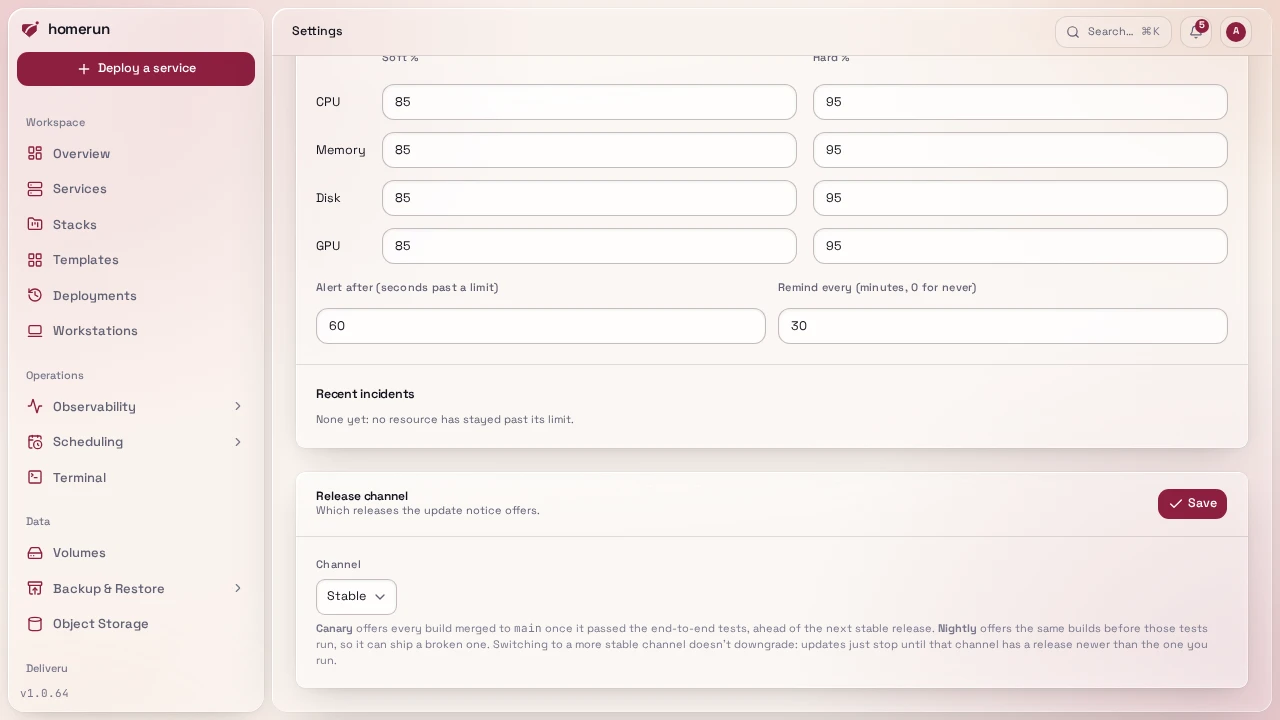
- Stable (the default): the update notice offers stable releases (
vX.Y.Z, cut by hand from a canary that's already been running), the same ones the installer,install.shandhomerun updatefollow. - Canary: the notice offers every build merged to
mainonce it passed the end-to-end tests, published as the:canaryand:vX.Y.Z-canary.Nimages and avX.Y.Z-canary.Nprerelease. Updating moves your install to thecanarytag (HOMERUN_VERSION=canary). - Nightly: the same builds as canary, published as the
:nightlyand:vX.Y.Z-nightly.Nimages and avX.Y.Z-nightly.Nprerelease as soon as they're built, before the end-to-end tests run. A build that fails them still ships here, so expect breakage. Updating moves your install to thenightlytag (HOMERUN_VERSION=nightly). The update's own pre-switch check still keeps a build that can't boot off your instance.
Canary and nightly builds of the same merge share their number N, so switching
between them works both ways. Switching to a more stable channel never
downgrades: the notice stays quiet until that channel has a release newer than
the one you run, and that update moves you to its tag.
#Without the dashboard
If you can't reach the dashboard, the same update runs from the CLI, logged in as an admin:
homerun instance status             # running version, channel, latest version, whether it can update now, and the jobs in the way
homerun instance channel canary     # switch the release channel (stable, canary or nightly)
homerun instance update             # start the update and follow it until the new version answers
homerun instance update --force # the same, over queued deploys and running jobs (Update anyway)It goes through the same checks and the same homerun-updater container as
Update now, and prints the reason when it refuses. Scripts can call
GET /api/v1/instance/update (the jobs in the way are in preflight.blockers),
POST /api/v1/instance/update (with {"force": true} for Update anyway)
and GET /api/v1/instance/update/progress directly.
GET /api/v1/jobs?status=running lists every running job.
#When it can't update itself
This only works when Homerun runs as a Docker Compose service, since it reads its own container's compose labels to find the project. Anywhere else the dialog explains that instead, and you upgrade by hand:
- Docker Compose (
compose.prod.yaml, or the installer's generated file):docker compose pull && docker compose up -dfrom the directory holding it. Database migrations run automatically on boot, there's no separate migrate step. - The CLI updates itself:
homerun update, see API & CLI. - The Homerun Agent on a build server is a plain binary (
homerun-workerrunning in agent mode), replace it and restart itssystemd --userunit, seecmd/worker/README.md.
Take a Postgres dump before a major upgrade. Migrations are applied forward-only and there's no downgrade path.
This guide lives in the project repo: edit it there, and this page follows within a day.