Redirects
Redirects (sidebar, Infrastructure) sends a hostname, or a path under one, to another URL. Traefik answers the request itself, no container is involved.
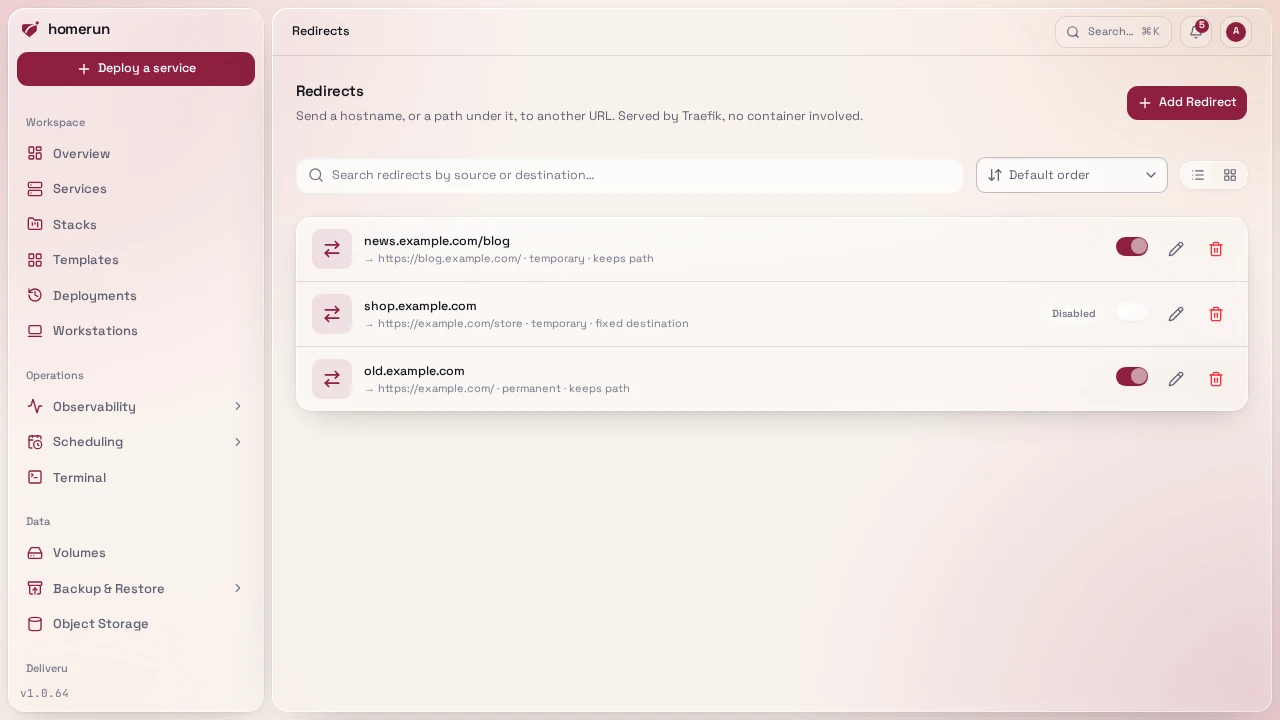
Each redirect has:
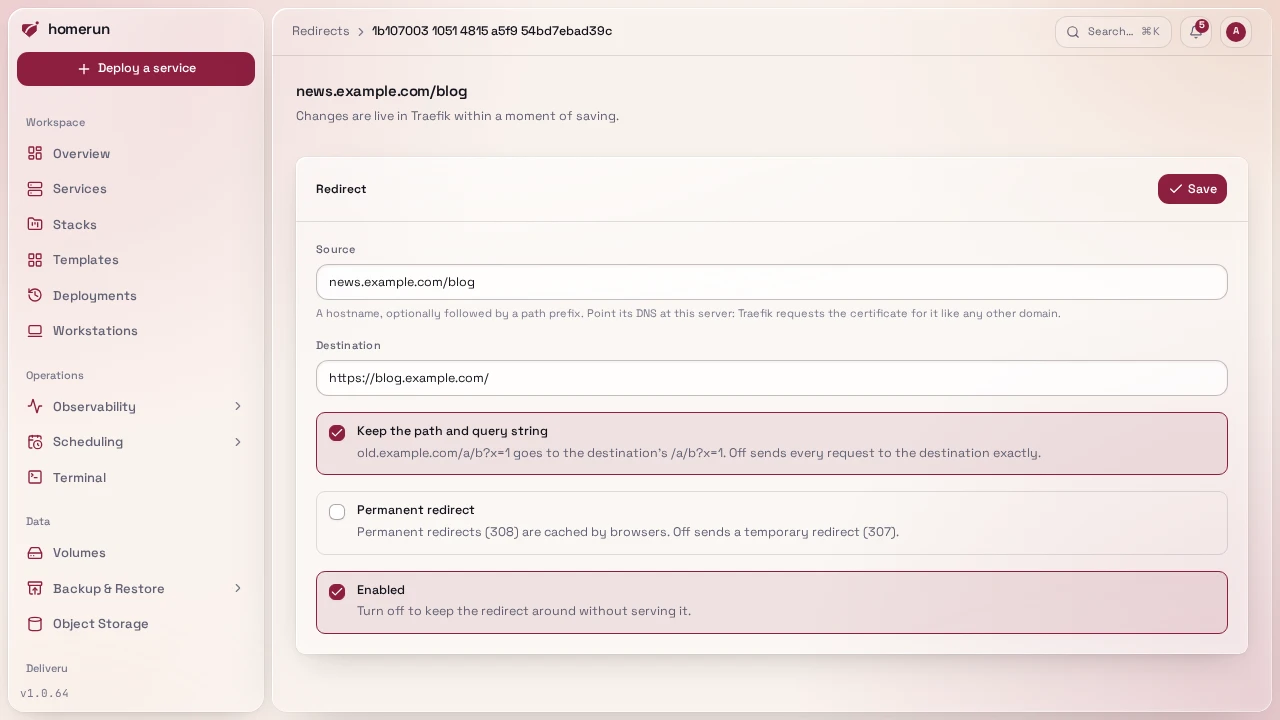
- Source: a hostname (
old.example.com) or a hostname plus a path prefix (example.com/blog). The prefix matches on a path boundary:/blogand/blog/postmatch,/bloggerdoesn't. - Destination: a full
http://orhttps://URL. - Keep the path and query string: on,
old.example.com/a/b?x=1goes tohttps://new.example.com/a/b?x=1(with a path prefix, the prefix is dropped and the rest is appended to the destination). Off, every request goes to the destination exactly as written. - Permanent redirect: on sends a 308, off a 307. Browsers cache permanent redirects, so start temporary while testing.
- Enabled: off keeps the redirect around without serving it.
Each source can only have one redirect. The dashboard's own hostname, the registry and object storage's public hosts and status page domains can't be redirected. A redirect on a hostname or path a service also routes wins over that service, its blocked paths and login wall included.
#How it's served
Every create, edit and delete rewrites one Traefik file-provider file
(homerun-redirects.yml in the dynamic config directory, the same place custom
certificates and the dashboard's own route live), and the app rewrites it again
on boot. Traefik watches the directory, so a change is live within moments with
no restart. On an instance with no dynamic config directory, nothing is written
(see Networking).
The source hostname also goes through the same DNS automation as a service's domains (see DNS automation): a record under a managed domain, or a Pangolin resource, is created when the redirect is enabled and removed when it's disabled or deleted, and every redirect is synced again on boot. A hostname a service already routes is left to that service. Without DNS automation, point the hostname at this server yourself. Traefik requests a certificate for the source like it does for any domain, unless your instance certificate already covers it.
The list has a switch per redirect to turn it on or off without opening it.
#API, CLI and MCP
GET|POST /api/v1/redirects and GET|PATCH|DELETE /api/v1/redirects/:id manage
them (PATCH changes only the fields sent, {"enabled": false} turns one off).
The CLI has homerun redirects list|get|create|update|enable|disable|delete,
and the MCP server list_redirects, create_redirect, update_redirect and
delete_redirect.
This guide lives in the project repo: edit it there, and this page follows within a day.