Networking
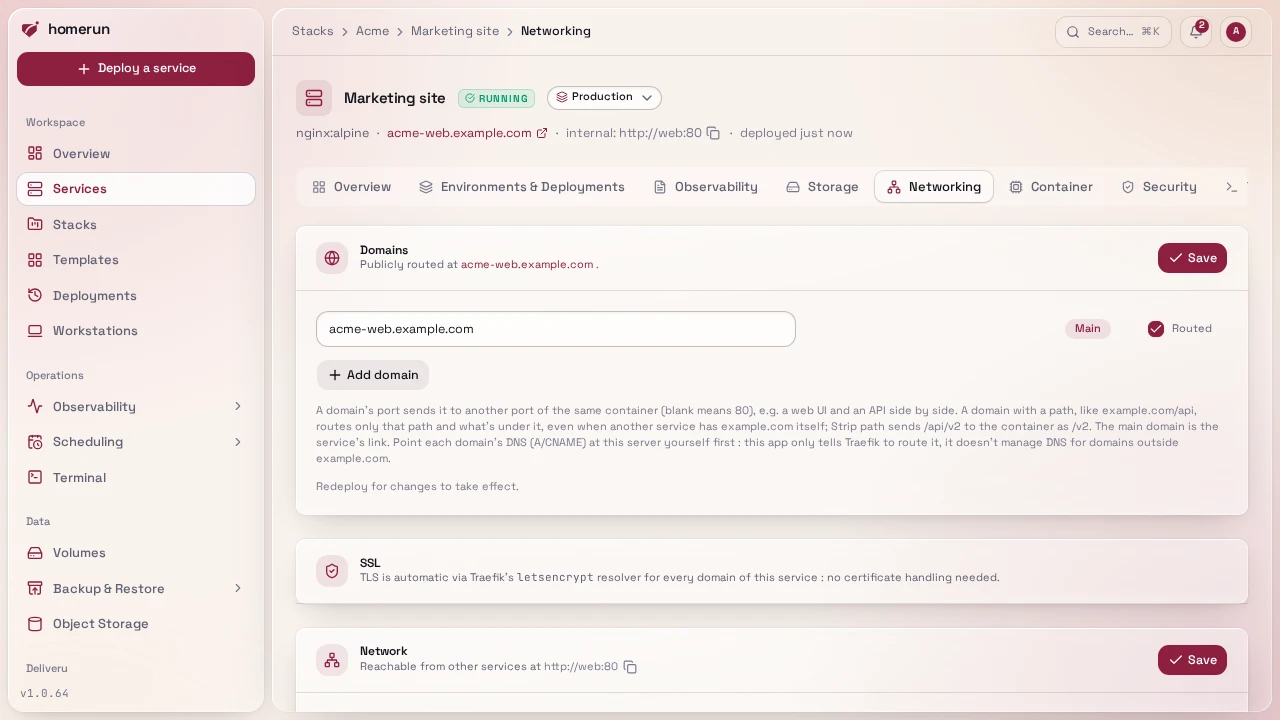
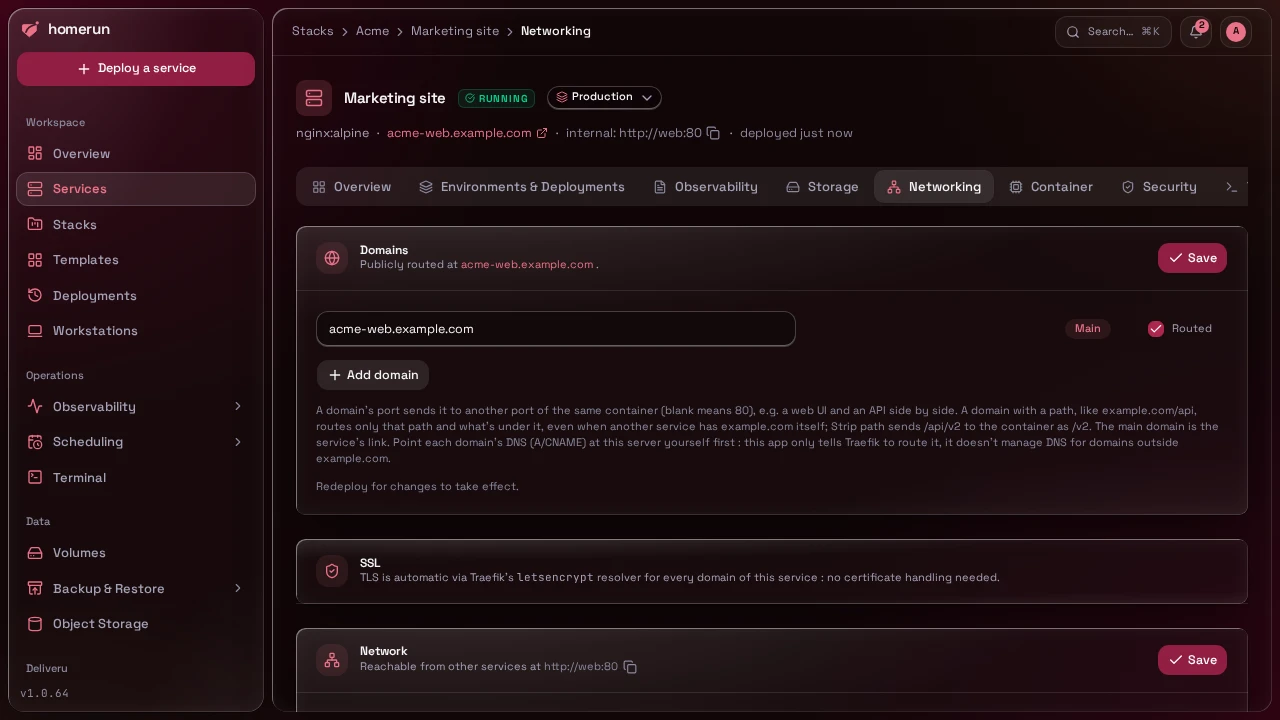
Everything on this tab is written onto the container as Traefik labels at create time, so saving a change here doesn't affect the container that's already running. Once a service has been deployed, the tab shows a Redeploy button for exactly that reason, use it after changing a domain or DNS-resolvability. The per-app login wall lives on the Security tab.
- Container port, protocol, network mode,
bridge(default, joins the sharedhomerunplus the service's stack network if any) orhost(shares the host's network namespace directly, for apps needing real host-network access like mDNS/SSDP discovery). A bridge-mode service is reachable via its domains, plus any published ports below; a host-mode service directly on the host's own ports. - DNS-resolvable, whether Traefik gets discovery labels at all. Forced off automatically in host mode (there's no per-container IP for Traefik's Docker provider to route to).
- Domains, a list of extra hostnames on top of the automatic
<slug>.<baseDomain>one (<slug>.<subdomain>.<baseDomain>with a Services subdomain set; it has its own "Routed" toggle, so it can be dropped once a real domain replaces it). Each extra domain can target its own container port (blank means the container port above), so one container can serve its web UI and its API on two hostnames. A domain can carry a path,example.com/api: it then routes only/apiand what's under it, even while another service servesexample.comitself (the longer rule wins), so a frontend and its API can share one origin without CORS. Its Strip path box removes the prefix before the request reaches the container (/api/v2arrives as/v2); leave it off for an app configured to serve under that path itself. A domain something else already routes is refused when it's saved, the same check a slug or stack change runs on the default hostname: the dashboard, the registry or object storage's public host, a status page and a workstation on the same host for good, an enabled redirect on the same host, or another service on the same domain and path (example.com/apibeside another service'sexample.comis fine). From a service or a redirect, the refusal offers Take over and save: the domain leaves its owner (a service drops it, turning its default hostname or public routing off when that was the one, a redirect is disabled) and this service is redeployed right away. A service it was taken from keeps serving it until its own next deploy, so moving a domain to a new service has no downtime; redeploy the old one once the new one is up. The REST API takes the same choice as"takeOverDomains": truein the service's PATCH body, and answers 409 without it, with aconflictslist (eachdomainwith itsowner,ownerKind,ownerIdand whether itcanTakeOver) so a client can offer the takeover; the CLI then suggests--set takeOverDomains=true. In the REST API, a Homerun Manifest and Terraform, the path goes indomainsas is and the stripped ones are listed instripPathDomains(strip_path_domains). DNS automation manages the host once, and deleting a path domain never deletes a record another service still routes. The login wall works on a path domain too, with its sign-in scoped to that path, so two gated services on one host each keep their own session. Pick one as the main domain: it's the link shown under the service's name and the one used for deploy notifications, the uptime probe and search. At least one hostname has to stay routed, otherwise turn public routing off in the Network section below instead.
#Response cache
Traefik can cache a service's responses and answer repeat requests itself,
Varnish-style, so a slow or static-heavy app gets the speed of a CDN edge from
your own server. An admin turns on HTTP cache under Settings → Networking
once: that loads the Souin cache plugin
into Traefik (Traefik is recreated and downloads the plugin on start, so the
server needs internet access then). Recreating Traefik from the compose file
(docker compose up --force-recreate, a self-update) drops the plugin again;
Homerun loads it back as soon as its worker is up, and until then a cached
service answers 404; the dashboard's setup banner says so, with a Re-apply
button. Each service then opts in on its Networking tab with Cache for
(seconds), applied on its next deploy.
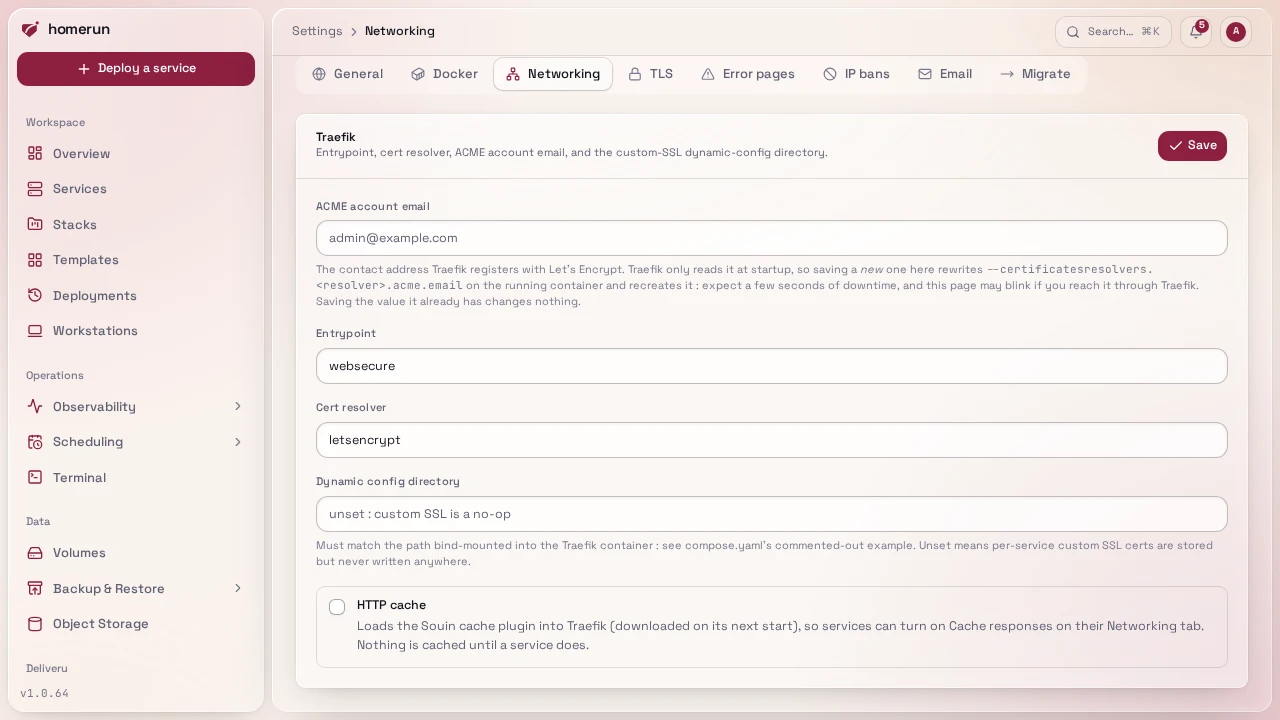
The cache is keyed on each visitor's cookies and credentials, so a logged-in
page is only ever served back to the session that fetched it, never to someone
else. Responses marked Cache-Control: no-store are never stored; everything
else, private included, is cached per session for the time you set. The login
wall still checks every request before the cache answers. A browser checking
whether a page it already has changed (If-None-Match, If-Modified-Since)
gets the full cached response rather than a 304 Not Modified, since the cache
plugin's 304 breaks the connection. Leave caching off for apps whose pages must
always be live (dashboards, anything real-time).
#Published ports
Domains only work for HTTP(S): Traefik routes a request by the hostname inside
it. UDP (a VPN, a game server, DNS) and plain TCP (SSH to a git forge, a
database) carry no hostname, so nothing can route them by domain. For those,
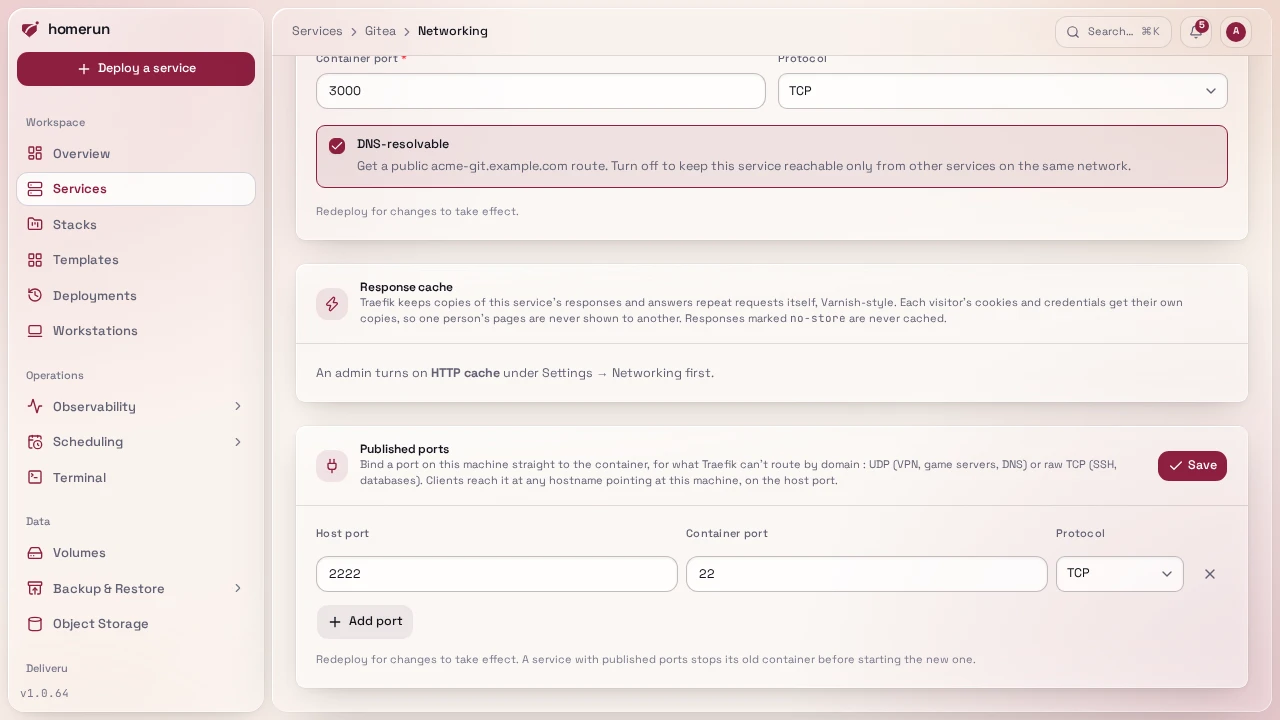
Published ports binds a port on the host straight to the container: host
port, container port, TCP or UDP. A client then reaches it through any hostname
that points at your server, on the host port: vpn.example.com:1194 over UDP is
a published 1194/udp plus a DNS record for vpn.example.com.
- Homerun refuses host ports 80/tcp, 443/tcp and 443/udp (Traefik's), the same
host port and protocol twice, and one another service already publishes. A
port something else on the machine holds (the host's own SSH on 22) only fails
at deploy time: publish Gitea's SSH on
2222 → 22and set itsSSH_PORTto 2222, or move the host's SSH first. - A service with published ports stops its old container before starting the new one on each deploy (two containers can't hold one port), so it has a few seconds of downtime per deploy. In swarm mode the port is published on every node through Docker's routing mesh.
- Host networking has nothing to publish: the container already uses the host's ports.
- Compose import publishes a compose file's
ports:except the main one, which goes through Traefik.
#Domains & SSL
Traefik serves every domain over HTTP/3 as well as HTTP/1.1 and HTTP/2: it
listens on UDP 443 next to TCP 443 and advertises it with an Alt-Svc header,
so a browser switches to HTTP/3 from its second request on. Open UDP 443 in any
firewall in front of the server; with it closed, browsers just stay on HTTP/2.
An instance installed before HTTP/3 picks it up from the compose file on its
next self-update.
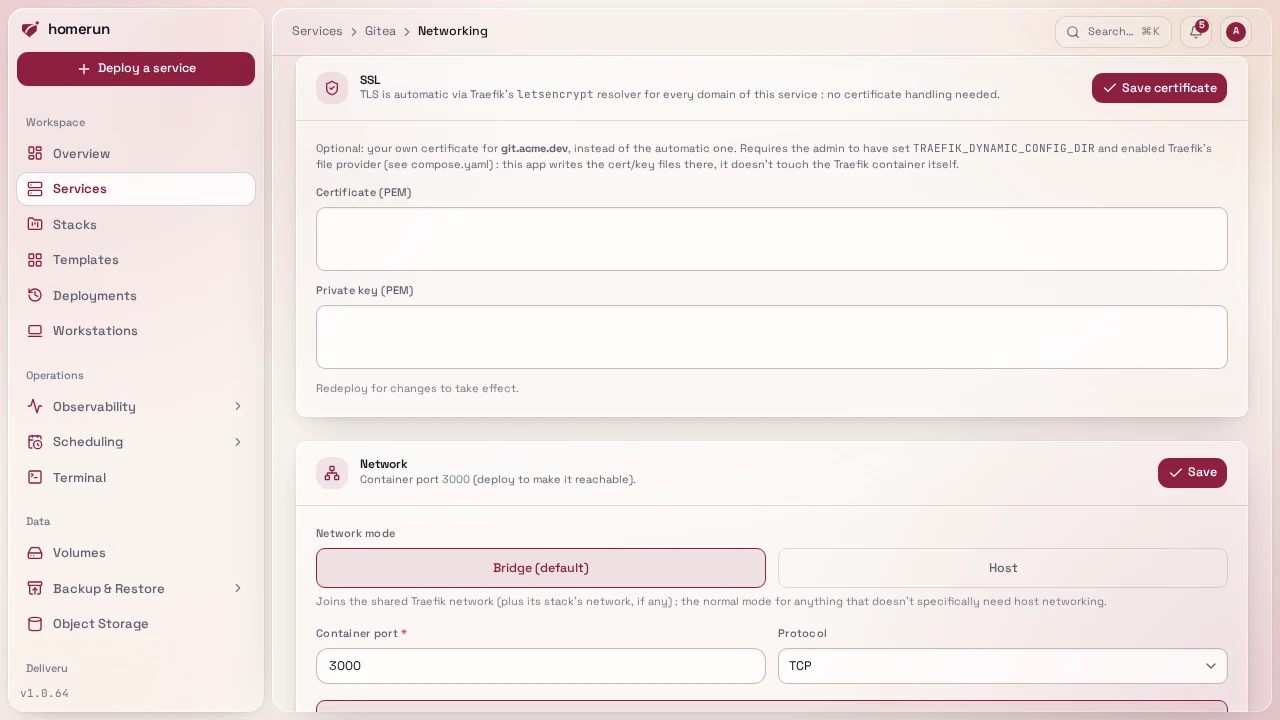
A domain that isn't under your instance's own base domain can't use Traefik's
automatic ACME resolver (and none of them can while the instance sits behind
Pangolin, which serves certificates itself), so for those domains the Networking
tab's SSL section lets you paste your own cert/key PEM (encrypted at rest, same
scheme as registry credentials). It works out of the box: compose.prod.yaml
and the installer's stack share a traefik-dynamic volume between Homerun and
Traefik, turn on Traefik's file provider over it, and set
TRAEFIK_DYNAMIC_CONFIG_DIR (see Configuration) so Homerun
knows where to write. Saving a cert writes a dynamic-config file holding it into
that directory, and Traefik's file provider picks it up on its own (no restart
per certificate). An instance started from an older compose file without that
volume and those flags has to add them once; until then, saving a cert does
nothing.
#One certificate for the whole instance
Settings → TLS installs a certificate for the base domain and its
subdomains, served by Traefik instead of Let's Encrypt. The typical case is
Cloudflare's proxy: create an origin certificate (SSL/TLS → Origin Server →
Create Certificate) for yourdomain and *.yourdomain, paste it with its key,
and set Cloudflare's SSL/TLS mode to Full (strict). Homerun checks that the key
belongs to the certificate and that it hasn't expired, stores both encrypted,
and writes it as Traefik's default certificate.
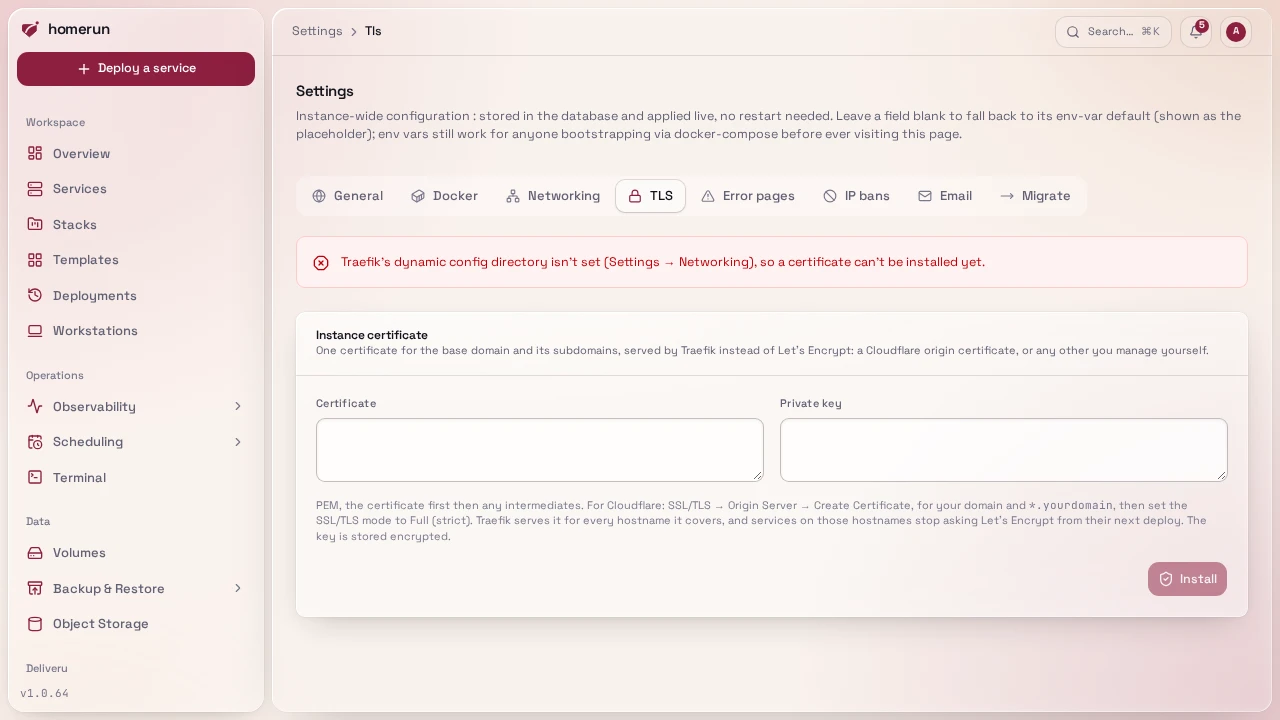
A route that asks Let's Encrypt for a certificate gets that one rather than the
default, so every service on a hostname the certificate covers stops asking from
its next deploy. The TLS tab lists the deployed services still asking and
redeploys them in one click. A wildcard covers one level only: *.example.com
covers app.example.com but not a.b.example.com, which keeps using Let's
Encrypt. Removing the certificate puts Let's Encrypt back, again from each
service's next deploy. The tab shows the expiry date and warns in the last 30
days; Homerun doesn't renew a certificate it didn't issue.
This guide lives in the project repo: edit it there, and this page follows within a day.