Deploy source and build methods
Where a service's image comes from, how a git-based service is built, and which machine builds it.
#Deploy source: image or git repo
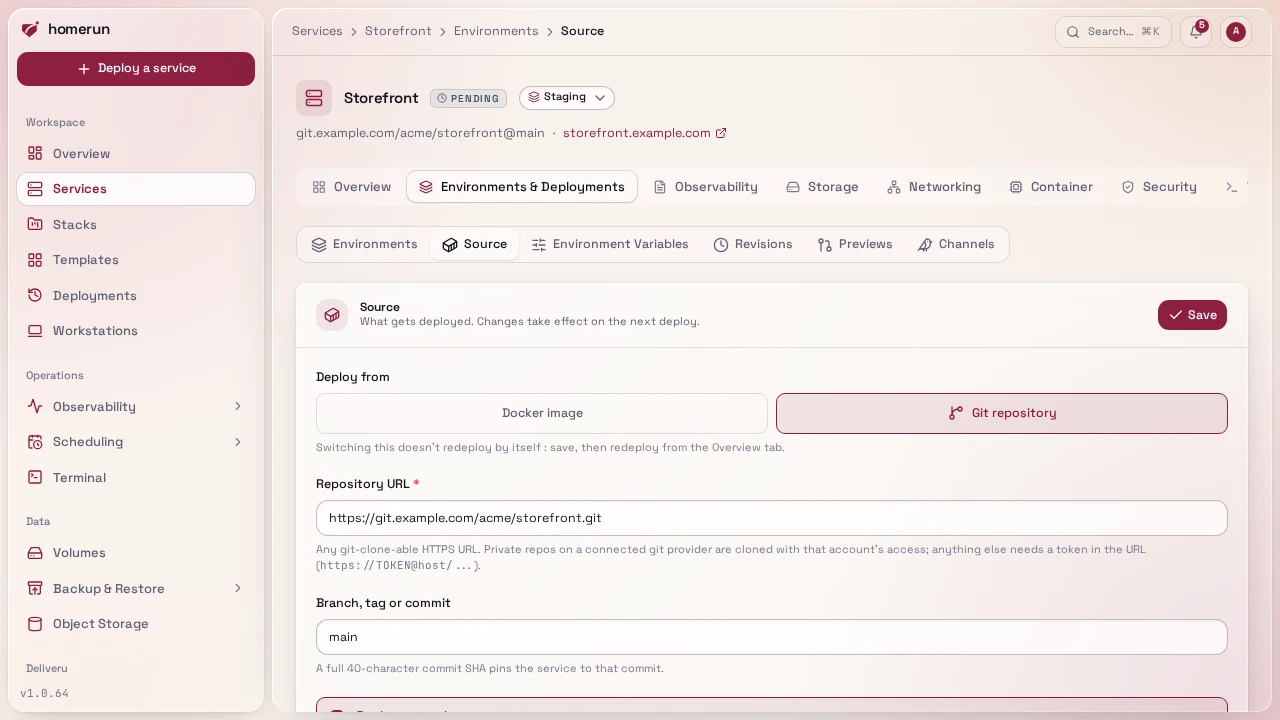
Every service is either:
- Bring-your-own-image (the default), an image + tag, optionally with private registry credentials.
- Build from a git repo, Homerun clones the repo (shallow, by branch, tag or
full 40-character commit SHA, which pins the service to that commit) and
builds it locally with the service's build method. No registry involved:
the build produces a fresh local image tag
(
homerun-build-<slug>:<timestamp>) every deploy.
A repository can also carry its service's settings as a
Homerun Manifest (.homerun.json, .homerun.yaml or
.homerun.yml), applied on every deploy before the build: build method, port,
environment, resources, health check, domains, login wall and previews.
#Version pinning and update checks
An image-built service's Environments & Deployments → Source tab has a Version panel below the source form.
Pin version finds the tags the running image is published under in its
registry (the same digest as the revision that's live) and swaps the floating
tag (:latest, :nightly) for the one you pick, most specific release first.
The image doesn't change, so nothing redeploys. When no published tag matches,
which is what a nightly build usually looks like, it offers to tag the running
image on this host instead, suggesting the image's
org.opencontainers.image.version label when it has one (the default pick is a
stable version tag, never another floating one like :nightly); the service's
pull policy then moves to If missing, since no registry has that tag. Start
a local tag with the version the build is ahead of (1.25.0-dev) and update
checks will spot that release when it ships. Unpin puts the service back on
the tag it was pinned from, picked up on the next deploy. A local tag only
exists on the manager node in swarm mode.
Watch for updates checks the registry every 6 hours: a version tag looks for
a newer stable release on the same track (1.24.3 → 1.24.4, -rootless stays
-rootless, a prerelease or -dev pin waits for its release, release
candidates are ignored), a floating tag for a new image behind it. A new update
sends an Update available notification, once per update,
and the panel shows it with Update now, which moves the service to the new
tag and deploys it, and Check now.
With Try new versions before notifying on (the default), the new version is started first in a throwaway container with the service's env vars, command and entrypoint, but no volumes, no published ports, no Traefik route and only Docker's default bridge network, so it can't reach the live service's data or database. It passes once it's ready by the same check a deploy gates traffic on (the service's healthcheck command, else its port listening), or is still running after 20 seconds when healthchecks are off; the outcome, with the last log lines of a failure, rides along in the notification. The container is removed either way; the pulled image stays for the real deploy. An app that can't start without its database or its data fails this trial, so turn it off for those.
The same pin, watch and update are on the REST API and the CLI
(/api/v1/services/:id/version, homerun services version), the
MCP server and Terraform (the watch
switches on homerun_service, what a check found in the
homerun_service_version data source).
#Build methods
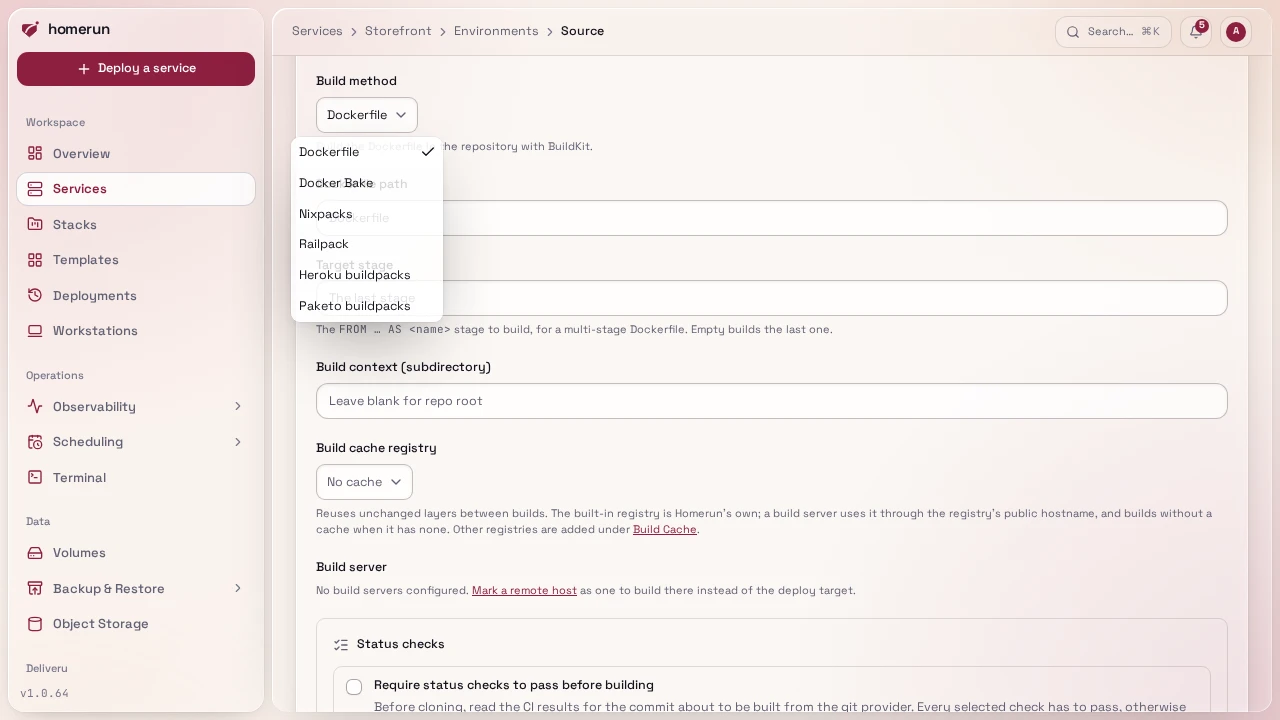
A git-based service picks how it's built in its Environments & Deployments → Source section (and in the wizard):
- Dockerfile (the default): the repo's
Dockerfile, or the path you set, relative to the build context, built with BuildKit (docker buildx build --load). Everything BuildKit supports works:# syntax=directives,COPY --chmod,RUN --mount=type=cache, multi-stage builds. Target stage picks which stage of a multi-stage Dockerfile to build (--target, theFROM … AS <name>name); empty builds the last one. - Docker Bake: one target of a bake file,
docker buildx bake. Set the bake file (relative to the build context, defaultdocker-bake.hcl; adocker-bake.jsonor a compose file works too) and the bake target (defaultdefault). The target can be a group, as long as it resolves to a single image, otherwise the build fails and names the targets it found. Targets another target only uses as atarget:context (their output iscacheonly) don't count. Whatever tags and outputs the target sets, Homerun overrides them so the image is loaded into the daemon under its ownhomerun-build-<slug>tag. Contexts in the file resolve from the build context directory. - Nixpacks: detects the language and builds without a Dockerfile.
- Railpack: Railway's successor to Nixpacks, same idea.
- Heroku buildpacks: Cloud Native Buildpacks on
heroku/builder:24. - Paketo buildpacks: Cloud Native Buildpacks on
paketobuildpacks/builder-jammy-base.
Every method runs as a throwaway docker:cli container (pinned to
docker:29.8.1-cli, which ships the buildx plugin) on the daemon doing the
build, with that daemon's socket mounted: /var/run/docker.sock on a
build server, and Homerun's own configured socket
path for a local build, so rootless Docker works locally. A failed build's error
names its most telling line, usually BuildKit's final ERROR: line, and the
full output is in the deploy log. For Nixpacks, Railpack and buildpacks, the
first build on a host downloads the pinned builder binary (Nixpacks 1.41.0,
Railpack 0.39.0, pack 0.40.9) from GitHub into a homerun-builder-tools volume,
later builds reuse it. Both the download and the installed binary are checked
against pinned sha256 checksums, before first use and on every build, and a
mismatch fails the build rather than running an unverified binary. The build
context field still applies: point it at a subdirectory for a monorepo.
Configure the builder the way its own docs say, from the repository
(nixpacks.toml, railpack.json, project.toml, Procfile), there are no
per-builder fields here. Variables a build needs (NEXT_PUBLIC_* in a web
bundle, a Dockerfile ARG) are env vars marked
build-time. The same methods work on
build servers, both Docker connections and the
Homerun Agent, as long as a Docker connection's socket lives at
/var/run/docker.sock (rootless Docker doesn't). Nixpacks and buildpacks don't
read a build cache registry's layer cache; buildpacks keep theirs in
pack-cache-* volumes on the build host.
Toggle between the two in the Source section (also available on the New
Service wizard). Any git-clone-able HTTPS URL works, GitHub, GitLab, a
self-hosted Gitea, anywhere, since cloning doesn't need a provider-specific API.
If you've connected a git provider account (/git-providers, OAuth), the Source
section gets a repo-browsing picker instead of pasting a raw URL; a private repo
can also fall back to a token embedded directly in the URL
(https://TOKEN@host/...) without connecting a provider at all.
#Build servers and build cache
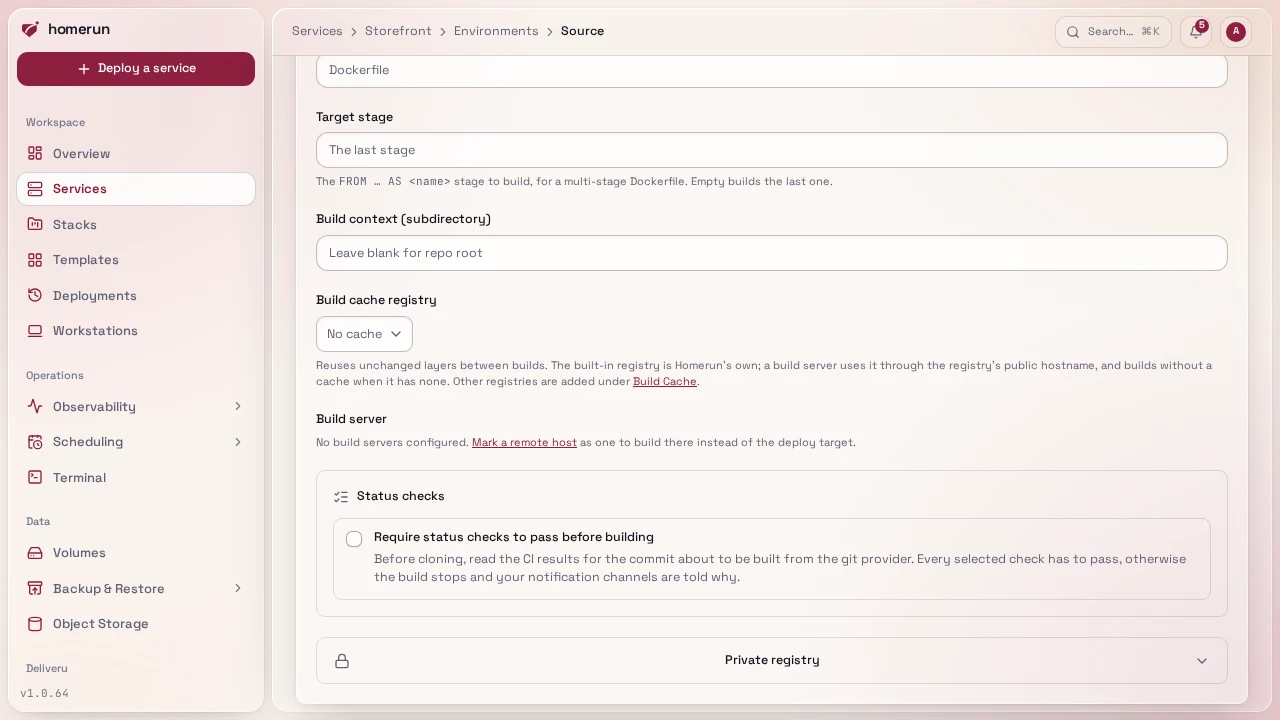
By default a git build runs on this host. Two optional pickers in the Source section change that:
-
Build cache registry: Built-in registry uses Homerun's own registry, started on first use, for builds on this host (a build server builds without a cache with it). Its caches survive the registry's daily cleanup. Or pick a registry credential registered under
/build-cache-registries. Dockerfile, Docker Bake and Railpack builds use it as a BuildKit registry cache:--cache-from/--cache-to type=registryat<registry>/homerun-build-<slug>:buildcache,mode=maxso intermediate stages are cached too. A repeat build reuses what the last one produced, even on a fresh builder. Both directions are best-effort: a missing cache (the first build) or a failed cache export logs and carries on. The registry cache needs BuildKit'sdocker-containerdriver, so these builds run on a persistenthomerun-cachebuilder (abuildx_buildkit_homerun-cache0container on the building daemon, host networking, created on first use), and the image is loaded into the daemon afterwards. Builds without a cache registry use the daemon's own builder and its local cache.<registry>is the credential's Registry URL as entered: a host, plus the namespace a registry needs in front of every repository. Gitea, GitHub (ghcr.io), GitLab and Docker Hub all refuse a barehomerun-build-<slug>(a push fails with404on/v2/.../blobs/uploads/), so entergit.example.com/<owner>orghcr.io/<user>there; a plainregistry:2takes the host alone. -
Build server, a second machine that compiles the image instead of this one, see Build servers. With a cache registry the built image is published there and pulled back; without one it's streamed straight back from the build server (
docker saveintodocker load).A build server doesn't need the same CPU architecture as this host. The image is always built for this host's platform: an
arm64build server building for anamd64host installs QEMU on itself on first use (one privilegedtonistiigi/binfmtcontainer, so its Docker daemon has to allow those, which a rootless one doesn't) and builds emulated. That works with every build method but is several times slower than a native build, so prefer a build server with this host's architecture when there's a choice. An agent older than this feature still builds for its own CPU, and the deploy then fails once the image arrives, naming both architectures: update the agent.
This guide lives in the project repo: edit it there, and this page follows within a day.