Homerun
A single-host PaaS for your own hardware. Point it at an image or a git repo,
fill in the form, hit deploy. Traefik puts it on slug.yourdomain.com with TLS.
No Kubernetes. No control plane. No pricing page.
Why it exists
Coolify carries a lot of tech debt and a matching pile of bugs. Dokploy started moving features homelabbers relied on behind an enterprise plan. Both are fine projects; neither is what I wanted running on my hardware at home.
So Homerun stays deliberately small where it counts: one Docker daemon in charge, no control plane to run separately, no pricing page. It scales the way a homelab actually scales, Swarm replicas on your own boxes, extra machines added as build agents, not by outsourcing your infrastructure to someone else's cluster. Admin, developer and read-only accounts if more than one person touches it. Everything it does, it does for free.
Showcase
None of these are mockups. Playwright drives a real instance from a blank database — a real sign-up, the first-run wizard, then a stack with three services, two of them actually deployed as containers on the host’s Docker socket. If a screen stops rendering the run fails instead of publishing it. Light or dark follows your system; both are the real thing.
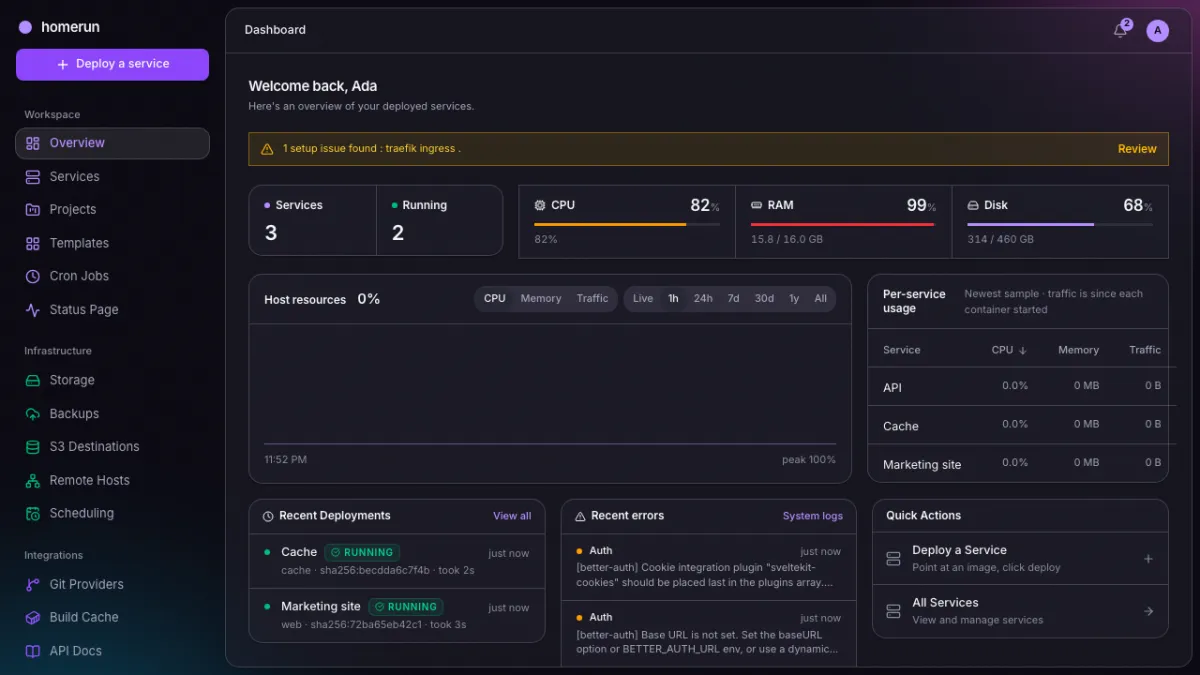
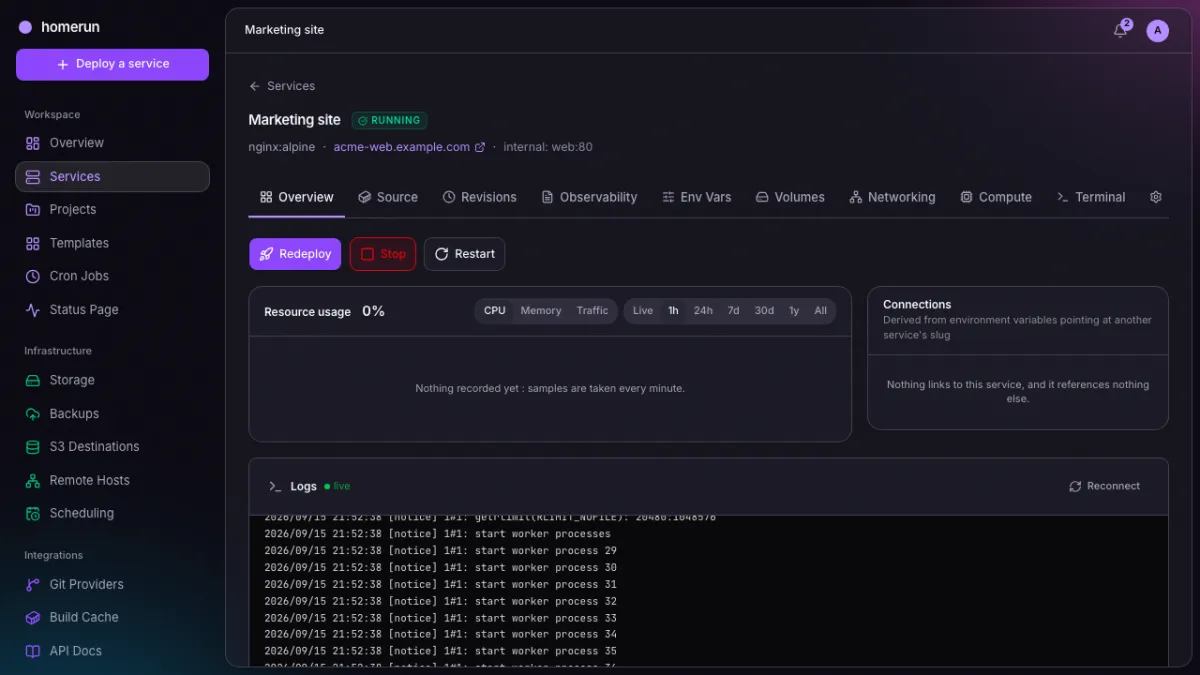
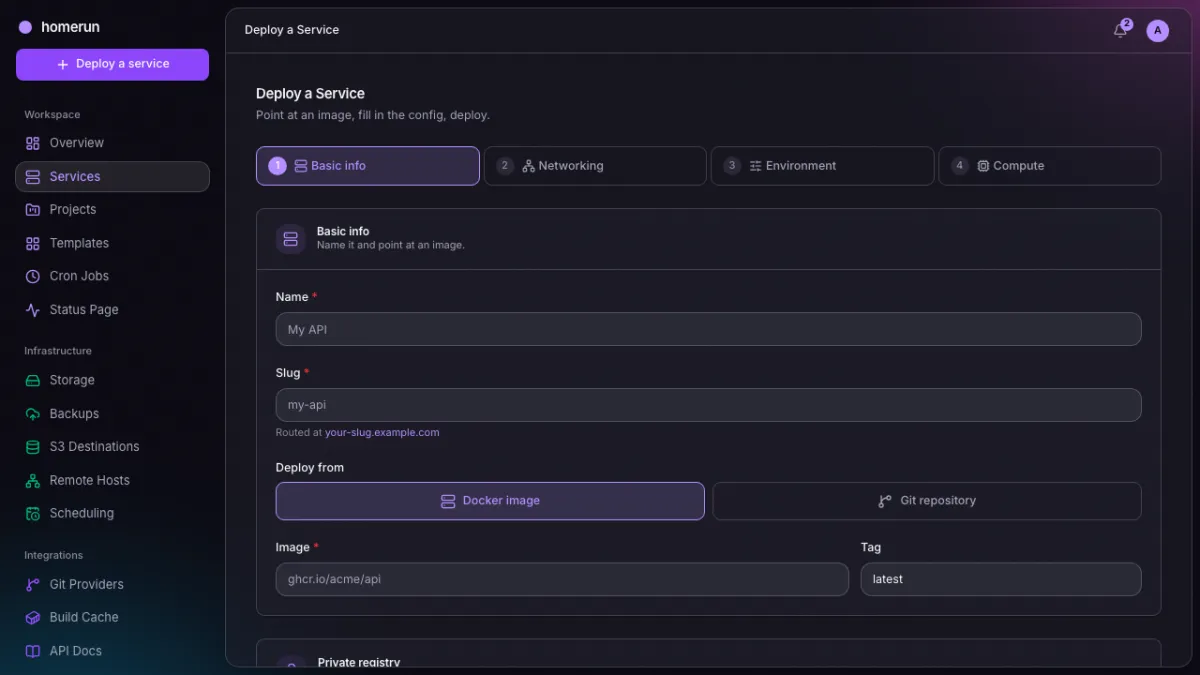
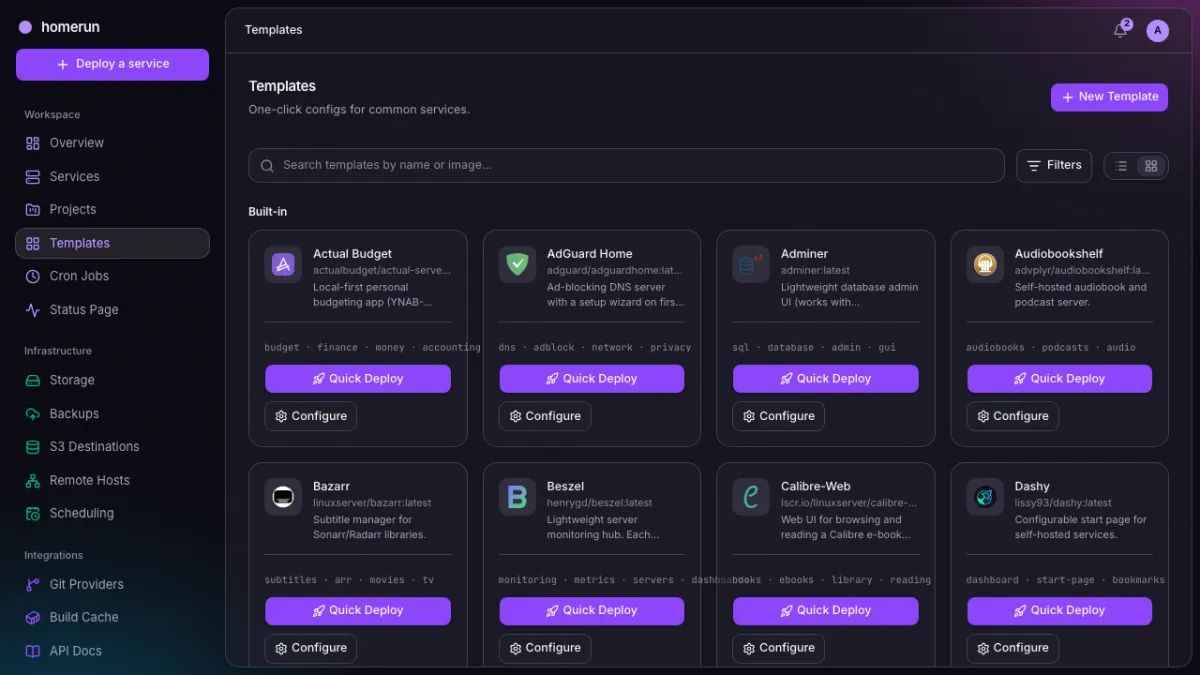
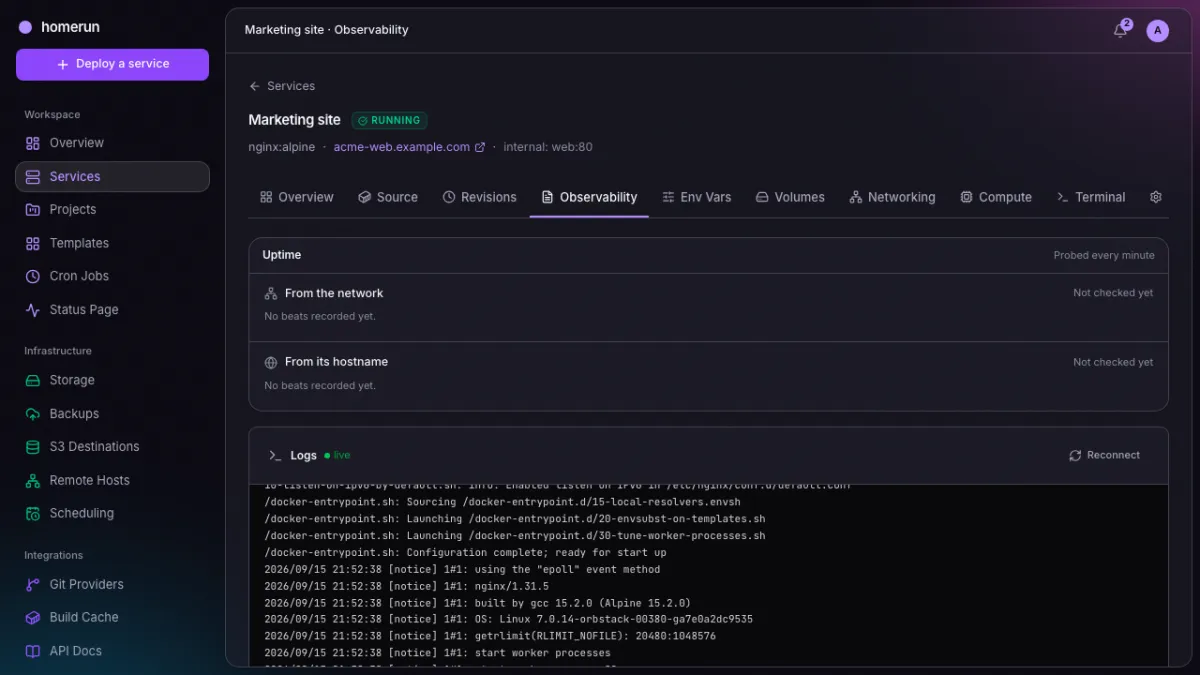
stdout/stderr streamed from the container as it runs,
ANSI colours intact, under uptime probes from the network and from its own
hostname.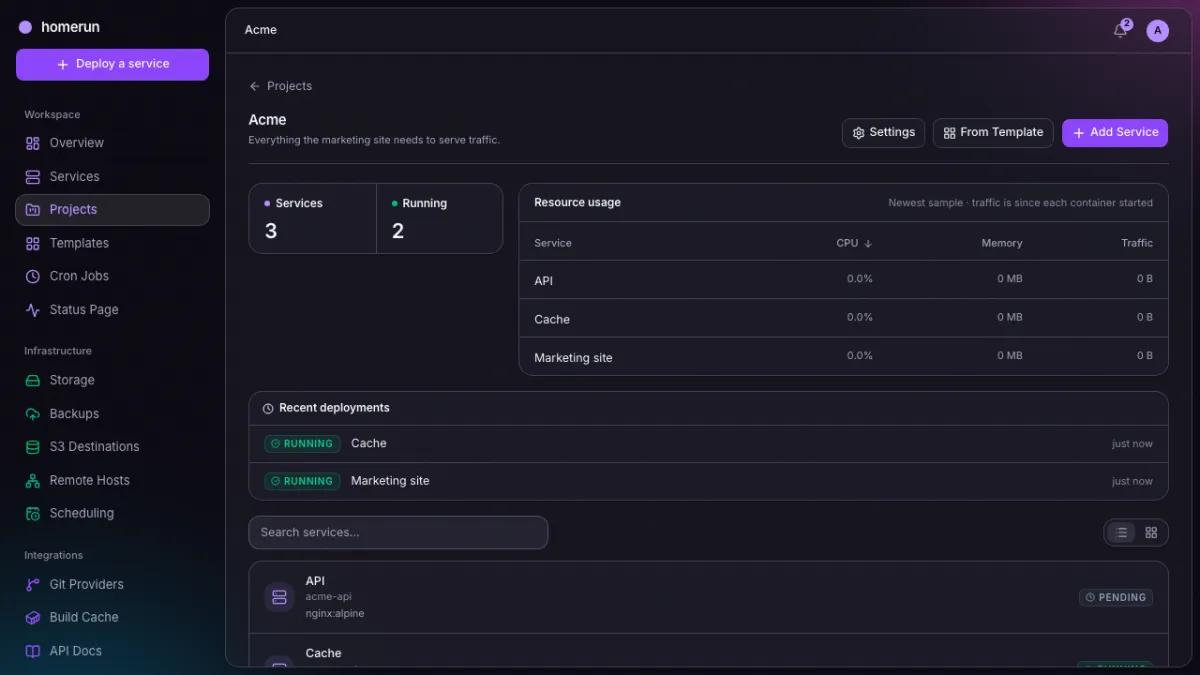
http://cache:6379) without going back out through Traefik.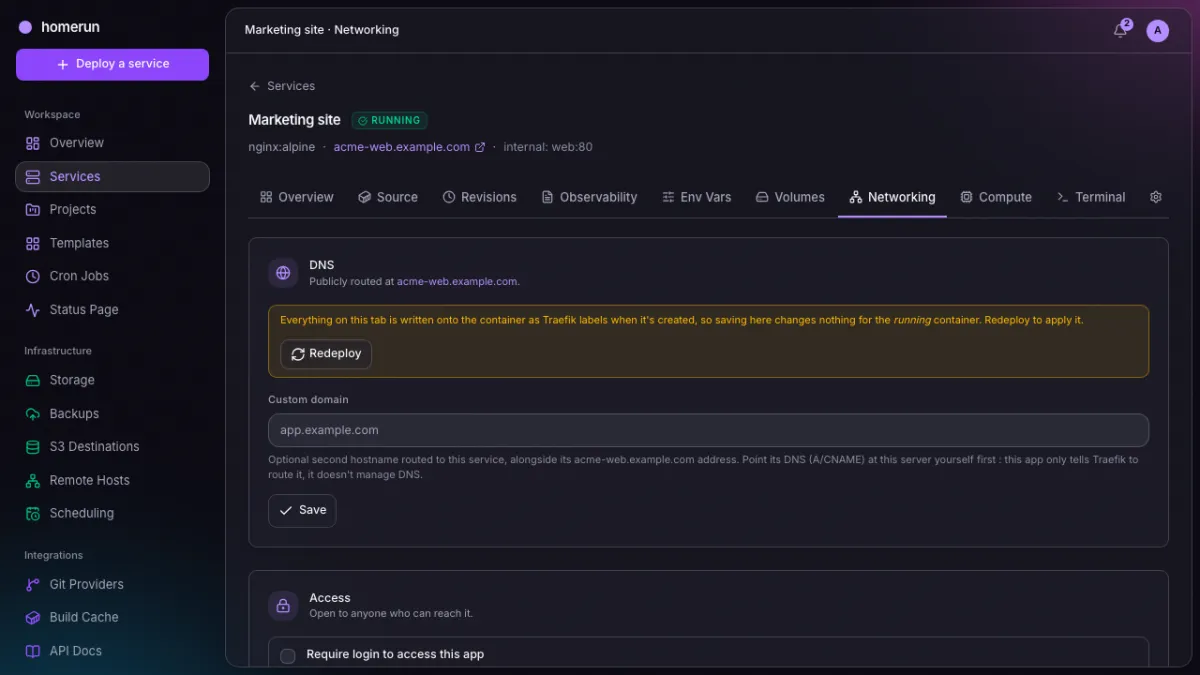
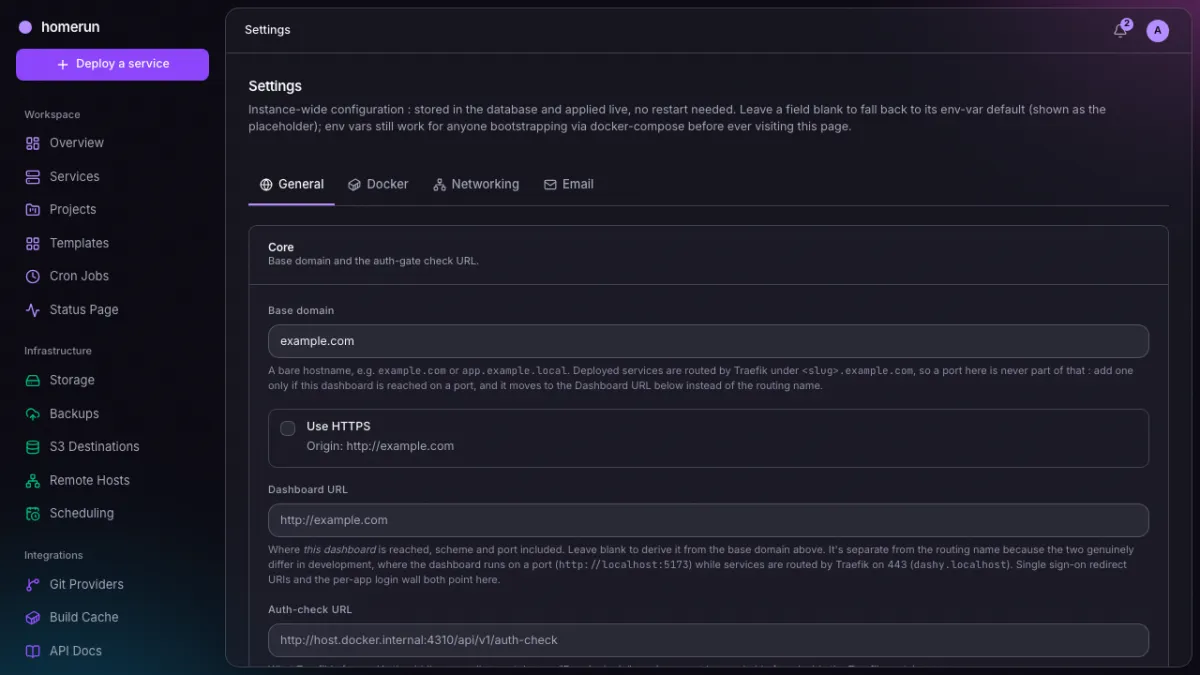
Env vars, compute limits, revisions, users and signing in are in the full showcase, all of it generated the same way.
Features
Image or git deploys
Any Docker image, or build a git repo with a Dockerfile, Docker Bake,
Nixpacks, Railpack or Heroku/Paketo buildpacks — no Dockerfile required. Env
vars, CPU/memory limits, restart policy, private registry auth.
Your git host, connected
An admin registers an OAuth app once for GitHub, GitLab, self-hosted Gitea or
Bitbucket; everyone else connects their own account and picks a repo and branch
from a list. Private repos without a token in the clone URL, and the branch is
checked for a Dockerfile before you commit to it.
Deploy on push & PR previews
Homerun registers a webhook on your repo so every push redeploys the service,
and falls back to polling the branch when the git provider can’t reach the
dashboard. Turn on pull request previews and every open PR gets its own
slug-pr-<n> service, redeployed on each push and deleted on merge or close;
forks are never previewed.
Live, zero-downtime deploys
Pull, build, create and start streamed to the browser in real time, and it resumes correctly if you reload mid-deploy. The new container only takes traffic once it passes its healthcheck; one that never comes up is removed and the old container keeps serving.
Revisions & rollback
Every attempt recorded with status, image digest and its full log. Roll back to an earlier revision with one click — the last five distinct images per service are kept on hand so it needs no rebuild — or turn on auto-rollback so an unhealthy revision reverts itself.
Image scanning
Every deploy is scanned for known vulnerabilities with Trivy before the workload starts, on by default and never enforced unless you ask for it — an admin policy can block deploys at or above a chosen severity, optionally fixable findings only. The Security tab shows the findings by severity.
Required status checks
A git-based service can refuse to build until its CI agrees — GitHub check runs, GitLab pipelines, Gitea/Forgejo or Bitbucket statuses, read live for the exact commit being deployed.
Stacks
Group services on one Docker network so they reach each other by slug, like
http://api:8080.
A template catalog
Around 70 built-in apps — Jellyfin, the *arr stack, Postgres, Redis, Pi-hole, Grafana, Vaultwarden, Excalidraw and the rest — each with its real logo bundled in, so the gallery renders with no outbound internet. Quick Deploy skips the wizard; a details page pulls the repo’s README, stars and latest release from GitHub. Save any service of your own as a template too.
Linked containers
A template can bring its companions along: WordPress ships linked to MySQL,
Umami to Postgres. {{db}} resolves to the companion’s hostname and
{{db.POSTGRES_PASSWORD}} to its own value, so the two agree on a password you
never typed.
Compose import
Paste a docker-compose.yaml and get services, volumes and dependency order,
with a preview of whatever doesn’t map.
Migrate from Dokploy or Coolify
Point Settings → Migrate at an existing Dokploy or Coolify instance and it
reads its apps, compose stacks and databases and recreates them here, unstarted
until you deploy them. Read-only against the other side; nothing there is
touched.
Smart service links
Point a new service at an existing Postgres, MySQL, Redis, Mongo or RabbitMQ and the connection URL fills itself in.
Logs & web terminal
Tail stdout/stderr or open an interactive shell into a running container, from the browser, with uptime probes from the network and from the service’s own hostname beside them.
Status pages
Build an uptime page from your services’ probes — every service you own, one
stack, or a hand-picked set — and publish it, unauthenticated, at
/status/<slug>. A public page shows only names, up/down and recent uptime,
never images, ports or hostnames.
Domains & SSL
A second hostname per service, plus bring-your-own cert and key for domains outside Traefik’s ACME coverage.
Build servers & cache
Build on another Docker daemon over tcp:// or ssh://, or via the lightweight
Homerun Agent. Point a build at a registry credential and it pulls the last
image as a layer cache and pushes the fresh layers back, so a repeat build
doesn’t start cold.
Swarm mode by default
The installer sets the daemon up as a Docker Swarm manager, so every service
gets real replica scaling and load balancing out of the box, and more machines
join as workers with one command. --docker=rootless opts into the older,
standalone-only setup instead.
Storage volumes
Define bind-mounts or Docker-managed volumes once, mount them into as many services as you like.
Scheduled jobs & S3 backups
Cron-style auto-redeploy per service, standalone cron jobs with their own run history, and scheduled volume backups to a named S3 destination — defined once, pointed at from as many volumes as you like. AWS, MinIO, R2, B2, Wasabi.
One Scheduling page
Every cron redeploy, cron job and backup schedule on the instance in one read-only view, with the job queue underneath it: what’s running now, what’s waiting, and how the last handful finished.
Backup history & restore
One row per attempt across every volume, scheduled or manual, with the uploaded size and the error if it failed. Searchable, filterable by outcome, and paged all the way back. Browse a volume’s backups in the bucket and restore one from the dashboard, optionally wiping the volume first.
REST API, OpenAPI & a CLI
Everything the UI does is a typed JSON API at /api/v1, with live Swagger UI
and a homerun CLI built against the generated types. homerun login is a
device-code flow — approve it in the browser and the binary keeps its own API
key — and homerun update replaces itself.
One-click self-update
Pick a stable or canary release channel in settings — canary tracks every build, stable only tagged releases. Admins see a notice by the version number in the sidebar when a newer one on that channel exists; clicking it holds the job queue and launches a short-lived updater container that pulls and restarts just the app, leaving Traefik and Postgres alone — no SSH session needed.
Users, roles & invites
Admin, developer and read-only roles, email or direct-create invites, and optional OAuth/OIDC login with one-click presets for Pocket ID, Keycloak, Authelia, Authentik, Logto, Zitadel and Kanidm. Passkeys and two-factor authentication, either one required instance-wide if you want. Each account gets its own sessions list, revocable one by one, and its own API keys.
Sign in with Homerun
Homerun is also an OpenID Connect provider, so apps you host can offer “Sign in with Homerun” on the same accounts as the dashboard — passkeys, two-factor and sign-in methods included — instead of running Pocket ID or Keycloak just for that.
Per-service auth gate
Optionally require a Homerun login to reach a deployed service. Every container
is labelled homerun.managed=true, so it never touches anything it didn’t
create.
DNS automation
Optional Cloudflare or self-hosted Pangolin integration manages a deployed service’s DNS record for you, and Homerun can run the Pangolin Newt tunnel client itself, set up straight from onboarding. Add, change or remove a service’s domain afterward and the DNS record is kept in sync automatically — no manual cleanup in Cloudflare or Pangolin.
Docker cleanup
Admin-only host-wide docker system df and prune from the dashboard, with a
preview before anything is removed.
Search, filters & bulk actions
Server-side search, filters and paging on every list page, plus multi-select
start/stop/restart/delete with a typed confirmation before anything destructive
runs. ⌘K anywhere opens a command palette that jumps to any dashboard page
and, after two characters, searches everything you own.
Host metrics & self-diagnostics
Live CPU, memory, disk and — with an NVIDIA card present — GPU usage for the host, alongside per-service CPU, memory and traffic, and a chart of host usage over the last hour up to a year. Read-only checks run on every dashboard load and any that fail become a banner that deep-links into the offending settings field.
System logs
Traefik’s own output streamed live, which is where a 404 on a service that deployed fine, or a certificate that won’t issue, actually shows up. Admins can restart or update the Traefik container from the same panel, without touching the compose file.
Errors that stick around
Anything Homerun logs at warn or error level about one of your services is persisted and shown on that service, and the newest few sit on the dashboard. A container’s own scrollback is no longer the only record of what went wrong.
Notifications
A per-account bell for deploy succeeded or failed, service created, started or stopped, an auto-redeploy firing, and runtime errors attributed to one of your services. Click through to the service it happened to. Discord, Slack, Telegram, generic webhook and email notification channels carry the same events outside the dashboard, each with its own event matrix and a send-test button.
Configured from the dashboard
A five-step first-run wizard, then /settings for the rest, stored in the
database and applied live with no restart. Three env vars genuinely can’t live
there — the database URL, AUTH_SECRET and ORIGIN — and the installer writes
all three. A homerun.yaml exists if you’d rather keep config as code, and is
entirely optional.
An alternative to what, exactly
People arrive here from a specific frustration, usually a bill or a bug. So here is where Homerun sits against the things it gets compared to, including where it loses.
Dokploy alternative
Dokploy started moving features homelabbers relied on behind an enterprise plan.
Homerun has no plan to move anything behind: remote build servers, S3 backups,
roles and invites, the API and the CLI all ship in the one image.
Settings → Migrate reads an existing Dokploy (or Coolify) instance and
recreates it here.
Coolify alternative
Coolify does far more than this — and carries the tech debt and bug count of doing far more than this. Homerun keeps the surface small enough that you can actually read it, even with Swarm and multiple accounts turned on.
Dokku & CapRover alternative
Dokku is a git push and an SSH session; CapRover is captain-definition files. Homerun is a form in a browser with live build logs, a compose importer and a web terminal.
Google Cloud Run alternative
Container in, URL with TLS out, which is the part of Cloud Run most people actually use. No scale-to-zero, no regions, no per-request billing, no console with nine nested menus.
AWS alternative
If ECS, App Runner or Elastic Beanstalk is running three side projects and an invoice you don’t read, this replaces it with hardware you own. If you need IAM, autoscaling groups and multi-region failover, it very much does not.
Heroku, Render, Railway & Fly.io alternative
The same deploy-a-repo ergonomics, minus the seat pricing, the sleeping dynos and the usage meter. Your build time costs electricity, not credits.
Portainer alternative
Portainer manages containers that already exist. Homerun builds them, routes
them, gives them TLS certificates and redeploys them on a schedule — and labels
everything homerun.managed=true so it never touches what it didn’t create.
Kubernetes alternative
No control plane, no YAML dialect, no 3am cluster archaeology. Docker Swarm gives you real replica scaling by default; drop to standalone, one container per service, if you’d rather not run rootful.
Since we’re being honest about search: people get here looking for a Dokploy alternative, Coolify alternative, Dokku alternative, CapRover alternative, Cloud Run alternative, Google Cloud alternative, AWS alternative, Heroku alternative, Vercel alternative, Netlify alternative, Render alternative, Railway alternative, Fly.io alternative, DigitalOcean App Platform alternative, Easypanel alternative, Portainer alternative or a Kubernetes alternative for one box. That is the list. It is a self-hosted PaaS, and it is free.
Run it
One-liner, fresh Linux server
curl -fsSL https://raw.githubusercontent.com/orochibraru/homerun/main/packages/installer/bootstrap.sh \
| sudo bash -s -- --mode=full --domain=homerun.example.comThat installs Docker Engine, sets it up as a Swarm manager so the instance
starts in swarm mode, writes a compose file, and brings up Traefik, Postgres and
the app from published images. Pass --dry-run first on a box that matters, or
--docker=rootless for a per-user rootless daemon instead — standalone only,
since rootless Docker can’t run Swarm. Use --mode=agent if this host is only
going to be a remote build server for another instance.
Docker Compose
# already have Docker set up your way? just take the stack
curl -fsSLO https://raw.githubusercontent.com/orochibraru/homerun/main/compose.prod.yaml
curl -fsSLO https://raw.githubusercontent.com/orochibraru/homerun/main/.env.example
curl -fsSL https://raw.githubusercontent.com/orochibraru/homerun/main/homerun.example.yaml -o homerun.yaml

mv .env.example .env    # set AUTH_SECRET at minimum
docker network create homerun
docker compose -f compose.prod.yaml up -dcompose.prod.yaml is self-contained and pulls Traefik, Postgres and the app
from published images. No installer, no rootless setup, no source checkout. Set
ORIGIN to the address you will actually reach the dashboard at: it is never
localhost, or the first sign-up fails with an invalid origin from any browser
that is not on the box.
Either way, that is the last file you touch. The first sign-in drops you into a five-step wizard, and after that the base domain, Docker, Traefik, email, sign-in methods and DNS automation are all pages in the dashboard, stored in the database and applied live. Both paths are covered properly in the getting started guide.
Status
Actively developed and running on real hardware, but still finding its shape. What’s solid and what isn’t is written down honestly in the FAQ and limitations doc. Read it before you point production at it.