Stacks
A stack groups services together and gives them a shared, private Docker
network, member services can reach each other by plain slug (http://api:8080),
separate from the shared homerun every service also joins for Traefik routing.
A service created inside a stack, from the wizard or from a template, also gets
the stack's slug as a prefix by default: Redis created in stack vortex becomes
vortex-redis, routed at vortex-redis.<baseDomain>; that prefix isn't added a
second time on top of an already-prefixed slug.
Every stack gets its network created alongside the stack row and removed on
delete. Deleting a stack (cascadeDelete) is the real "delete a stack"
operation, it stops and removes every member container, deletes their deployment
history and service rows, deletes the stack row itself, and finally removes the
stack's Docker network, in that order. A container or swarm service Docker
reports as already gone counts as removed; if one can't be removed for any other
reason (the daemon is unreachable, say), nothing is deleted and the page offers
Delete anyway, which drops the records and leaves that workload for you to
clean up by hand.
Assign a service to a stack on the New Service wizard, or move it later from the
service's Settings tab. A stack's Monitoring tab has the same per-service
resource usage table as the dashboard, scoped to its members; its Settings
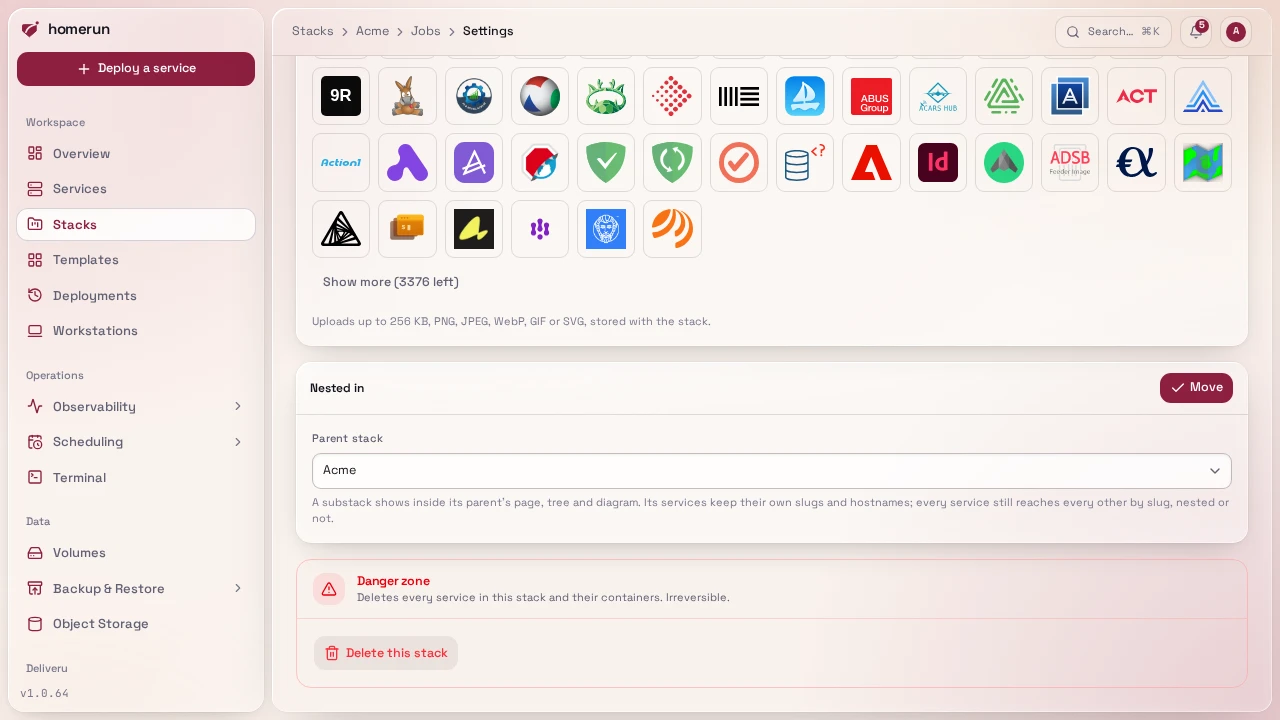
tab renames it (name, slug, description), sets its icon (the same icon library,
Dashboard Icons and uploads as a service's), moves it (see Nesting below) and
deletes it. The icon shows on /stacks, the stack's page header and its heading
inside a parent stack.
#Nesting
A stack can be nested inside another, to any depth (a stack can't be nested
inside itself or one of its own substacks, that's refused). A button on a
stack's page starts a new one already nested there, with its slug pre-filled as
<parent slug>-<name>; the breadcrumbs show the whole path down to it
(Stacks › Streaming › Vortex), on the stack's own pages and on every service
inside it, each part a link. A stack's Settings tab has a Nested in
section to move it: pick a parent, or "None, a top-level stack" to lift it back
out. The same move is also a right-click away, as Move into…, on a stack row
on /stacks or on a substack's heading on a stack page. Nesting is purely
organizational: a substack keeps its own private network, and every service
still reaches every other by slug whether they share a stack, sit in a
parent/child pair, or don't share one at all.
/stacks lists only top-level stacks, each with its own substack count;
searching lists every stack regardless of nesting, so a substack is still
findable.
#The services tab's dependency graph
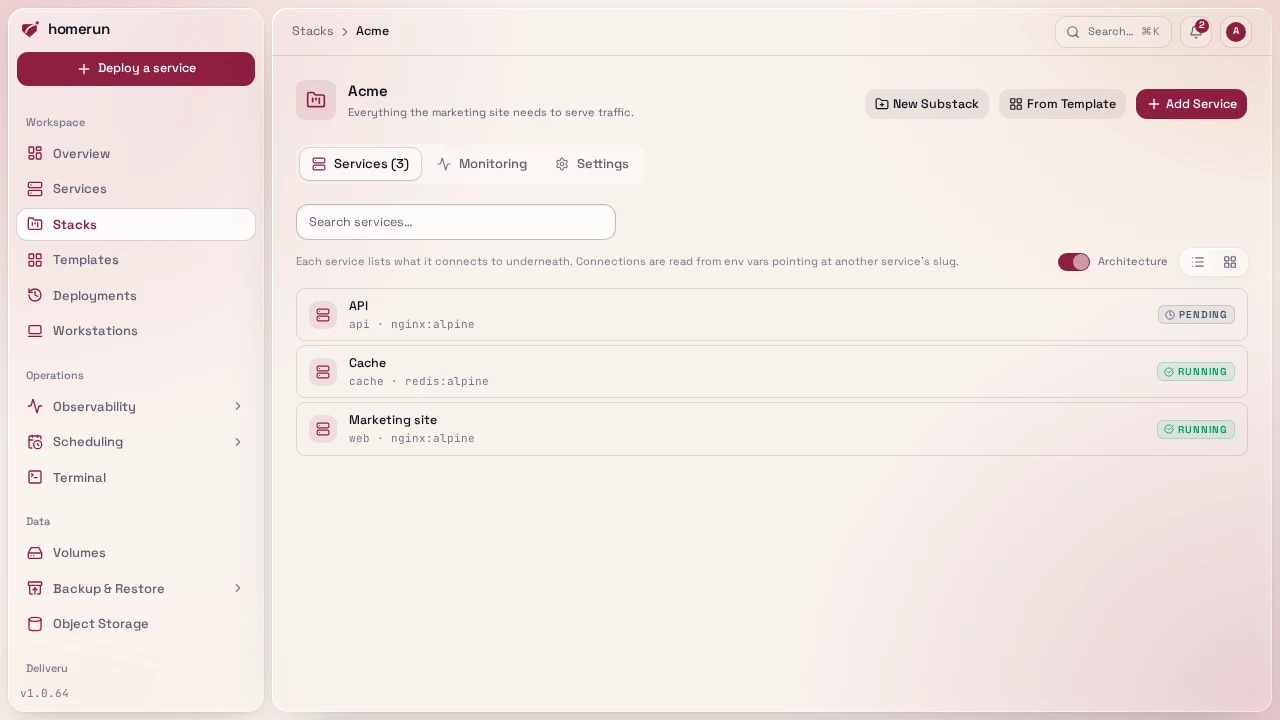
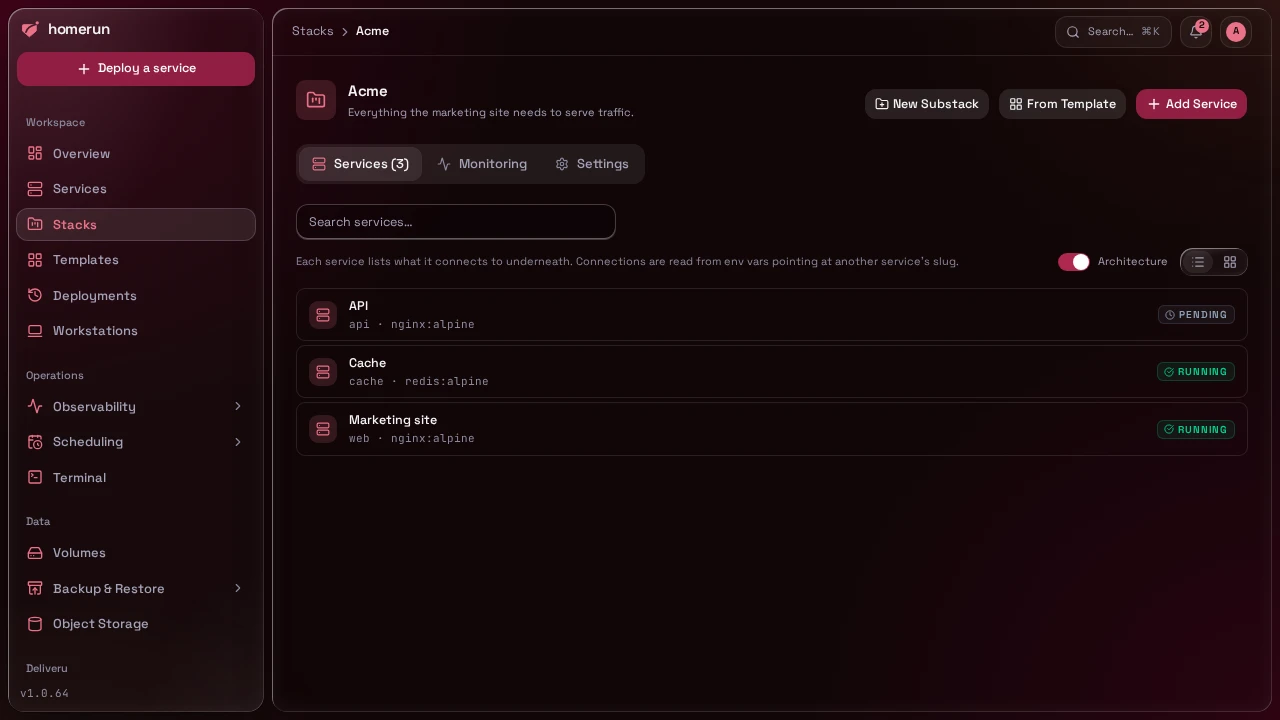
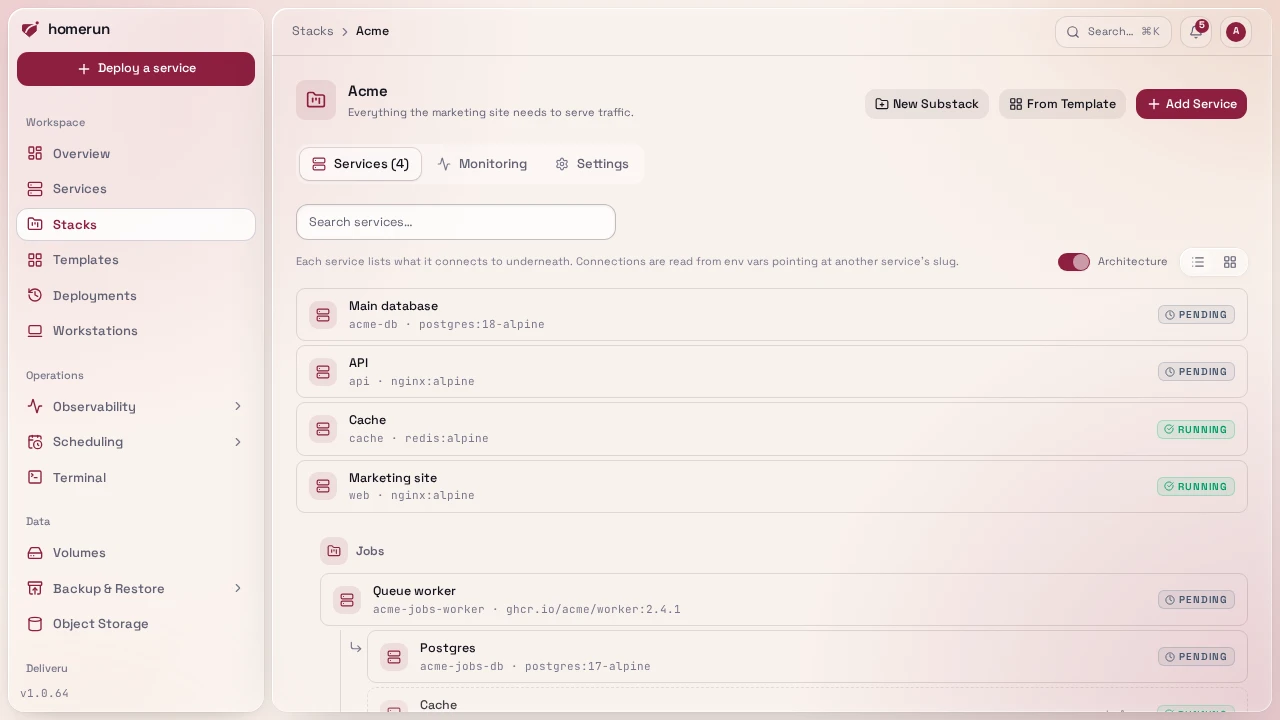
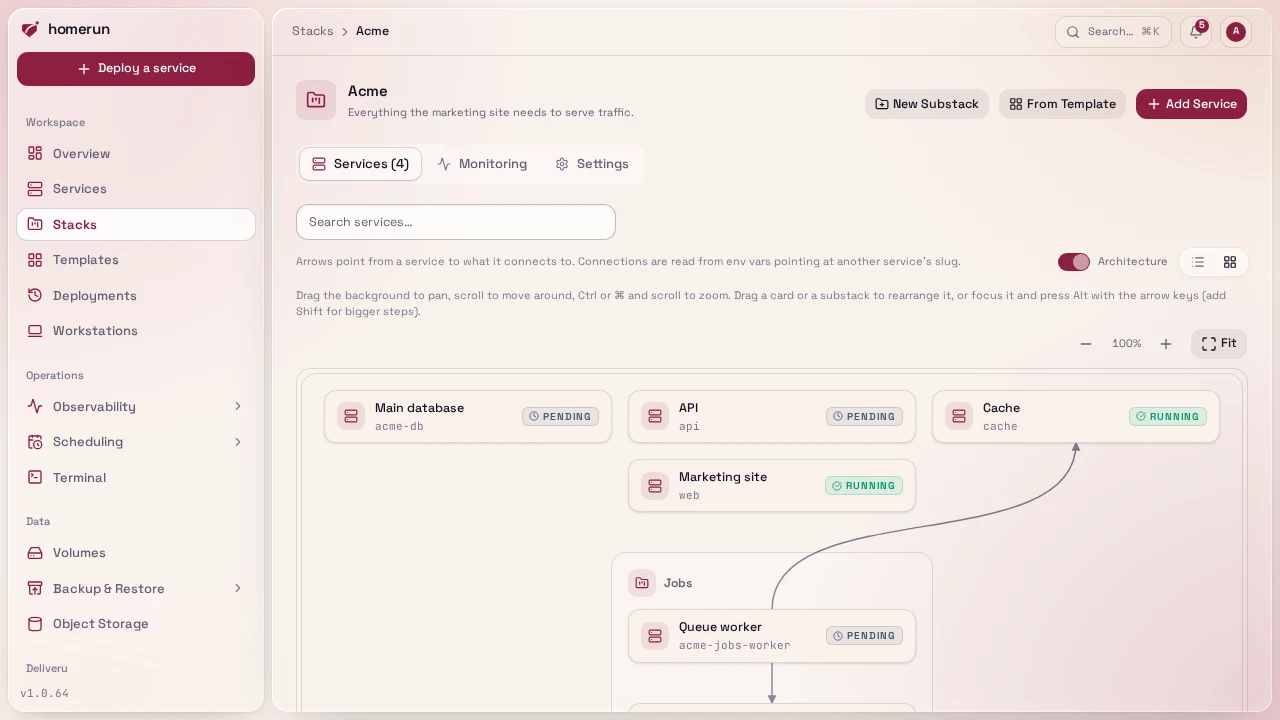
A stack's default tab shows every member service, across it and its substacks, as a dependency graph rather than a flat list, in either view:
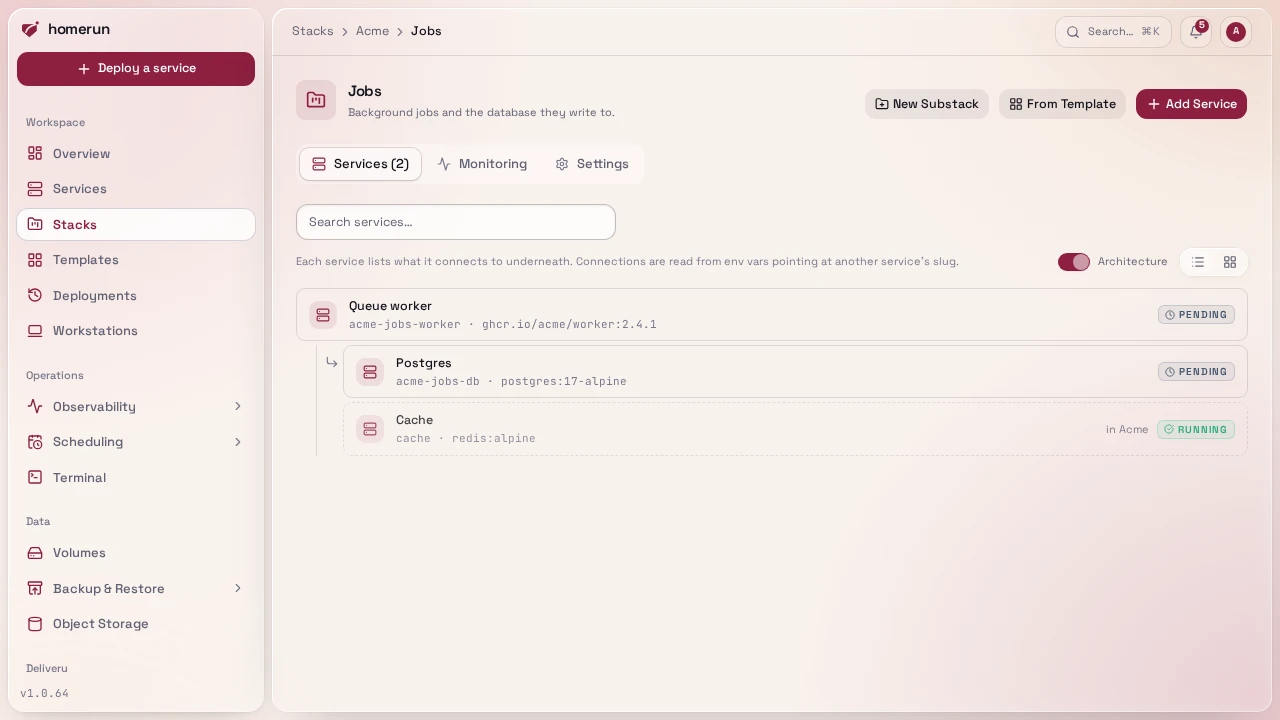
- List view is a tree: each service lists what it connects to underneath,
read from its env values: a URL's host (
redis://:pw@vortex-redis:6379, never its password or path), a barehost:port, or a plain name only under a variable that looks like it names a host (*_HOST,*_URL,*_DSN,*_BROKER…) — soPOSTGRES_DB=vortexno longer counts as pointing at a service sluggedvortex, only a value that actually names it as a host does. A dependency recorded by Link to (including a dependency-only link with no env vars, see Env vars) counts too. Each substack gets its own indented section. A dependency outside the stack is marked "in<stack>" or "no stack" rather than expanded further; one already shown elsewhere in the tree is marked "shown above" instead of repeating its own dependencies a second time. Right-click a service for Unlink from, a submenu of what it points at or depends on; confirming lists the exact env vars it will remove (none for a dependency-only link) and drops the recorded dependency. - Card view is an architecture diagram: each service is a card, consumers
sit above what they use with an arrow between them, substacks are nested
boxes, and anything the stack depends on outside itself sits in its own
"Outside this stack" box. Hovering a card highlights only its own arrows. The
diagram sits on a canvas you can pan (drag the background, or scroll) and zoom
(
Ctrlor⌘and scroll, or the zoom buttons); Fit frames the whole diagram. Drag a card to untangle a crossing arrow, or drag a substack's box to move it with everything inside it. From the keyboard, focus a card or a substack's name and pressAltwith the arrow keys (Shifttoo for bigger steps). The layout is remembered in your browser per stack, and Reset layout puts every card and substack back where it started.
Searching drops the graph for a flat, filtered list, since a matched subset doesn't have a tree worth drawing. The Architecture switch next to the view toggle turns the graph off entirely, for a plain list or plain cards; your browser remembers the choice. On a phone, each tree row puts the full name on its own line, with the slug, labels and status underneath. A service's own Overview tab has the same Connections panel and unlink button, just for that one service, see Deploying.
/stacks has a search box, a sort (the same ones as services, plus Most
services), a list/card view toggle, and a pager once you have more than a
page's worth, same as the services list and
searched/paginated server-side the same way. Deleting a stack from its own page
requires typing the stack's name to confirm, since it also deletes every service
inside it.
This guide lives in the project repo: edit it there, and this page follows within a day.