Connecting a git provider
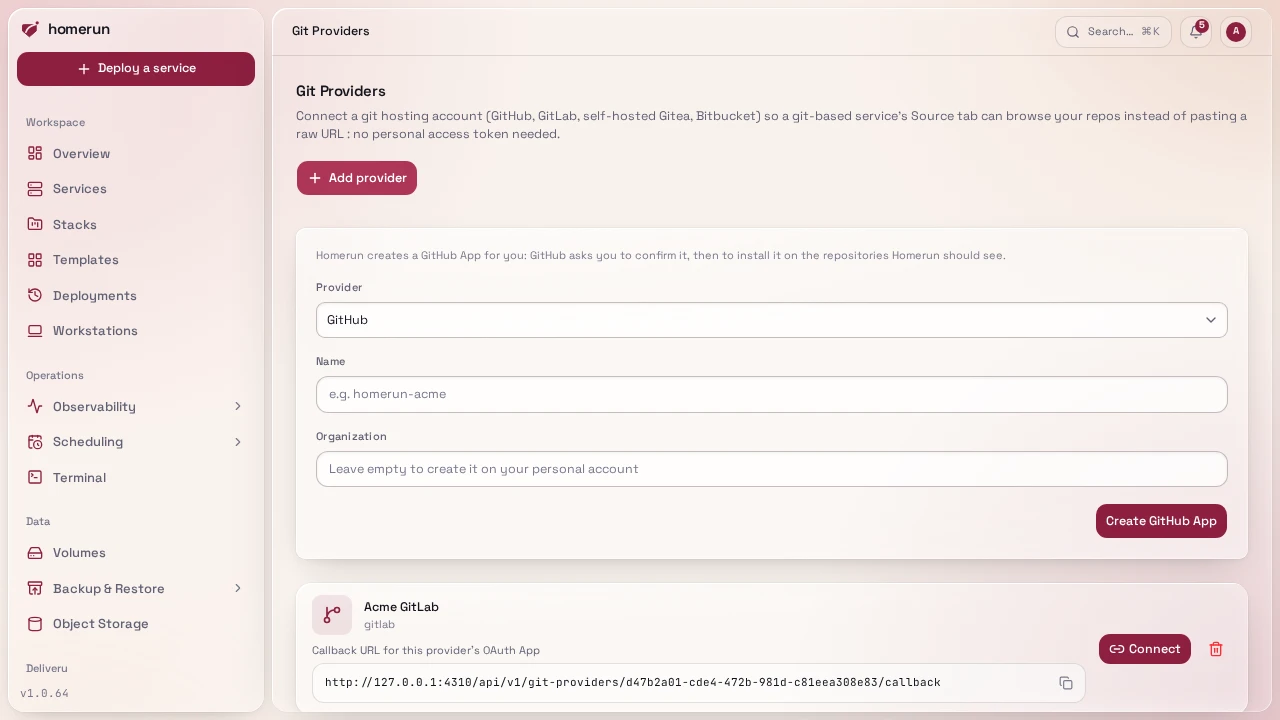
Git Providers in the sidebar is what turns "paste a clone URL" into "browse my
repos", and it's how a private repo works without putting a token in the URL. It
takes two steps, done by different people:
- Someone with write access to Git providers registers the provider, once. For GitHub, give the app a name (and an organization, or leave it empty for your personal account) and click Create GitHub App: GitHub asks you to confirm the app, then to install it on the repositories Homerun should see. Nothing to copy by hand. The app only asks for what Homerun uses: read access to code, commit statuses and checks, and write access to repository webhooks, pull requests and deployments (the last two for pull request previews). To give it more repositories later, change the installation on GitHub. An app created before previews reported to GitHub lacks the pull request and deployment permissions, and GitHub answers "Resource not accessible by integration": in the app's settings on GitHub, under Permissions, give it Read and write on Pull requests and Deployments, save, then accept the new permissions on its installation (Settings → Applications → Installed GitHub Apps → Configure). Reconnecting isn't needed. A repo that already has Homerun's webhook (from a deleted app or an earlier connection) keeps it: Homerun takes it over and updates its secret and events instead of adding a second one, which GitHub and Gitea refuse. For GitLab, self-hosted Gitea (which also wants its base URL) or Bitbucket, register an OAuth application on that provider's own site and paste the client id and secret in. The page prints the exact callback URL to register on the provider's side.
- Each person connects their own account from the same page, one click through the provider's consent screen. Connections are per-account: your token is yours, and another user connecting to the same provider gets their own.
Once connected, a service's Environments & Deployments → Source section (and
the new-service wizard) picks the repository and branch from that account
instead of asking for a clone URL, and checks the repo for a Dockerfile.
Picking one also turns on Deploy on push, with the webhook
added for you. Use a clone URL instead is still there for any other repo.
Tokens are stored encrypted, refreshed automatically when the provider issues
short-lived ones, and disconnecting removes them.
Cloning itself is provider-agnostic, so any public HTTPS git URL works with no provider connected at all.
Connections made before deploy-on-push existed only allowed reading repos on GitLab, Gitea and Bitbucket. The Source section offers to reconnect them once Homerun is refused; until then it shows the webhook to add by hand. Gitea keeps the old read-only permissions across a reconnect: it reuses the authorization it already has for Homerun without asking again. Revoke Homerun under Gitea's Settings → Applications → Authorized OAuth2 Applications first, then reconnect, and Gitea asks for the new permissions.
This guide lives in the project repo: edit it there, and this page follows within a day.