Deploying
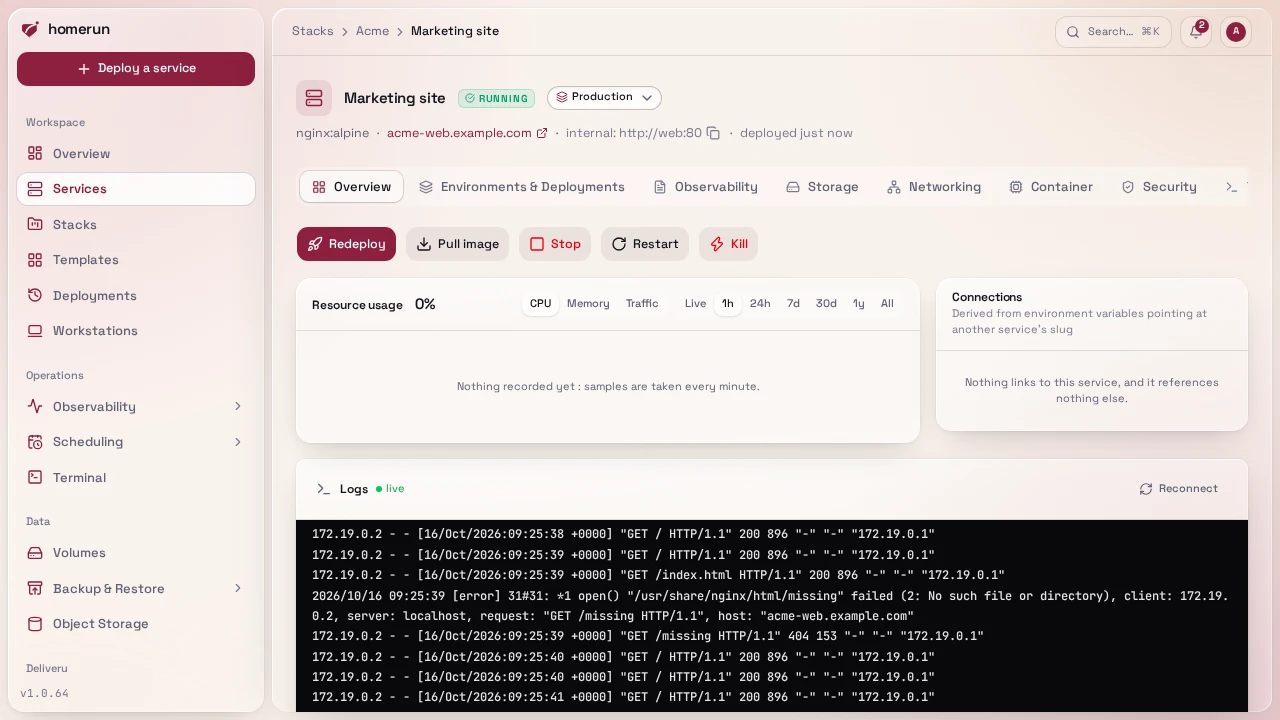
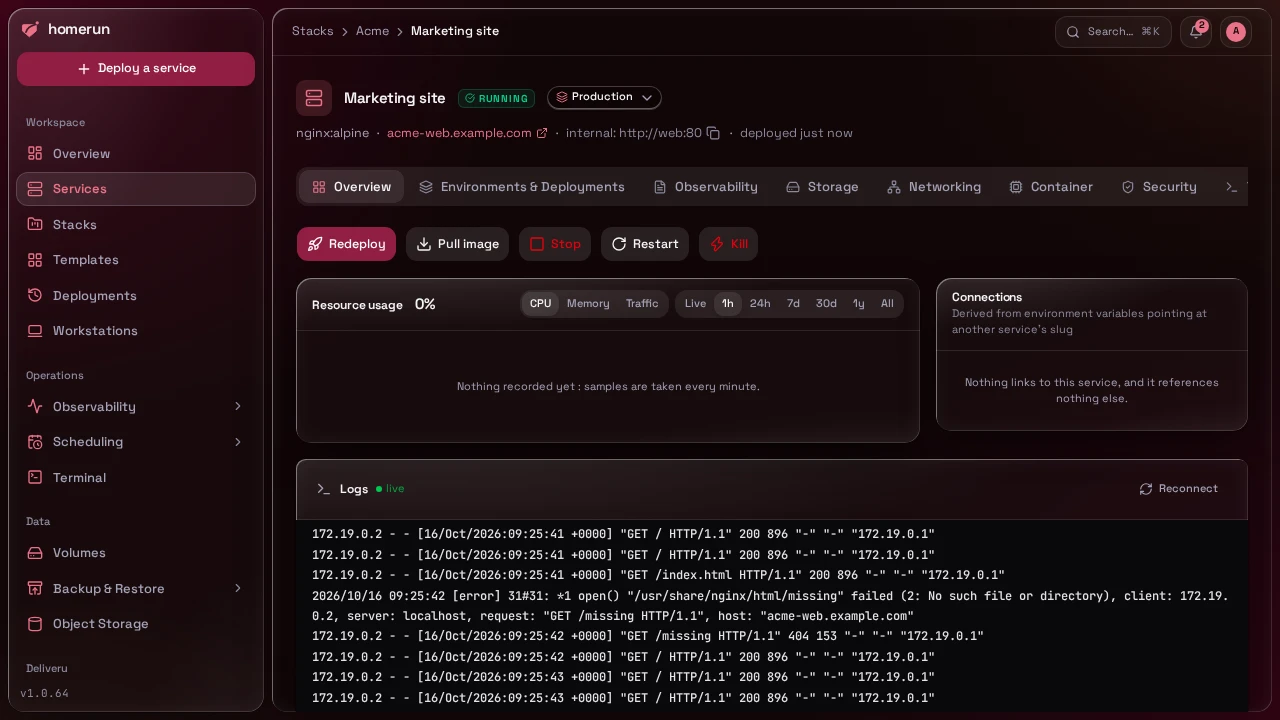
The Overview tab has Deploy (Rebuild for a git service), Start/Stop, Restart and, depending on the service, Fresh build (a git rebuild that ignores every cached layer), Pull image (pulls the configured image and tag without redeploying, and tells you whether it changed) and Kill (SIGKILLs a standalone container with no grace period; swarm services only get Stop), plus a live progress panel. The panel shows six phases, resolving configuration, preparing volumes, fetching image, provisioning container, routing traffic, ready, ticking off as they complete, with the raw build/pull output streaming underneath. Progress arrives over server-sent events (the server pushes each new line and status change; if that stream can't be held open, the panel falls back to polling), and it resumes correctly if you reload the page mid-deploy, or if the deploy was started somewhere else entirely (a template quick-deploy, cron). Below it sit a Resource usage chart for the service's own container (CPU, memory and network traffic, live or over the last hour, day, week, month, year or all of it, sampled every minute), a Connections panel listing the services it references through env vars or depends on through a service link, and the ones that reference or depend on it (same detection as a stack's dependency graph, see Stacks), each with an Unlink button (see Env vars), and a tail of its live logs. Deployment history, every attempt with its status, image and full log, is under Environments & Deployments → Revisions.
Redeploys are health-gated. When the service already has a running container, the new one starts next to it and the old one keeps serving until the new one is ready; then the old container is removed. If the new container exits, restarts, reports unhealthy or isn't ready within 5 minutes, it's removed instead, its last log lines go into the deploy log, the deploy is marked failed and the old container carries on untouched. Two cases stop the old container first: host networking (both copies would bind the same ports) and a writable volume on a service with no domain (two copies writing the same data, a database's data directory for instance). A service with a domain always starts its new copy first, sharing the volume for the few seconds both run, since stopping the old one first would 404 every request until the new one is up. An app that can't share its data directory with a running copy (an embedded database holding a lock on it, say) fails that way; the deploy then tries once more with the old copy stopped first, so it goes through with the brief gap instead of failing. In swarm mode the service is updated in place through swarm's own rolling update, following the same rule, and swarm rolls back to the previous tasks on its own when a new one fails.
Readiness: no traffic before the new copy is ready. Like a Kubernetes
readiness probe, a new container or swarm task gets no traffic from Traefik
until its readiness check passes. Both are built on Docker's healthcheck:
Traefik skips a container whose health isn't healthy yet, and swarm keeps a
task out of running (so out of Traefik and out of the service's own DNS) until
its healthcheck passes. The deploy log says which check applies:
- none at all when healthchecks are turned off for the service;
- the service's healthcheck command, when set;
- otherwise the image's own
HEALTHCHECK; - otherwise a check Homerun adds itself, which passes once something in the
container listens on the container port (on any address but loopback). It only
needs
/bin/shin the image, not curl, wget or nc, and after a crash or a restart it holds traffic back again until the port is listening.
A healthcheck is readiness and liveness at once: after the first pass it keeps running every 30 seconds, and three failures in a row mark the container unhealthy, which takes it out of Traefik, fails the revision's health watch, and in swarm mode gets the task replaced. Homerun's own listening check is ignored by the uptime probe, which keeps probing the port over HTTP or TCP.
There's no readiness gate, and the new copy gets traffic as soon as it runs,
when the port is UDP only or the image has neither a healthcheck nor /bin/sh
(scratch and distroless images). Add a HEALTHCHECK to such an image for a
real gate. A standalone container then shares traffic with the old one from the
moment it starts, and counts as ready after running 5 seconds. A swarm task is
worse off: swarm stops the old task as soon as the new one runs, so requests
fail until the new one listens. Services that aren't published through Traefik
(not DNS-resolvable, host networking) have no traffic to hold back. Other
services reaching this one by its slug on the Docker network aren't gated in
standalone mode: Docker's DNS resolves the name to the new container as soon as
it starts. In swarm mode the service name only resolves to tasks that passed
their healthcheck.
Route check: a deploy only succeeds once its address answers. Once the new
copy is running, the routing traffic phase asks every hostname the service is
published at for its page, through Traefik on this server, and through its
public URL too when DNS automation or Pangolin points that
hostname here. Traefik gets a moment to pick up the new route: each address is
retried for up to 30 seconds before it's judged. The deploy fails when the
answer is Traefik's own rather than the app's: no route for the hostname
(Traefik's 404, or the not-found error page), or Traefik
unable to reach the container (502 or 504), or, publicly, an edge that answers
with its own default certificate for another name, or Cloudflare unable to reach
this server. Such a deploy keeps the new copy running, so you can read its logs,
and its Overview still shows it running; only the deployment is marked failed.
Whatever the app itself answers, a 401, a 404 or a 500, counts as an answer: a
502 or 504 is checked against the container directly, and one the app returns
itself passes. The one look-alike is a bare 404 page not found, Traefik's
exact text: without published error pages it's taken for Traefik's. A
certificate still being issued, a public URL that doesn't resolve yet (DNS still
propagating), a service that doesn't speak HTTP, or a Traefik this server can't
reach only add a warning to the deploy log. Database images and UDP-only ports
aren't checked.
Requests racing a removed copy are retried. Every published service's router carries a retry middleware: a request that reaches a container or swarm task that just went away, before Traefik has dropped it, is retried on another copy, up to four times with a short backoff. Traefik only retries when nothing of the request reached the app, so a form post is never sent twice. Traefik reads swarm every 2 seconds rather than reacting to events, which is how long an old task can stay in its list; the retry covers that window.
Clicking Deploy queues the deploy rather than running it inside the request (see The job queue), so the button comes back immediately and the progress panel narrates the rest. Same for "Create and Deploy" at the end of the new-service wizard: it creates the service, queues the deploy, and drops you straight on the service page watching it come up.
This guide lives in the project repo: edit it there, and this page follows within a day.