Status pages
Status Page in the sidebar builds an uptime page out of your services' uptime probes. Each page has a name, a slug and an optional description, and covers one of three sets: every service, one stack, or services you pick. Its page in the dashboard shows each service's recent heartbeats and uptime percentage.
With services you pick, open the Services box and type to search; arrow keys move through the list, Enter adds or removes the highlighted service, Escape closes it. Picked services are listed under the box, each with a remove button. Pull request previews and release-channel canaries aren't offered on their own: a picked service that has (or can get) them shows Include previews and canary instead. Tick it and the page lists that service's canary and every open preview right under it, worked out each time the page loads, so a new pull request shows up and a closed one drops off without editing the page. It's off by default. Every service and one stack already list previews and canaries as services of their own.
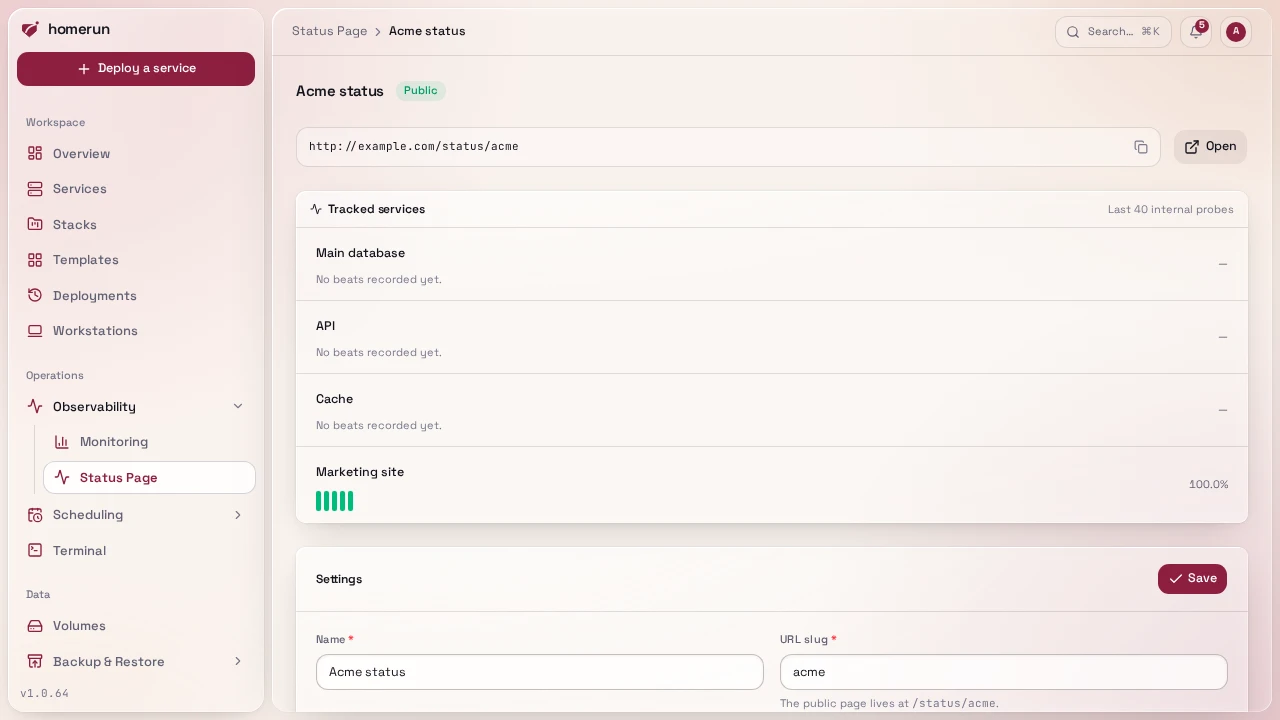
Tick Publish this page to make it readable without signing in at
/status/<slug> on your dashboard's address; the page shows the copyable link.
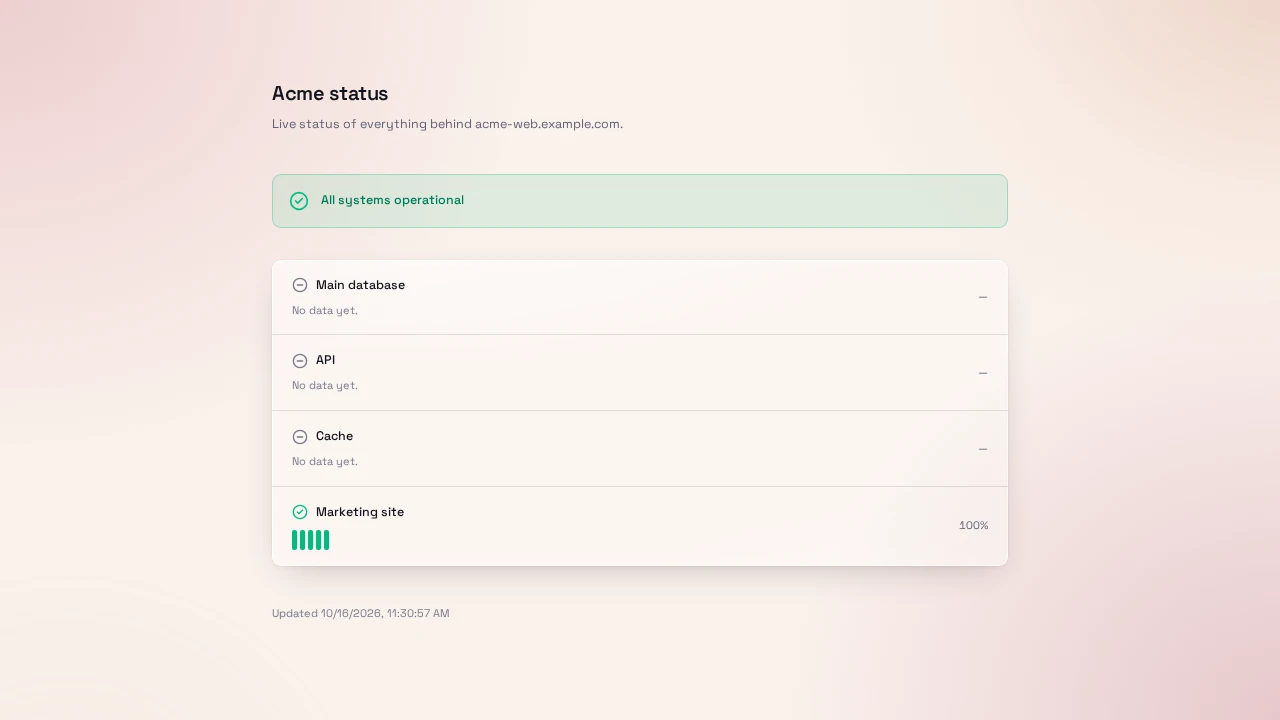
A public page shows only service names, up/down, and uptime over the last 40
checks from the network probe: never images, ports, hostnames or probe errors.
An unpublished page is a 404 there.
Custom domains puts a published page on addresses of your own, such as
status.example.com, separated by spaces or commas. Opening the domain takes
visitors to the page (status.example.com redirects to
status.example.com/status/<slug>), with a TLS certificate like a service's,
and the DNS automation points the domain at this server
(without Pangolin's sign-in, a status page being for people who aren't signed
in). Only the page answers there: any other path on the domain, the dashboard
included, is Homerun's "nothing here" page. A domain can serve one page only,
and an unpublished page's domains stop answering until it's published again.
This guide lives in the project repo: edit it there, and this page follows within a day.