Environment variables
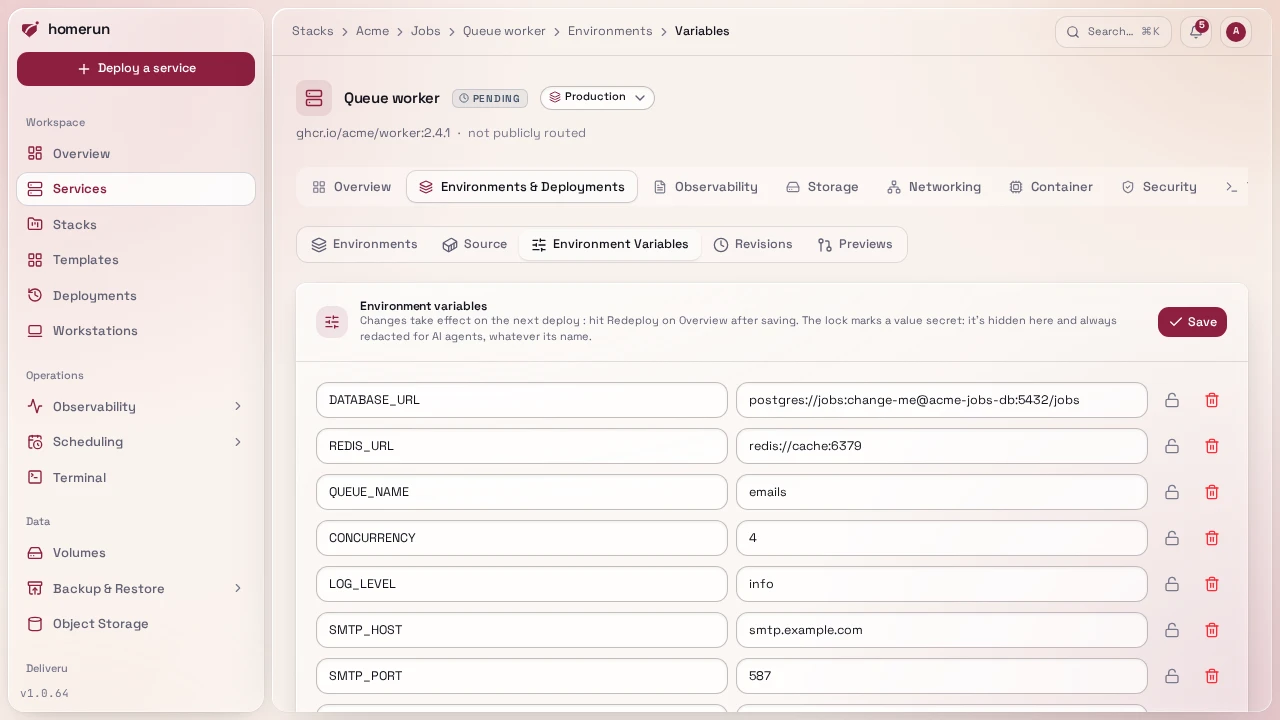
Plain key/value rows under a service's Environments & Deployments → Environment Variables, stored as-is (not encrypted, don't put a raw plaintext secret you'd mind leaking in the DB dump into an env var if you can avoid it; registry passwords and similar have their own encrypted fields instead).
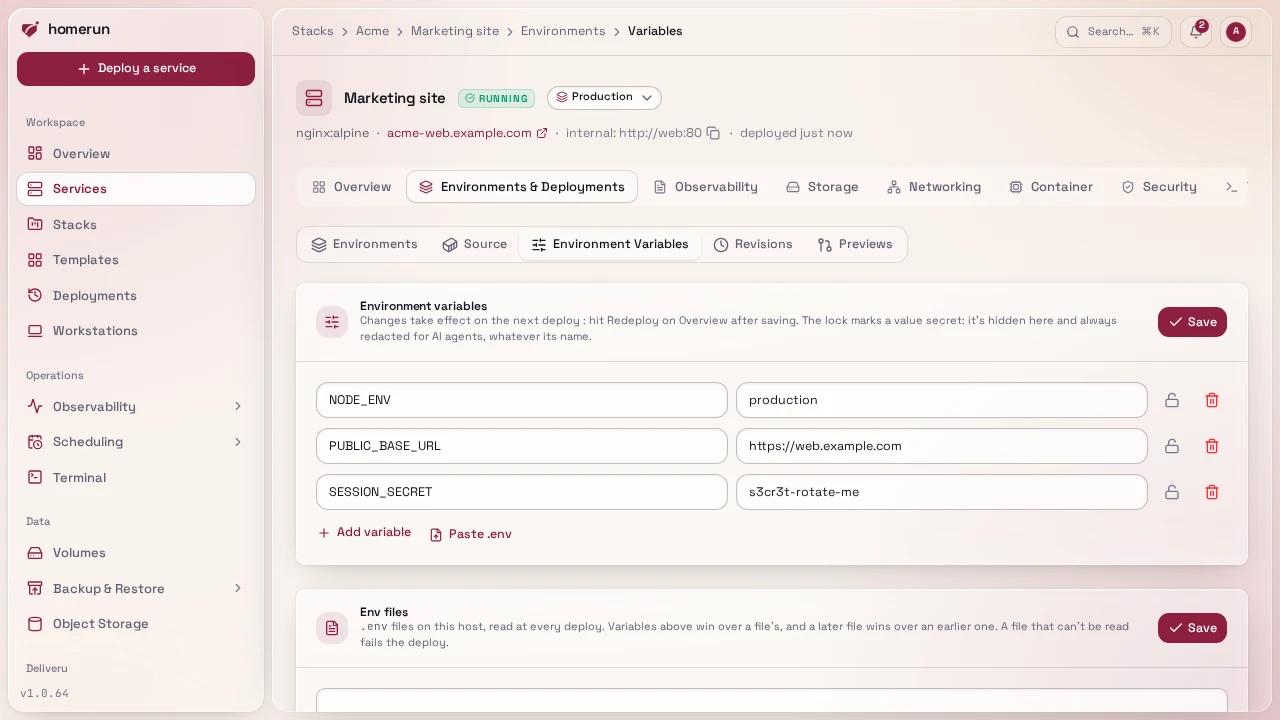
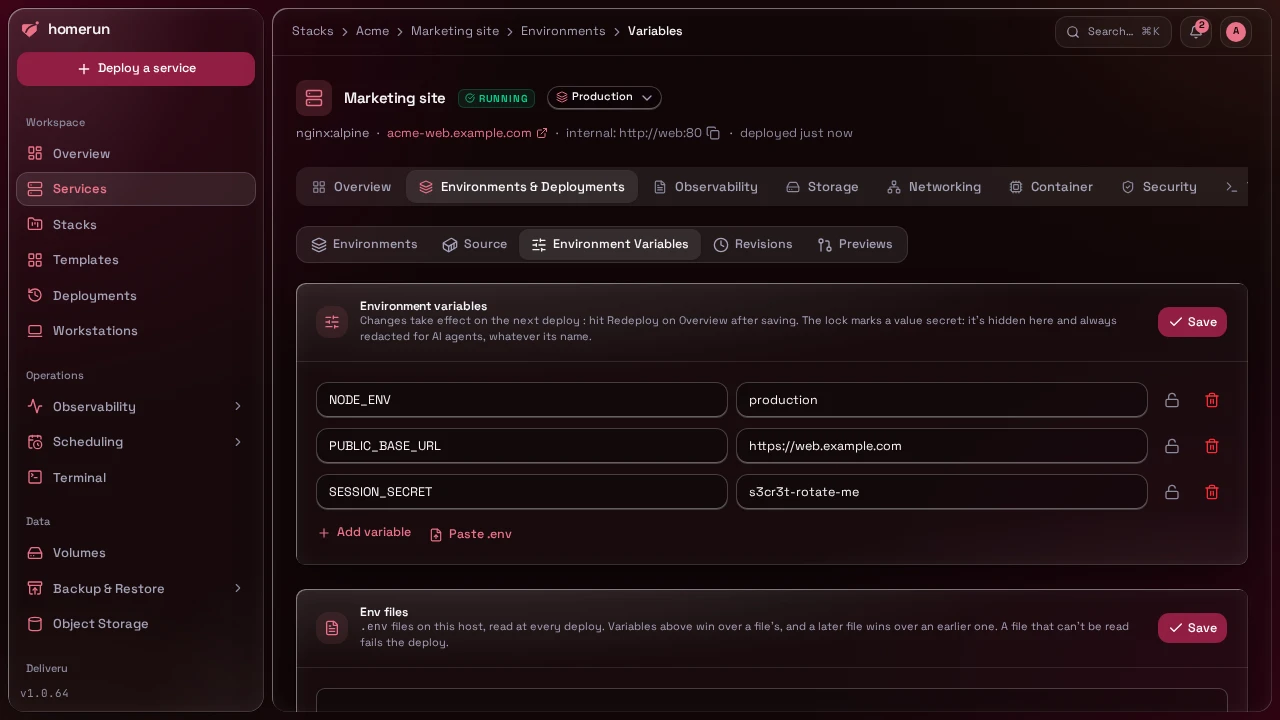
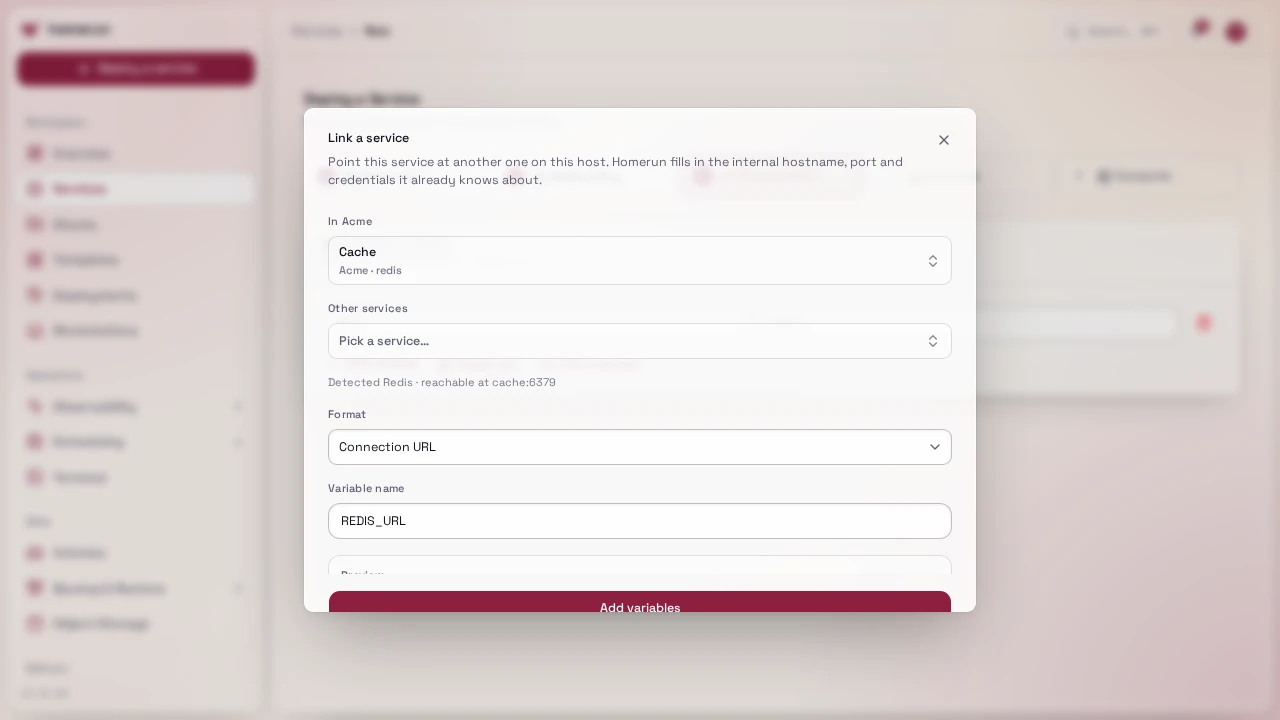
Link a service in the new-service wizard's Environment step fills those rows
in for you from a service you already run, in any stack or none: pick it, and
Homerun recognises what it is from its image (PostgreSQL, MySQL/MariaDB,
MongoDB, Redis-compatibles like Valkey, Dragonfly, KeyDB and Garnet, RabbitMQ,
or a plain HTTP service) and reads the credentials off its own env vars. A Redis
password set with --requirepass in the service's command counts too. The
Link to dialog on a service's context menu does the same for a service that
already exists, and it always writes the database or cache's own vars into the
other service, whichever of the two you right-clicked. The picker lists the
services in the same stack first, and every entry says which stack it's in. You
then choose the shape you want:
- Connection URL, e.g.
POSTGRES_URL=postgres://app:secret@db:5432/app. For PostgreSQL there's also apostgresql://variant, since drivers disagree on which scheme they accept. - JDBC URL (relational engines only), e.g.
jdbc:postgresql://db:5432/app?user=app&password=secret. - One variable per value, e.g.
DB_HOST,DB_PORT,DB_USER,DB_PASSWORD,DB_DB. - Dependency only (no env vars), the Link to dialog only: writes nothing into the environment, just records the link.
Every link from the Link to dialog, whatever its shape, also records that the consumer depends on the other service. That's what sets start order: starting a service starts whatever it depends on first (if it's deployed and not already running), a bulk start or restart on the services list runs dependencies before the services that need them and a bulk stop runs the other way round, and deploying a stack deploys dependencies first. A link that would make two services depend on each other, directly or through others, is refused when it's dependency only; with env vars the variables are still written, just without the recorded dependency.
Links made before Homerun recorded dependencies only had their env vars, so on
upgrade the dashboard records them once at startup: for each service that has no
recorded dependency yet, every service one of its env values points at, when the
two share a stack or the value is a URL or host:port (a bare
REDIS_HOST=redis across stacks doesn't count), becomes a recorded dependency,
app before database whichever side holds the variable. One that would make a
loop is skipped and logged. The API, CLI and MCP server can also read and
replace a service's recorded dependencies directly, see
API & CLI.
The suggested variable name (or prefix) is a default, not a rule, rename it to whatever your app expects before adding it. The host in every generated value is the linked service's slug, which is how services already reach each other on the shared network, so this works across stacks and needs no extra networking. The same full URL, password included, is what a service's header and its Networking tab show as its internal address (masked on screen, copied in full).
#Unlinking
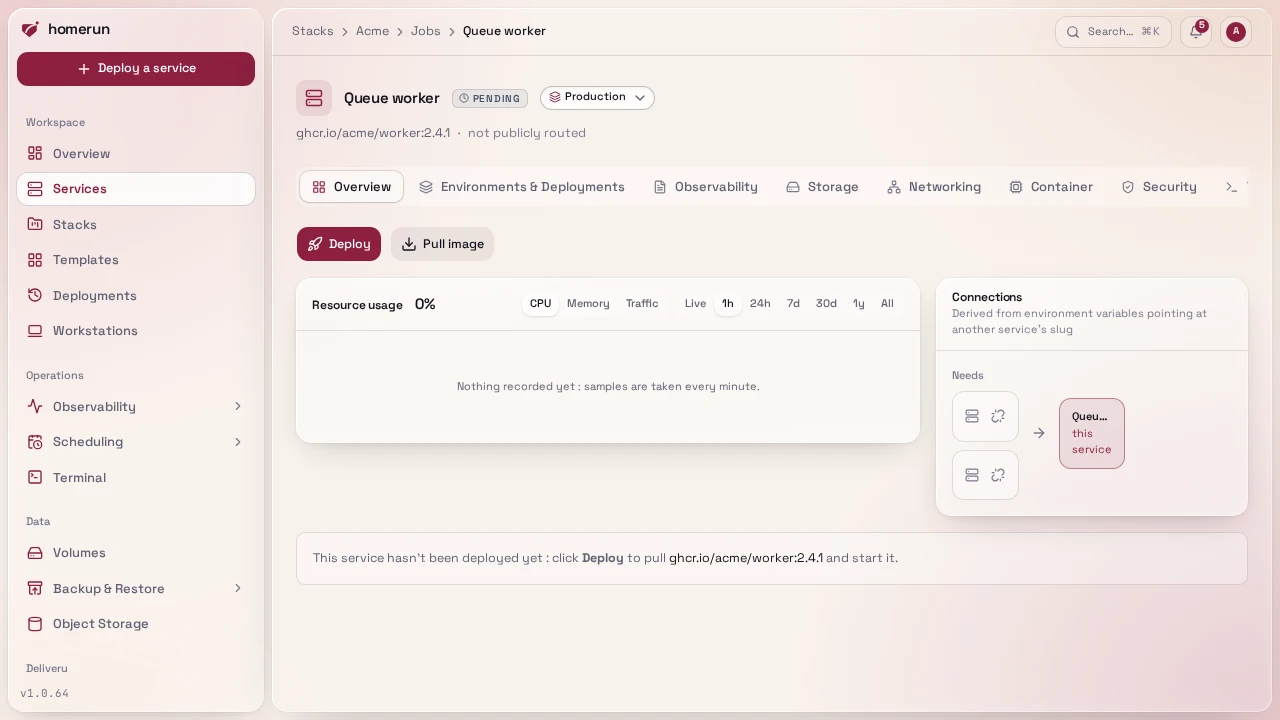
A service's Overview tab has an Unlink button on each row of its Connections panel (see Deploying), and a stack page's right-click menu offers the same thing as Unlink from. Both list exactly which env vars will be removed before you confirm, then delete those rows from the service that holds them, same as deleting them by hand, and drop the recorded dependency. The env change takes effect on that service's next deploy; a dependency-only link has no variables and is gone at once.
#Marking a variable secret
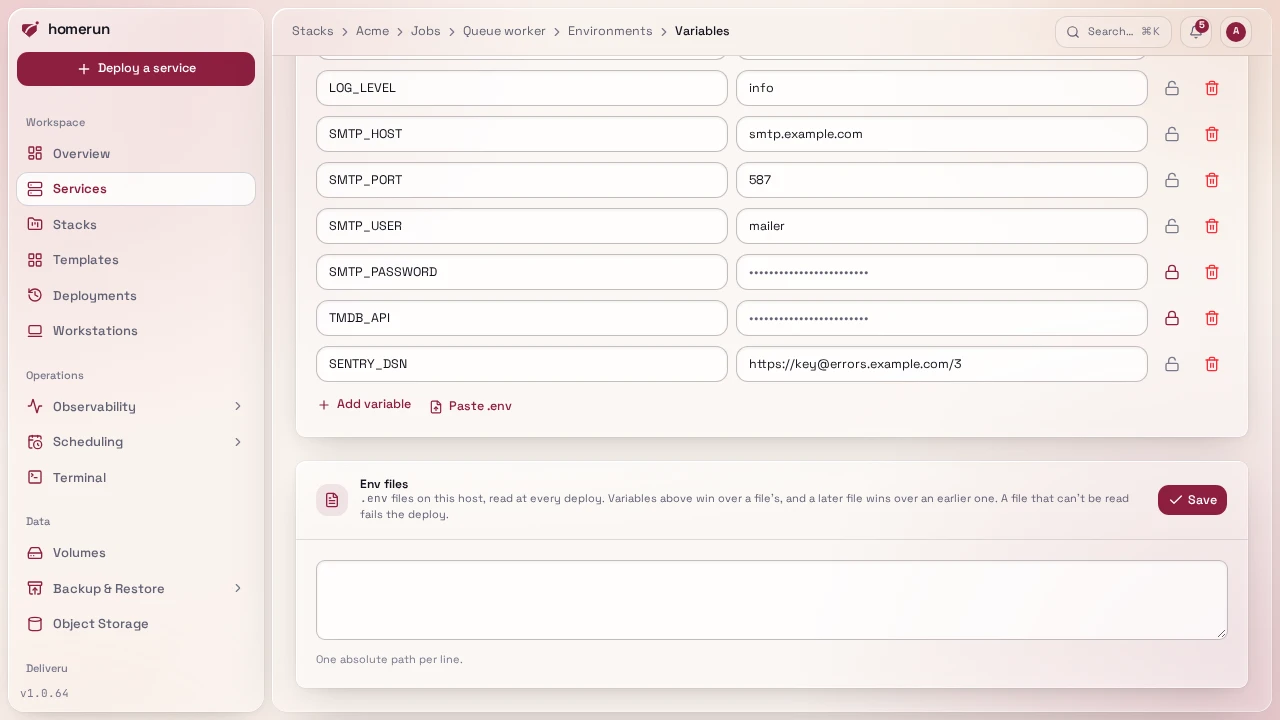
The lock icon next to a row in the Environment Variables section (a service's,
or a cron job's) marks that variable secret, independent of its
name: useful for something that doesn't look secret, like TMDB_API. A variable
a template fills with a generated password starts out marked.
A secret's stored value is never put back in the page: its field is empty and shows the same fixed row of dots whatever the value's length. Leave it untouched and saving keeps the stored value; type in it and the new value replaces it. Unlocking a variable you haven't retyped shows its stored value again.
A secret is always redacted for an AI agent through the MCP server,
whatever it's called. The REST API, the CLI and Terraform read and set the marks
as secretEnvKeys (secret_env_keys in Terraform), next to envVars.
#Build-time variables
A service built from a git repo gets a hammer icon next to each row. It marks that variable build-time: besides being set in the running container, it's handed to the build on every deploy:
- Dockerfile: as a build argument (
--build-arg NAME=value). The Dockerfile only sees it where it declares it,ARG NAME(thenENV NAME=$NAMEif aRUNstep's tools read it from the environment, likenext buildreadingNEXT_PUBLIC_*). - Docker Bake: as a build argument of the built target
(
--set <target>.args.NAME), declared withARGin its Dockerfile the same way. - Nixpacks and buildpacks: as build environment (
--env NAME=value). - Railpack: as build environment, mounted into its build steps as BuildKit secrets.
A build argument ends up in the image's history (docker history), so keep real
secrets out of a Dockerfile's ARGs: use them for public config baked into a
frontend bundle (NEXT_PUBLIC_API_URL, VITE_*), a version, a feature switch.
A build-time variable's name must be a plain identifier (letters, digits and
underscores, not starting with a digit), and only the service's own variables
count, not its env files. Previews and environments start with the
parent's marks. The REST API, the CLI and Terraform read and set them as
buildEnvKeys (build_env_keys in Terraform), next to envVars.
#Env files
Under the variables, Env files lists .env files on this host, one absolute
path per line, read at every deploy through a short-lived helper container (so
they work even though Homerun itself runs in a container). A later file wins
over an earlier one, and the service's own variables win over both. A file that
can't be read fails the deploy, the same as a missing env_file fails
docker compose up. Only an account with write access to System can change the
list, since the files are read off the host.
This guide lives in the project repo: edit it there, and this page follows within a day.