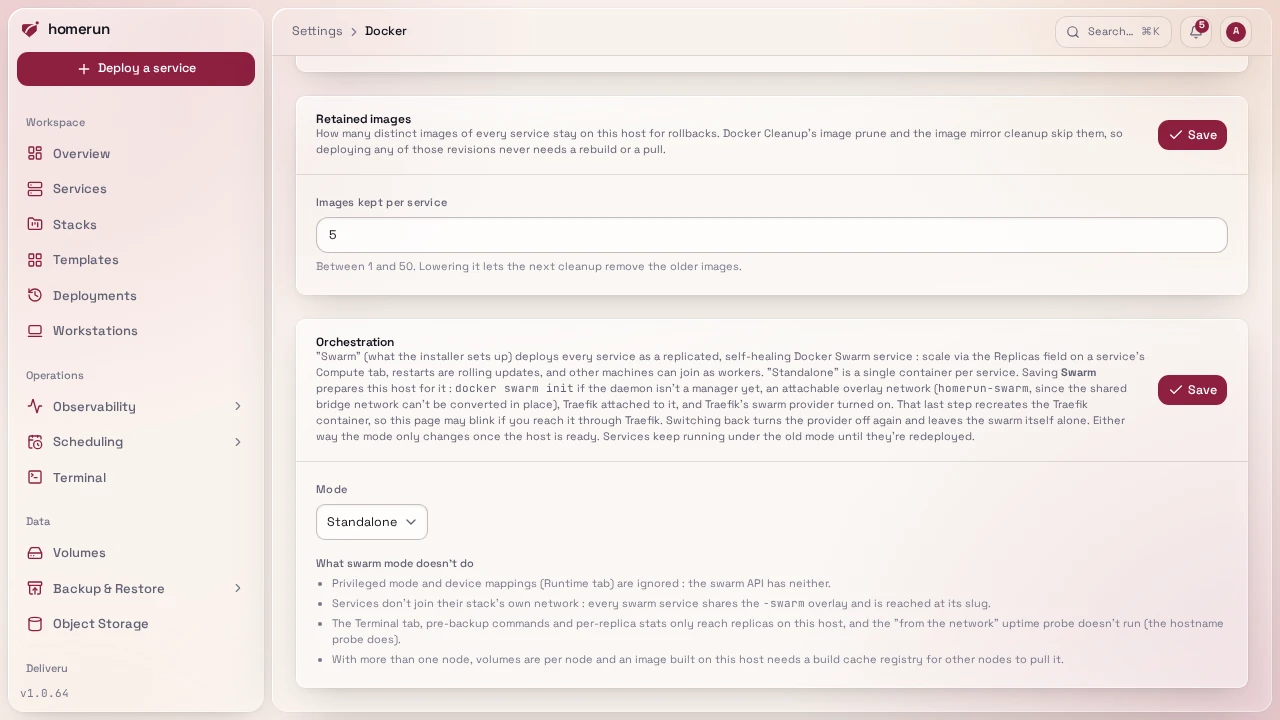
Swarm mode
Instance-wide (/settings → Docker → Orchestration mode), and what the one-line
installer sets up: the installer makes the system Docker daemon a swarm manager,
and a brand new instance on a rootful swarm manager starts in swarm mode (an
existing instance keeps whatever mode it has, and a rootless or non-swarm daemon
starts in standalone). In swarm mode every local deploy creates a real
Docker Swarm Service instead of a plain container, and Container → Compute
gets a replicas field (default 1) controlling how many copies Docker runs
and load-balances across via its own routing mesh. Start/ stop map to scaling to
0/back up rather than a real container stop/start, and restart force-updates
every task (recreating them) instead of restarting one container. Restart reuses
the service's current settings: a changed environment variable needs a
Deploy.
A deploy updates the service in place and waits for the new tasks to be healthy. If they aren't, swarm rolls back to the previous tasks, as long as at least one of those is actually running. When the service is already broken (its tasks crash-looping, say on a wrong database URL), there's nothing worth going back to, so the new tasks stay in place instead: the deploy that fixes the setting isn't thrown away, and the next one after it doesn't have to fight a rollback. Either way the failed deploy's error ends with the last task error Docker recorded (the crash or failed healthcheck), so you see why, not just that.
Swarm mode needs Homerun on the system (rootful) Docker daemon: rootless
Docker can't create overlay networks, so saving Swarm on an instance running
on a rootless daemon fails straight away with a message saying so, before
anything on the host changes, and the Docker settings tab greys the option out
with that reason before you try. The one-line installer uses the system daemon
unless you pass --docker=rootless, and --migrate-to-rootful moves an
existing rootless install over (see
Getting started).
The mode is only saved once the host has been prepared: if preparing it fails,
the error is shown and the previous mode stays.
Saving Swarm prepares the host for you: Homerun runs docker swarm init if
the daemon isn't a swarm manager yet, creates an attachable overlay network
(<network>-swarm, next to the shared bridge network), attaches Traefik to it
and turns on Traefik's swarm provider (--providers.swarm, the Traefik v3 form
of the old --providers.docker.swarmMode=true). That last step recreates the
Traefik container, so the dashboard may blink if you reach it through Traefik.
Homerun re-checks all of this when it starts, so a docker compose up that
recreates Traefik from your compose file doesn't silently drop the provider.
Switching back to Standalone turns the provider off again and leaves the
swarm itself running; run docker swarm leave --force yourself if you want it
gone. On a host with several network interfaces docker swarm init can refuse
to pick an address to advertise: the installer passes the default-route address
(or --advertise-addr=), and on a host you set up yourself run
docker swarm init --advertise-addr <ip> once by hand, then save the setting
again.
Services reach each other at http://<slug>:<port> in both modes: a swarm
service joins the overlay with its slug as a network alias. A Docker race during
a rolling update can drop that alias (the old task shuts down and un-registers
it after the new one already re-registered it), so only the full
homerun-<slug>-<hash> name resolves and every link to it by slug fails, even
though the service itself is healthy. Every 5 minutes Homerun checks whether
each running swarm service's slug still resolves, and force-restarts one that
doesn't (which re-registers the alias) — at most once an hour per service, and
it says so in the notification feed. That's a periodic catch, not an instant
one: a dropped alias can stay broken for up to 5 minutes, and see
Known, real limitations
for how thoroughly it's actually been tested. Named volumes and bind mounts work
the same way as in standalone mode, and host networking
attaches the service to the host's network instead of the overlay. What swarm
mode doesn't do, and the Docker settings tab lists too:
- Privileged mode and device mappings are ignored (the swarm API has neither, the deploy log says so). Added capabilities do apply.
- Stack networks: swarm services don't join their stack's own network, every
one of them shares the
-swarmoverlay. - Terminal, pre-backup commands, per-replica usage: only replicas running on this host, since Homerun only talks to this daemon. The Terminal tab picks a local replica and says so when there isn't one.
- Uptime: the "from its hostname" probe runs, the "from the network" probe doesn't.
- More than one node: a volume exists separately on every node, so a replica placed elsewhere starts with an empty one, and an image built on this host (a git build without a build cache registry) can't be pulled by other nodes. The deploy log warns about both once the swarm has a second node.
The service's Overview tab lists every replica with its node, state and live CPU and memory use. A replica scheduled on another node shows its state but no usage, since Homerun only talks to this host's Docker daemon. The resource graph below the list records the sum over the replicas running here.
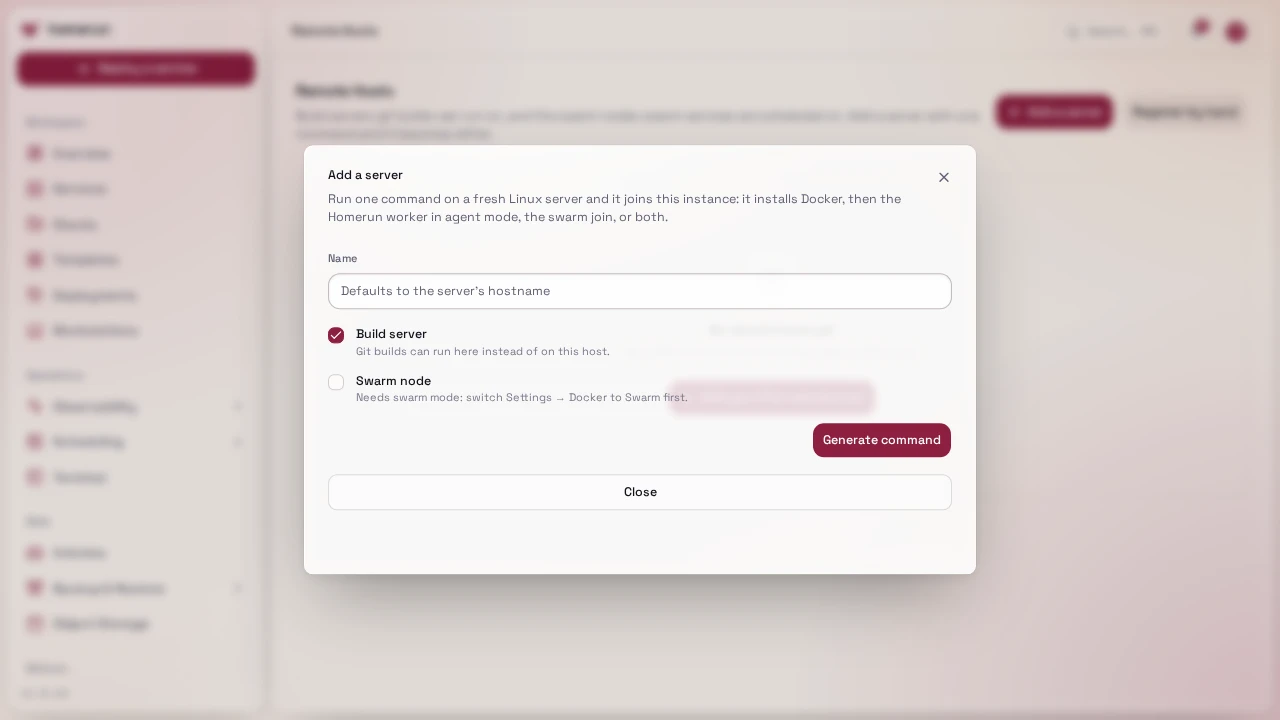
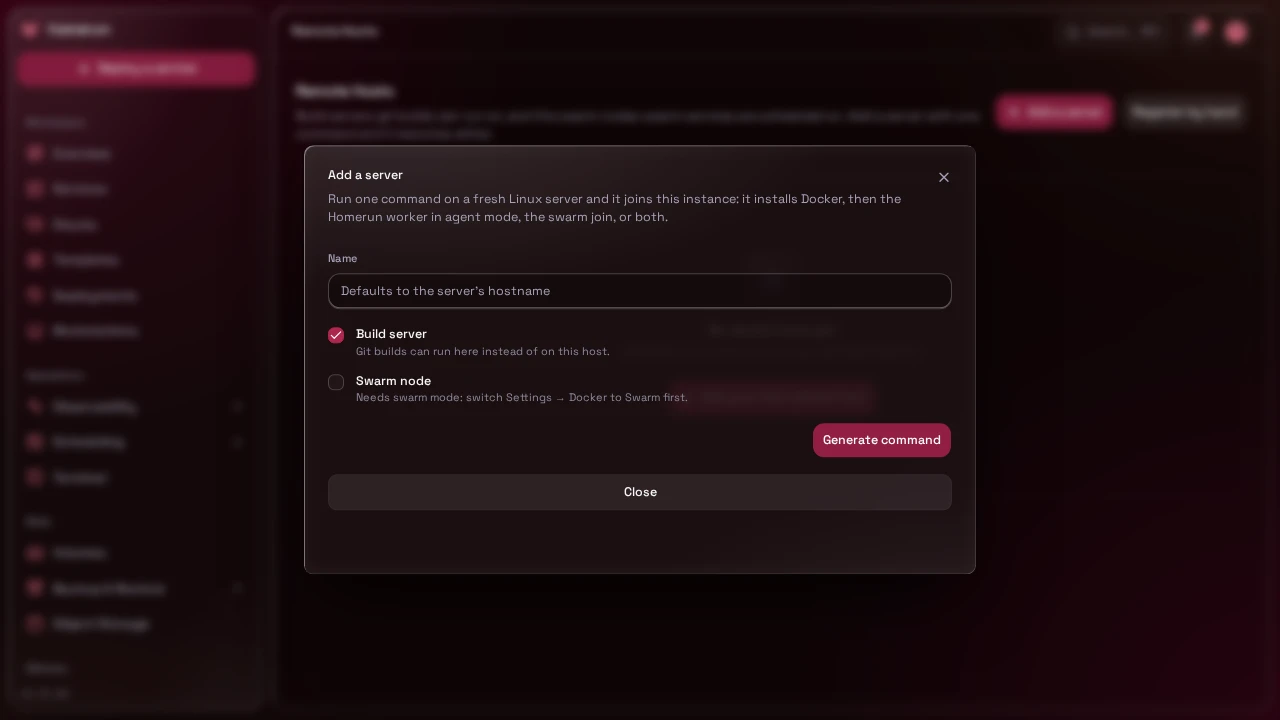
Adding a node: on /remote-hosts, Add a server with the swarm node role
hands you a one-time command to run on the new machine, see
Adding a server with one command.
It installs Docker and joins the swarm on the system daemon; the swarm scheduler
places tasks there from then on and Traefik on the manager routes to them over
the overlay network. By hand, docker swarm join-token worker on the manager
and cmd/installer/swarm-join.sh on the new machine do the same. The machines
need to reach each other on 2377/tcp, 7946/tcp+udp and 4789/udp. Traefik picks
up new replicas within about 2 seconds. See
cmd/installer/README.md for the flags.
This guide lives in the project repo: edit it there, and this page follows within a day.