Release channels
Advanced mode: simple mode hides the Channels section of a service's Environments & Deployments tab. Everything here keeps working either way, and a hidden page still opens from a link.
Release channels split one git service into two environments, for the common "a branch is canary, a tag is stable" release model:
- Stable is the service itself. It deploys when a tag matching the tag
pattern (
v*by default) is pushed, building that tag. - Canary is a companion service Homerun creates and manages,
<slug>-canary. It deploys on every push to the canary branch (the service's own branch by default).
They're off by default, and nothing about a service changes until you turn them on.
#Turning them on
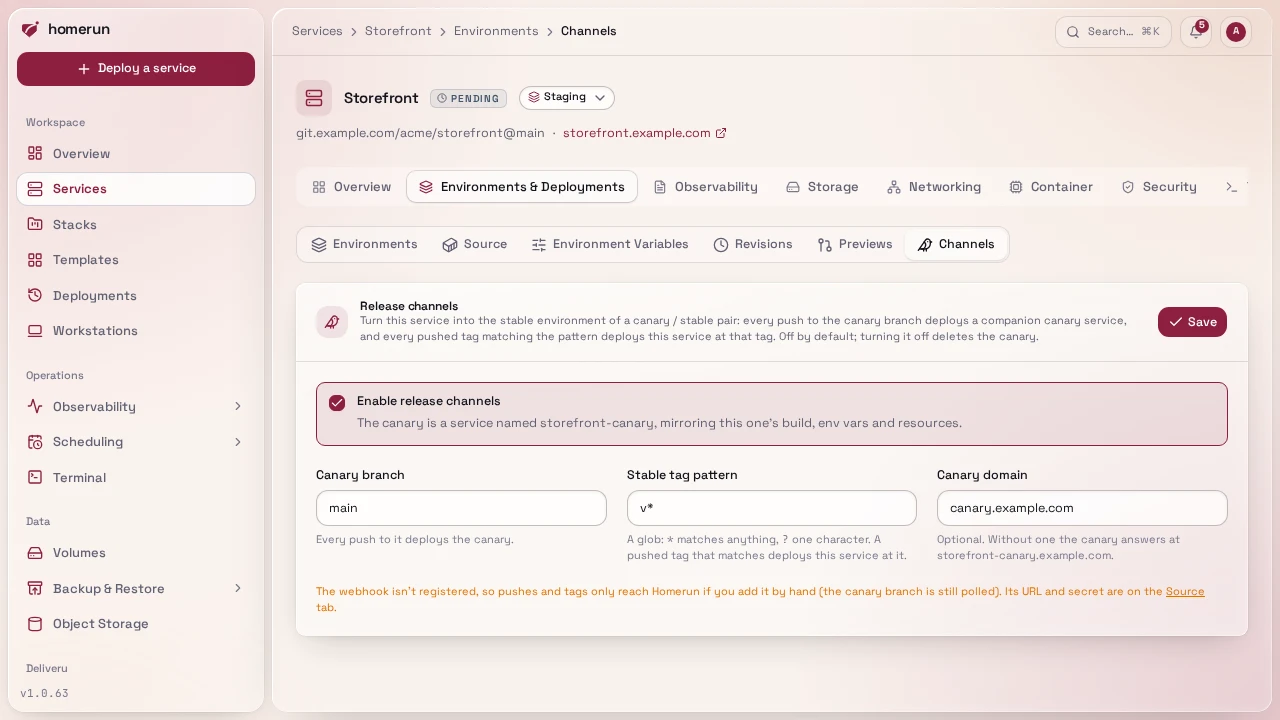
Open a git service's Environments & Deployments → Channels section, tick Enable release channels, and optionally change:
- Canary branch: the branch whose pushes deploy the canary.
- Stable tag pattern: a glob.
*matches any run of characters (slashes included),?exactly one; everything else is literal.v*matchesv1.2.0andv2.0.0-rc.1;v[0-9]*doesn't work, there are no character classes. - Canary domain: a domain for the canary, e.g.
canary.example.com. Without one it answers at<slug>-canary.<baseDomain>. A domain the service itself or anything else already routes (another service, a redirect, a workstation, Homerun's own hosts) is refused.
Saving creates the canary and deploys it from the canary branch. From the CLI:
homerun services channels enable <service> --branch main --tags 'v*' --canary-domain canary.example.com
homerun services channels status <service>
homerun services channels disable <service>or PATCH /api/v1/services/{serviceId}/channels with
{"enabled": true, "branch": "main", "tagPattern": "v*"} (see
API & CLI).
#What the canary is
The canary copies the service's build settings, env vars, resources, healthcheck, stack, icon and login wall, and gets them again before every canary deploy, so change settings on the stable service and the next canary deploy picks them up. It doesn't copy volumes, domains, cron schedules or status checks. It's a normal service you can open (its Source section says whose canary it is), and it's listed under its parent in the services list, on the stack page and in the dependency tree, like pull request previews.
Turning channels off, or deleting the service, deletes the canary: container, DNS records and all.
#How pushes are routed
With channels on, the service's webhook routes every push:
- A pushed tag matching the pattern deploys stable at that tag. The tag becomes the service's git ref, so a later manual deploy rebuilds the same tag.
- A push to the canary branch deploys canary.
- Anything else is ignored, including pushes to the stable service's own branch: its Deploy on push setting doesn't apply while channels are on.
Until the first matching tag, stable keeps building whatever ref it had.
Turning channels on re-registers the webhook. GitHub, Gitea and Bitbucket already send tag pushes as push events; on GitLab the hook also gets Tag push events, so tick it on a hook you added by hand. GitHub doesn't send push events for tags when more than three are pushed at once.
When the provider can't reach Homerun, the canary branch is polled every two minutes like deploy on push does. Tags aren't polled: stable only deploys from a webhook, or by hand.
#Deploying by hand
The Channels section has a Deploy button per environment. From the CLI or the API:
homerun deploy <service> --environment canary
homerun deploy <service> --environment stablePOST /api/v1/services/{serviceId}/deploy takes {"environment": "canary"}
too. Stable rebuilds its current ref, the last tag it deployed.
#Environments in the history
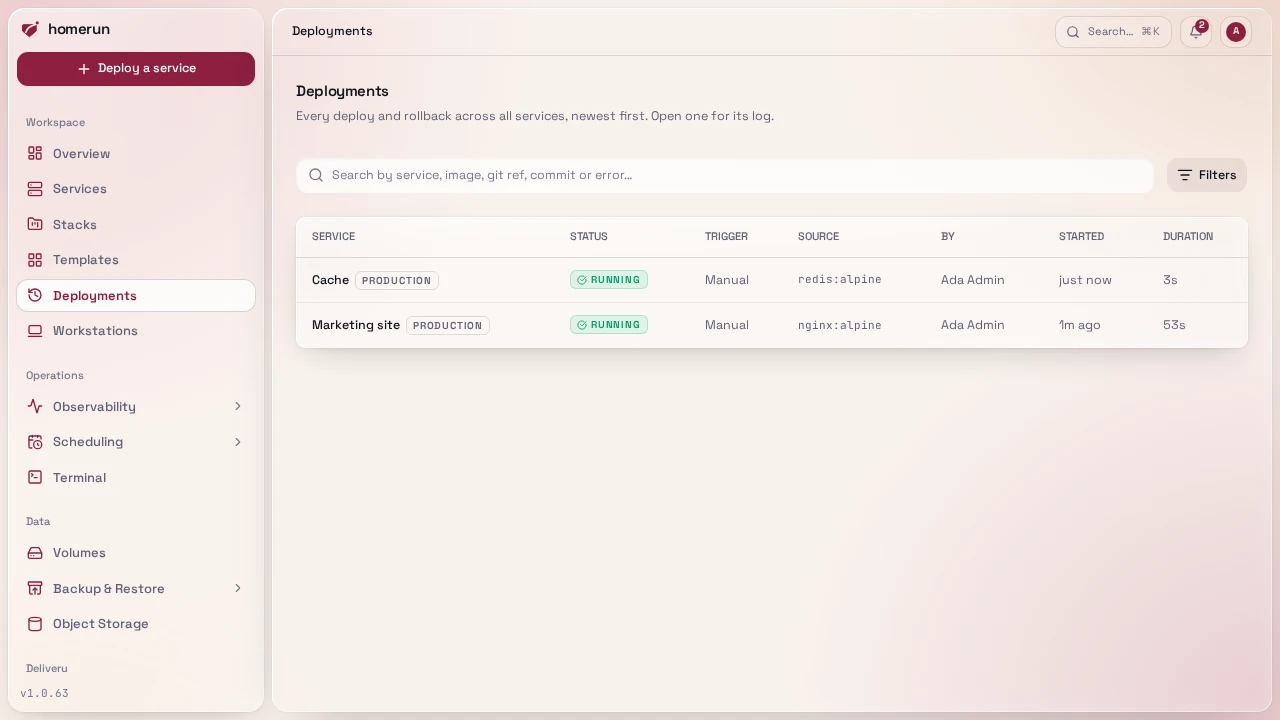
Every deployment records the environment it deployed: production for a normal
service and a stable one, canary, or preview for a pull request preview. A
service's Environments & Deployments → Revisions and the instance-wide
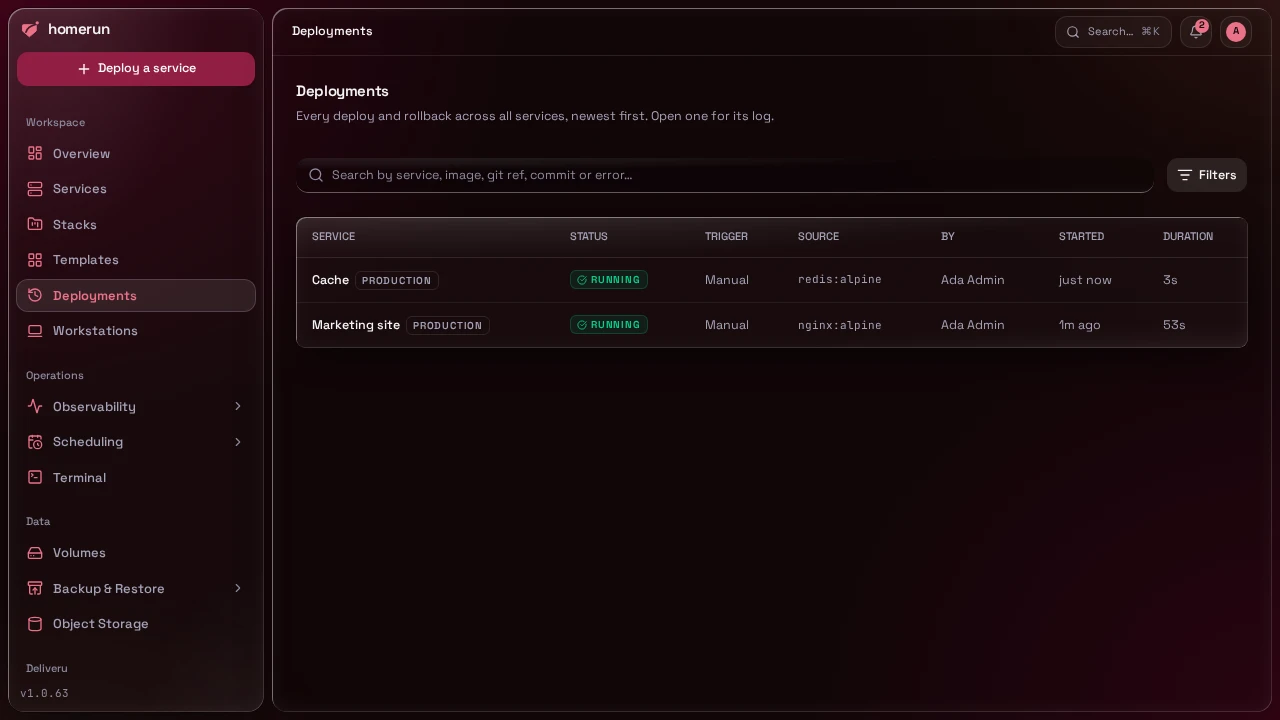
Deployments page show it as a badge, and the Deployments page filters on it.
The API's deployment and revision shapes carry it as environment.
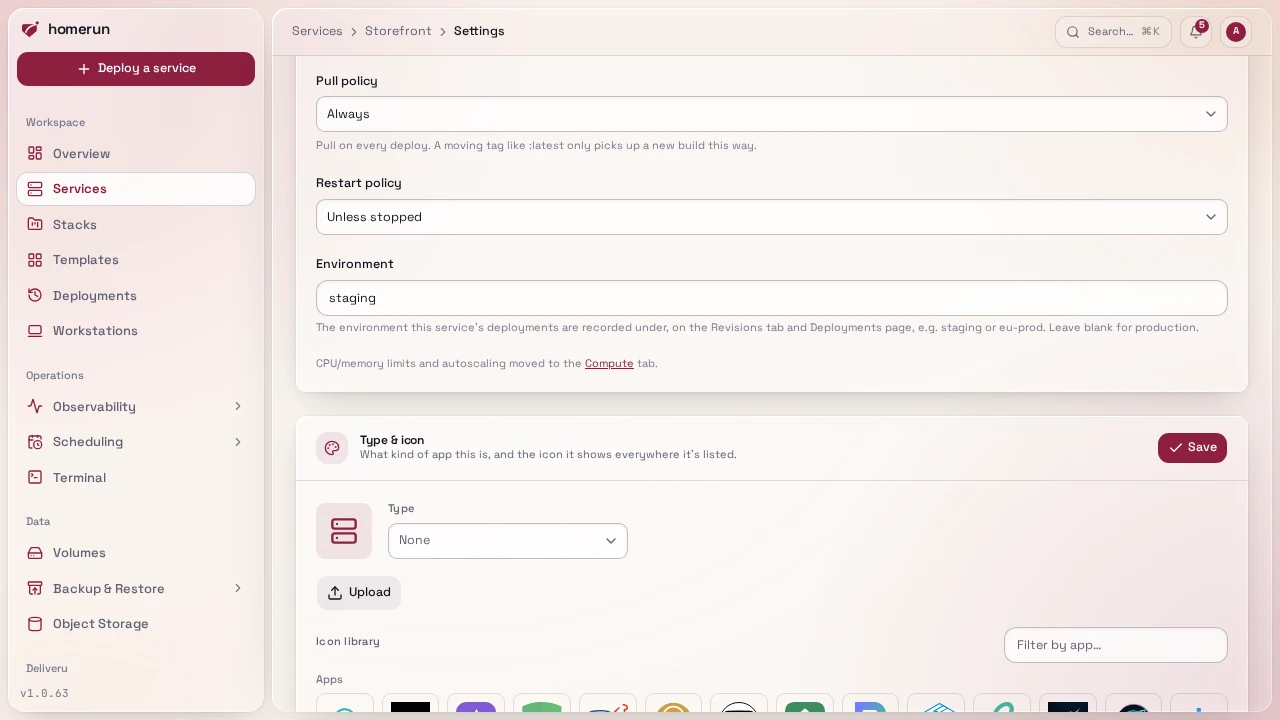
To record a service under another name, say staging or eu-prod, fill in
Environment on its Settings tab: up to 32 lowercase letters, digits and
dashes. Leave it blank for production; canary and preview are taken. The
name only applies to the service's own deployments, a stable service included:
its canary still records canary and its previews preview. It takes effect
from the next deploy, earlier deployments keep the name they were recorded with,
and every name in use shows up in the Deployments page's filter. From the CLI or
the API:
homerun services environment <service> staging
homerun services environment <service>The second form resets it to production. PATCH /api/v1/services/{serviceId}
takes {"environmentName": "staging"}, or null to reset it.
For a full walkthrough with a GitHub Actions release workflow, see Main is canary, tags are stable.
This guide lives in the project repo: edit it there, and this page follows with the next release.