Penombre
A self-hosted drive. All the convenience of cloud storage, on hardware you own, with a bill of exactly zero.



Docs · Docker Hub · Project page
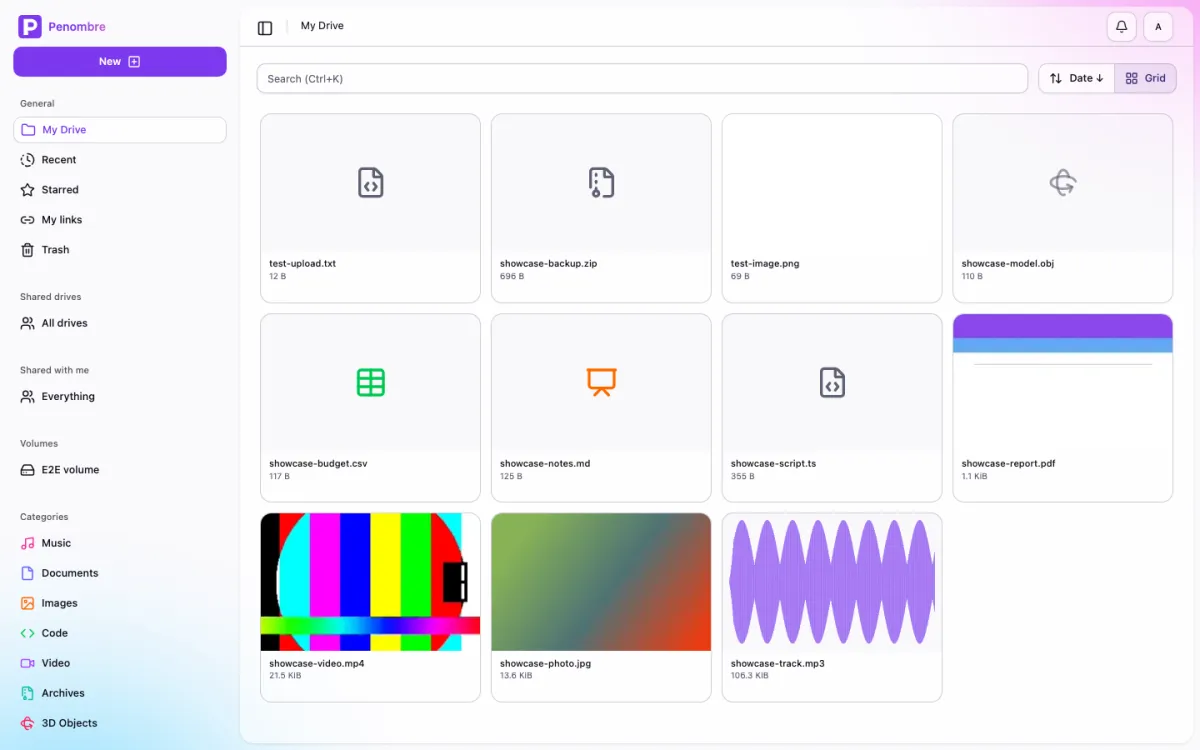
See the full showcase → — every screen, light and dark, generated from a real instance.
What it is
Penombre is a file storage and synchronisation platform for people who want their files back. Drop it on a box, mount a volume, and you get a modern web drive: uploads, folders, automatic categories for images, documents and music, recoverable soft-trash, recent files, and OAuth logins — without renting the disk from anyone.
It runs on SQLite out of the box: one container, one volume, no database server to run alongside it. PostgreSQL stays supported the day you outgrow that.
Features
- Modern web UI — SvelteKit 5, TailwindCSS 4 and shadcn-svelte. Responsive, fast, keyboard-friendly.
- Real auth — Better Auth: session cookies, OAuth providers and API keys for scripts.
- Smart categories — files sort themselves into images, documents, music and more as they land.
- Soft trash — deletion is recoverable, because everyone deletes the wrong folder eventually.
- REST API — OpenAPI-documented
/api/v1endpoints with API-key auth, generated from Zod contracts. - Simple mode — run it as a bare shared file browser: mount a volume, share the login, browse together. See the docs.
- No database server — SQLite with Drizzle by default. Point
DATABASE_URLat Postgres if you'd rather. - Docker-first — one
docker runoff the publishedorochibraru/penombreimage and you're storing files. Local filesystem storage atSTORAGE_PATH.
Run it
Docker run
docker run -d --name penombre \
  -p 3000:3000 \
  -v penombre_data:/data \
  -e ADMIN_EMAIL=you@example.com \
  -e ADMIN_PASSWORD=change-me \
  -e AUTH_SECRET=$(openssl rand -hex 32) \
  -e ORIGIN=https://drive.example.com \
orochibraru/penombre:latestDocker Compose
services:
  penombre:
    image: orochibraru/penombre:latest
    restart: unless-stopped
    ports:
      - 3000:3000
    volumes:
      - penombre_data:/data
    environment:
      ADMIN_EMAIL: you@example.com
      ADMIN_PASSWORD: change-me
      AUTH_SECRET: a-long-random-string
      ORIGIN: https://drive.example.com

volumes:
penombre_data:Either way it comes up on http://localhost:3000. One volume holds the lot: the
SQLite database under /data/db, your files under /data/storage. Those four
variables are the only ones required on a first run.
The getting started guide walks through it properly, and the env reference covers everything else: OAuth providers, SMTP, Redis, Postgres, simple mode.
How it's built
- Frontend — SvelteKit with Svelte 5, TailwindCSS 4, shadcn-svelte
- Backend — SvelteKit
+server.tsroutes with Zod-validated contracts that also emit the OpenAPI spec - Database — SQLite with Drizzle ORM, PostgreSQL optional, chosen from the
DATABASE_URLscheme - Storage — plain local filesystem, so your files stay files
- Auth — Better Auth
Contributing
See CONTRIBUTING.md for local setup, commands, and the test and lint workflow.
License
MIT — see LICENSE. Free, and staying that way.
Acknowledgments
Built with these open-source technologies:
- SvelteKit - Full-stack web framework
- shadcn-svelte - UI components
- Bun - JavaScript runtime and toolkit
- Drizzle ORM - TypeScript ORM
- Better Auth - Authentication library
- SQLite - Database
- oxlint - Linter
- Biome - Formatter
This guide lives in the project repo: edit it there, and this page follows within a day.