Penombre
A self-hosted drive. All the convenience of cloud storage, on hardware you own, with a bill of exactly zero.
What it is
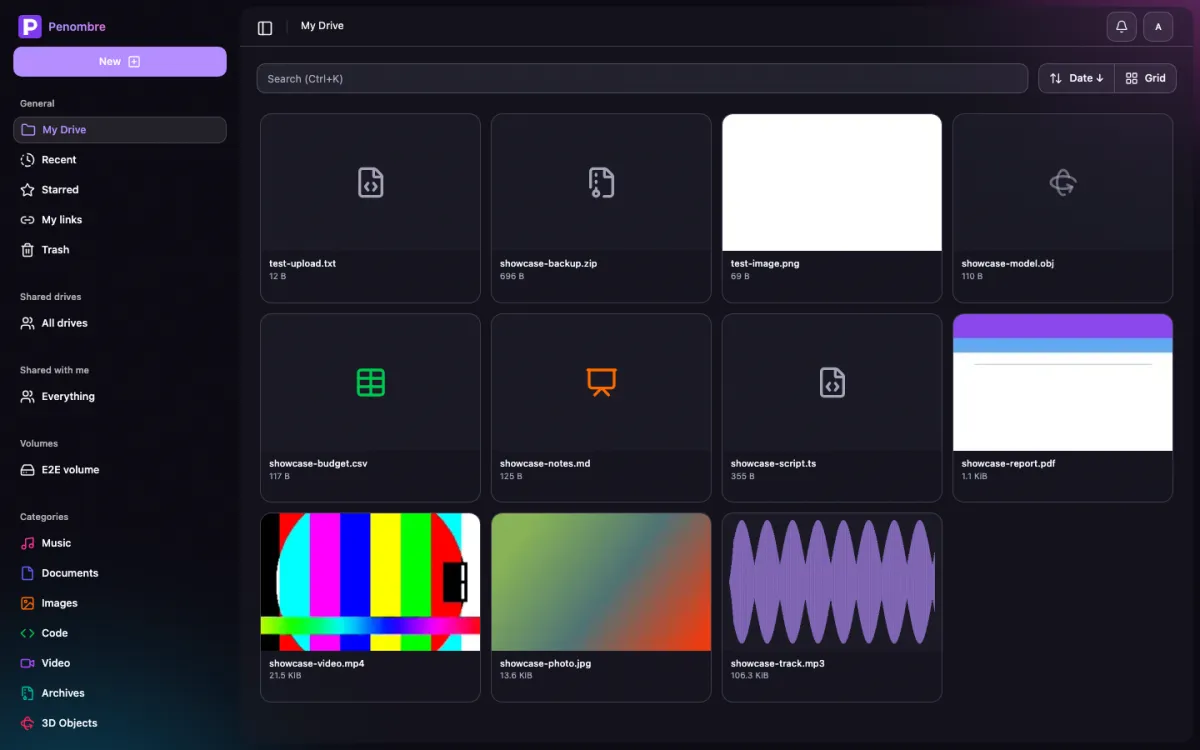
Penombre is a file storage and sharing platform for people who want their files back. Drop it on a box, mount a volume, and you get a modern web drive: uploads that survive a reload, generated thumbnails, previews that open in place, notes on any file, share links with an expiry, shared drives for a team, automatic categories, recoverable soft-trash and OAuth logins, without renting the disk from anyone.
It runs on SQLite out of the box: one container, one volume, no database server to run alongside it. PostgreSQL stays supported the day you outgrow that.
Your files stay files. Storage is a plain directory tree on disk, not a block
store with a database index, so ls, rsync and Syncthing all still work on
it.
Showcase
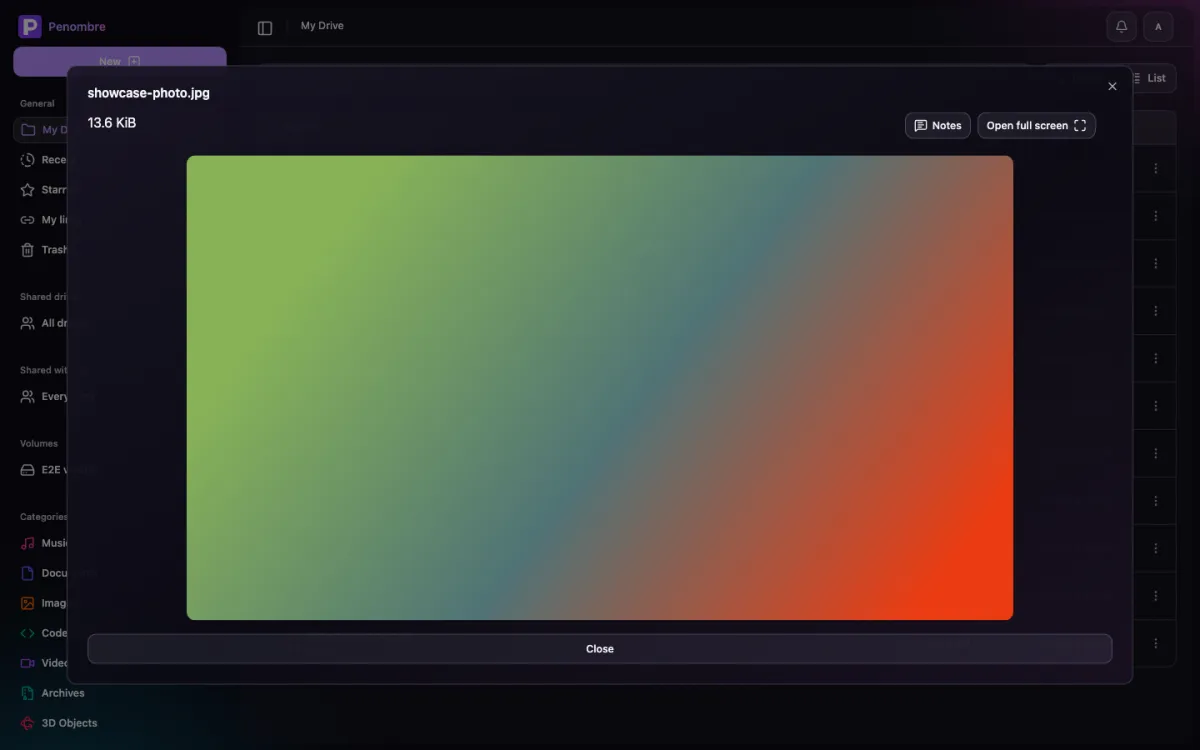
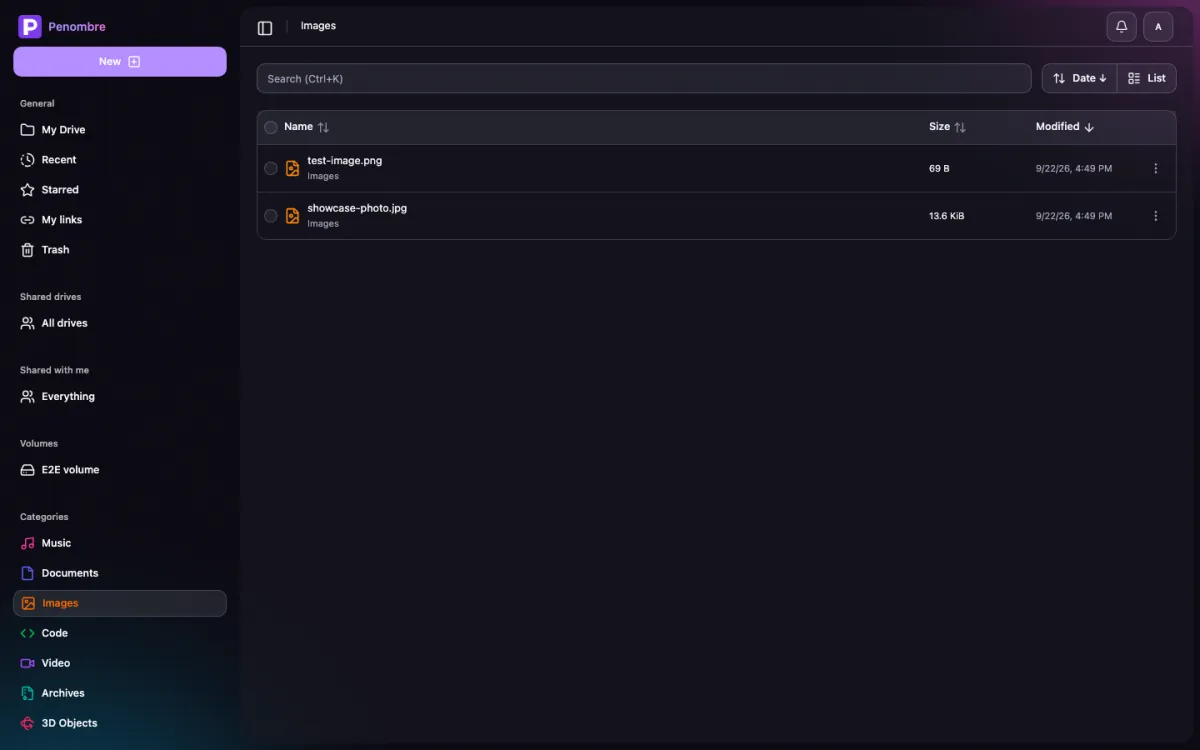
Every screenshot below comes out of the repo, not a design tool: Playwright drives a real instance seeded with one file of each supported kind, and the run fails rather than publishing a screen that stopped rendering. Light or dark follows your system, because appearance is a per-account setting and both are the real thing.
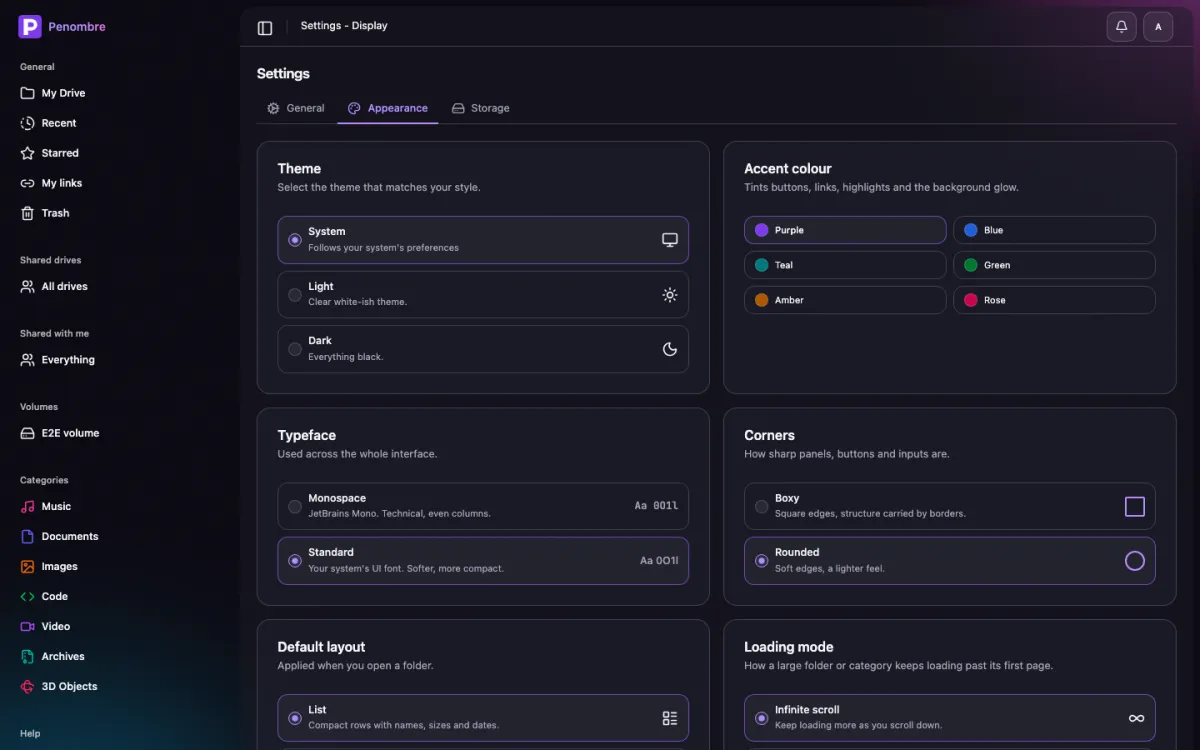
<html> — typeface, corners and accent —
re-theme the whole app, including the aurora behind it.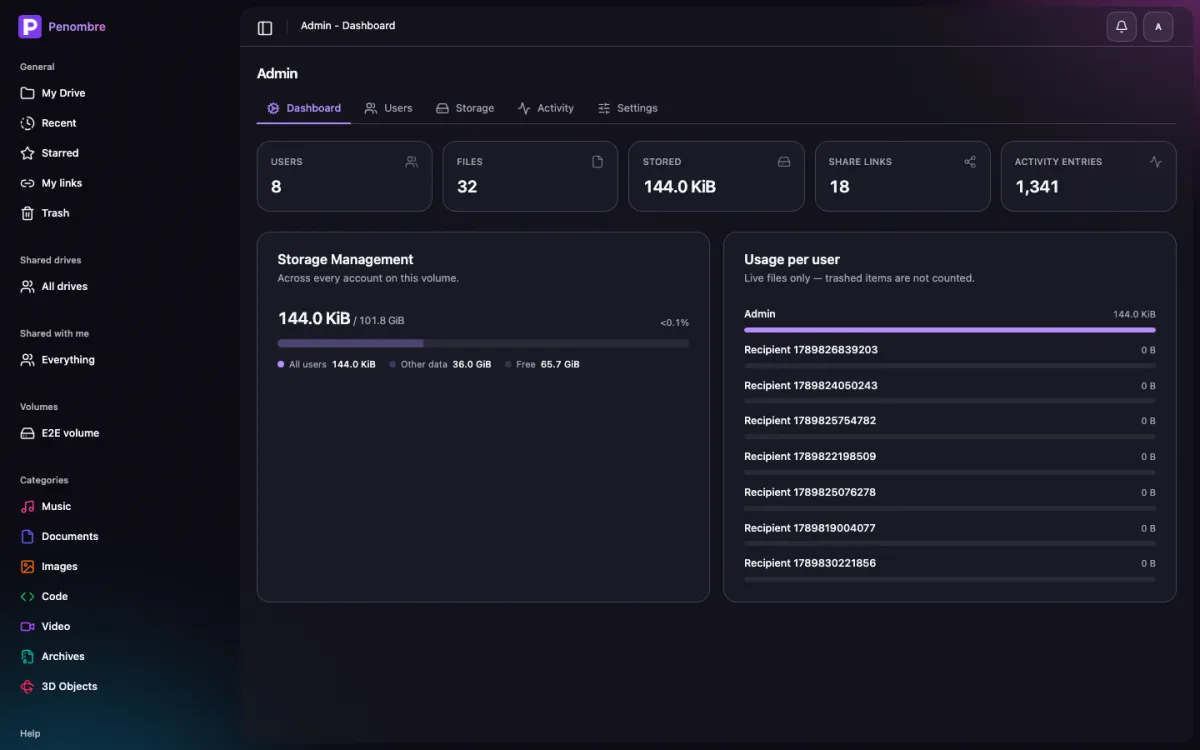
Recent, shared, trash and the rest are in the full showcase, all of it generated the same way.
Features
Modern web UI
SvelteKit 5, TailwindCSS 4 and shadcn-svelte. Responsive, fast, keyboard-friendly.
Previews in place
Images, video, audio, PDFs and syntax-highlighted source open in a dialog, not a download prompt.
Notes on any file
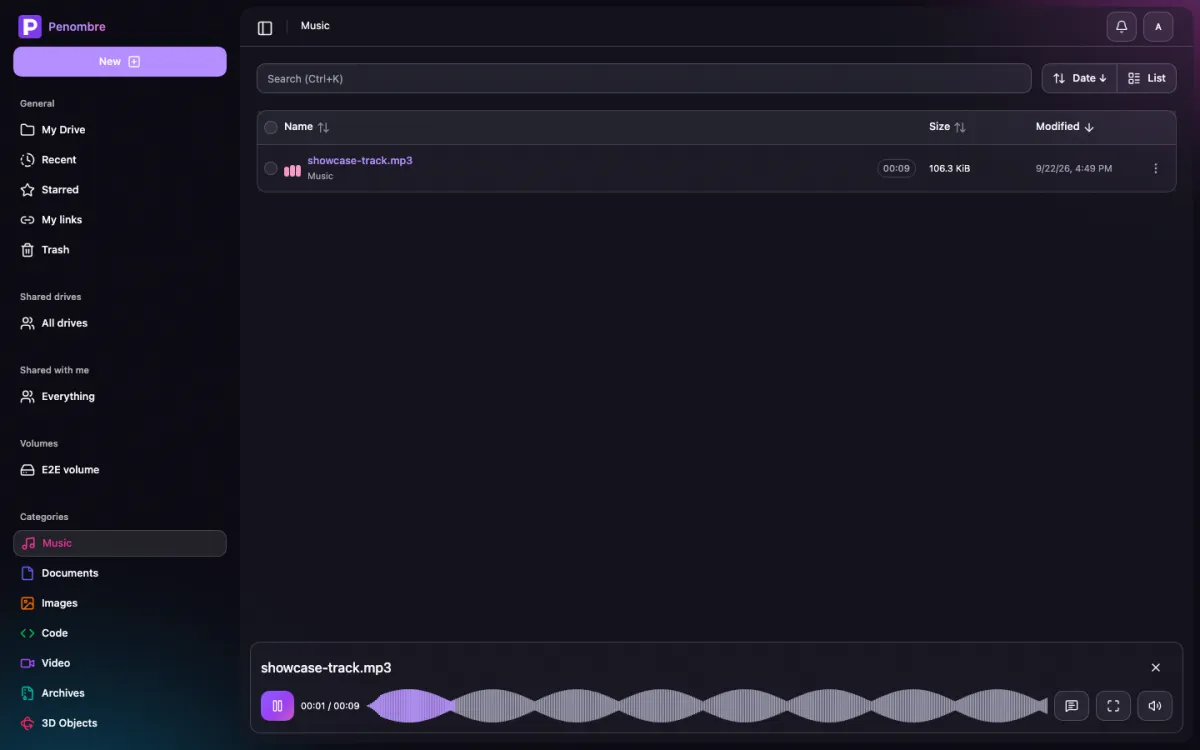
A thread beside the preview. On a track or a video a note pins to a timestamp, and every timestamp is drawn on the waveform as a dot you can hover to read and click to jump to — in the player, the preview and the full-screen viewer alike.
A real music player
Persistent bottom player, waveform-as-progress-bar drawn from cached peak data, keeps playing while you browse.
Full screen, properly
An image, a video or a track opens in Penombre’s own viewer rather than the browser’s bare built-in player: name, size, download, real transport controls and the notes thread beside it. A track has no picture to fill a screen with, so it gets a now-playing panel with the waveform where the artwork would have been.
Documents, sheets and decks
Write them in the browser, stored as plain .html, .csv and .md. No
proprietary container, no export step, and slides get a present mode.
Word, Excel and PowerPoint
A .docx, .xlsx or .pptx opens in the same three editors and saves back as
itself — same file, same place, no import and no export. Only the part you
edited is rewritten: untouched cells keep their formulas and formatting, slides
keep their layouts and theme.
Sharing, two ways
Public links with optional password, expiry and sign-in requirement, or per-user grants at view, edit or full access.
Shared drives
A drive that belongs to a group instead of a person: one tree, one trash, manager / editor / viewer roles. Files belong to the drive rather than to whoever happened to upload them, so a project folder survives the person who started it.
Notifications
A bell for the things other people did — a note on your file, something shared with you — and nothing you did yourself. Opt in per account to have them emailed too, once an admin has configured SMTP.
Smart categories
Images, video, music, documents, code, archives and 3D objects sort themselves as files land.
Uploads that survive a reload
Transfers run in a Web Worker with the queue in IndexedDB, so a multi-gigabyte video keeps going and picks itself back up.
Mounted volumes
Point VOLUME_*_PATH at a NAS share or an existing tree and it appears in the
sidebar as one library everyone browses, optionally read-only. A background pass
keeps it in sync with what’s actually on disk, and a Rescan button in its header
forces one on demand.
Soft trash
Deletion is recoverable, because everyone deletes the wrong folder eventually.
Yours to look at
Typeface, corner radius and accent colour are per-account settings that re-theme the entire app, light or dark.
Admin panel
Instance and per-user storage, invites, roles, bans, sign-up and security policy, OIDC providers added without touching the environment, and an audit log that records no file names.
Real auth
Better Auth: session cookies, OAuth providers, passkeys, two-factor, and API keys for scripts.
REST API
OpenAPI-documented /api/v1 endpoints with API-key auth, generated from Zod
contracts.
Simple mode
Run it as a bare shared file browser: mount a volume, share the login, browse together.
One container, no database server
SQLite with Drizzle by default off the published orochibraru/penombre image.
Point DATABASE_URL at Postgres if you’d rather.
An alternative to what, exactly
Nobody wakes up wanting a self-hosted drive. They want out of something specific. So here is where Penombre actually sits, including where it loses.
Nextcloud alternative
Nextcloud is a groupware suite that also stores files: PHP, a database server, an app store, calendars, chat, and a cron job you will eventually debug. Penombre is the drive and nothing else, in one container. If you want the calendar and the chat, keep Nextcloud.
Seafile & ownCloud alternative
Seafile’s block storage is fast, but your files stop being files: the tree on
disk is chunks and a database. Penombre keeps a plain directory under
STORAGE_PATH, so a backup is rsync and an escape hatch is cp -r.
Google Drive alternative
The same shape — grid, previews, share links, documents, sheets and slides — on a disk you own, with nothing reading your files to improve anything. Google Docs is more capable than Penombre’s editors; Google is also not going to hand you the directory.
Dropbox alternative
Dropbox is sync first. Penombre has no sync client and isn’t growing one: point Syncthing at the same directory the container mounts and you get the same result, free, with a web drive on top.
iCloud Drive alternative
iCloud stops at the edge of the Apple fence and bills monthly for the privilege. Penombre runs on the box in your closet, opens in any browser on any OS, and costs the price of the disk you already bought.
OneDrive, Box & pCloud alternative
Per-seat pricing, quota upsells, and an account that can be suspended with your files inside it. Here the quota is the filesystem and the only way to lose access is to unplug the machine yourself.
File Browser & Filestash alternative
Both are excellent thin browsers over a directory. Penombre does that too — it’s called simple mode — and adds accounts, sharing, notes, thumbnails and an admin panel when you want them.
Synology Drive & FileRun alternative
One wants you to buy the NAS, the other wants a licence key. Penombre is MIT, runs on whatever Linux box you have, and will happily mount the NAS share you already own as a volume.
Since we’re being honest about search: people get here looking for a Nextcloud alternative, Google Drive alternative, ownCloud alternative, Seafile alternative, iCloud alternative, Dropbox alternative, OneDrive alternative, Box alternative, pCloud alternative, MEGA alternative, Proton Drive alternative, Synology Drive alternative, FileRun alternative, Filestash alternative or a File Browser alternative. That is the list. It is a self-hosted drive, and it is free.
Run it
Docker run
docker run -d --name penombre \
  -p 3000:3000 \
  -v penombre_data:/data \
  -e AUTH_SECRET=$(openssl rand -hex 32) \
  -e ORIGIN=https://drive.example.com \
orochibraru/penombre:latestDocker Compose
services:
  penombre:
    image: orochibraru/penombre:latest
    restart: unless-stopped
    ports:
      - 3000:3000
    volumes:
      - penombre_data:/data
    environment:
      AUTH_SECRET: a-long-random-string
      ORIGIN: https://drive.example.com

volumes:
penombre_data:Either way it comes up on http://localhost:3000. One volume holds the lot: the
SQLite database under /data/db, your files under /data/storage. Those two
variables are the only ones required on a first run — a setup screen creates the
administrator account the first time anyone opens it, so no default password
ever ships in an env file.
The getting started guide walks through it properly, and the env reference covers everything else: OAuth providers, SMTP, Redis, Postgres, mounted volumes, simple mode.
How it’s built
- Frontend: SvelteKit with Svelte 5, TailwindCSS 4, shadcn-svelte
- Backend: SvelteKit
+server.tsroutes with Zod-validated contracts that also emit the OpenAPI spec - Database: SQLite with Drizzle ORM, PostgreSQL optional, chosen from the
DATABASE_URLscheme - Storage: plain local filesystem, so your files stay files
- Auth: Better Auth
- Screenshots: Playwright, run against a seeded instance, published straight to the docs
MIT licensed. Free, and staying that way. Here’s why.