Bercail
A start page for your homelab. The weather and your server’s vitals at the top, your links below, each with a dot that tells you whether it’s up before you click it.
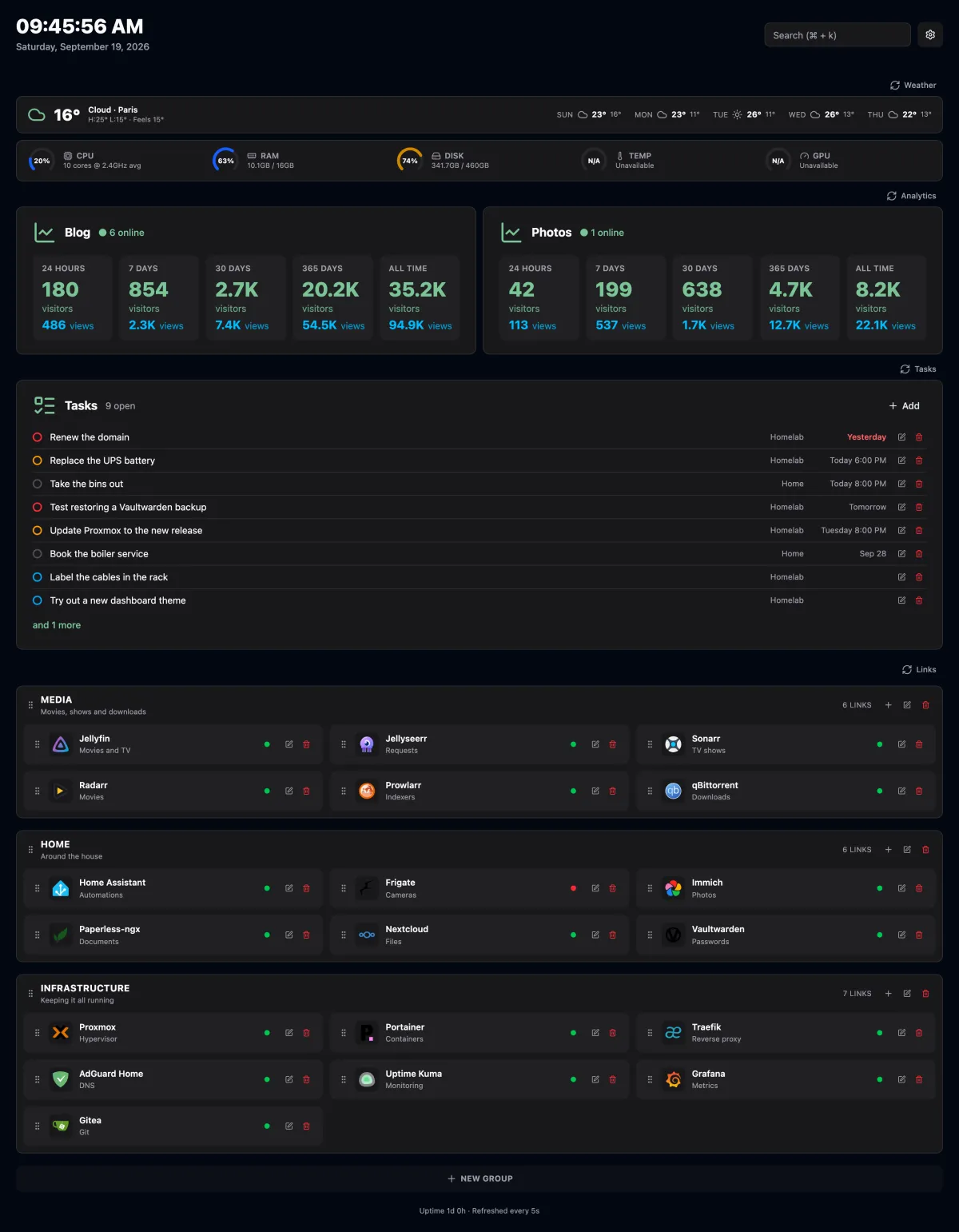
Your links
Links in groups
Title, description, URL, same or new tab, and an icon: an image URL or any name from Dashboard Icons. Drag one by its grip to reorder it or move it to another group.
Online status
The server sends a HEAD to every link, 5 second timeout, cached for 30
seconds. Anything below a 500 counts as up. Self-signed certificates are fine.
Search
⌘K / Ctrl+K to jump to any link or search the web.
Backup and restore
Export your groups and links to JSON from Settings, and import them back.
At a glance
System stats
CPU, RAM, disk, temperature and GPU gauges for the host it runs on, refreshed
every 5 seconds. A metric it can’t read shows N/A and leaves the rest alone.
Weather
Current conditions and a 5-day forecast from Open-Meteo. No API key.
Analytics
Live visitors, plus visitors and pageviews per website over 24 hours, 7, 30, 365 days and all time, from your own Umami v3 instance.
Themes
Light, dark or system.
Every new tab
A Chrome extension puts your Bercail on every new tab. Grab
bercail-extension.zip from the latest release, load it unpacked, point it at
your instance. After the first visit the page comes out of a service worker
cache, so a new tab doesn’t wait on the server.
An alternative to what, exactly
Homelab start pages are a crowded shelf. Here is where Bercail sits on it, including where it loses.
Homepage alternative
Homepage is configured in YAML and talks to more services than anyone runs. Bercail is edited in the page itself and ships a handful of widgets. If you want a tile for every *arr in your stack, keep Homepage.
Homarr & Dashy alternative
Both do everything, and have the settings screens to prove it. Bercail is links, status, weather, vitals and analytics, in one container with one SQLite file.
Homer alternative
Homer is a static page, so anything live happens in your browser, where CORS and self-signed certificates get in the way. Bercail checks your links from the server, and doesn’t mind either.
Heimdall & Flame alternative
The same idea — a tidy grid of your apps — with an up/down dot on every link, a
⌘K palette, and your server’s gauges above them.
start.me & Momentum alternative
A new tab page without an account on someone else’s server. The extension opens your own instance, and it can see the machines on your LAN, which theirs can’t.
Run it
Docker Compose
services:
  bercail:
    image: orochibraru/bercail:latest
    restart: unless-stopped
    environment:
      ORIGIN: https://dash.example.com
    ports:
      - 3000:3000
    volumes:
- ./data:/app/dataOne container, one volume. Everything lives in a SQLite file under
/app/data, and migrations run on startup. Images are published for
linux/amd64 and linux/arm64. Every setting is optional; set ORIGIN to the
URL you browse to, or forms fail behind a reverse proxy.
Without OIDC_ISSUER it’s open to anyone who can reach it. Set it, with a
client ID and secret, and every page asks for sign-in through your provider:
Pocket ID, Authentik, Authelia, Keycloak. OIDC_ALLOWED_EMAILS narrows who gets
in — set it unless your provider already does.